
- How Adaptive Bitrate (ABR) Streaming Works—and Why Simultaneous Bursts Collide
- Live Football Broadcasts vs On-Demand Movies: Why 9:00 PM Kickoffs Expose 5G Congestion
- Calculating the Real Bandwidth Tier Your Multi-Screen Household Needs
- The Hidden Bottleneck Inside Smart TVs: How to Fix Local Home Network Throttling
- 1. Metal TV Chassis Shielding and 2.4 GHz Fallback
- 2. The 100 Mbps Ethernet Port Quirk on Modern 4K TVs—and Why Wiring Still Wins
- 3. Offloading Smart TV Processing to Dedicated Media Boxes
- Comparing Verified Saudi Fiber and 5G Plans for 4K Entertainment (VAT Inclusive)
- Frequently Asked Questions About 4K Streaming and Multi-Device Broadband
- How much monthly data does a family consume watching 4K TV, and will my ISP throttle my speed?
- Why does live football on Shahid or STC TV buffer while Netflix 4K plays smoothly on the same TV?
- Should I connect my living-room 4K TV with an Ethernet cable or Wi-Fi?
- Can a 5G home router support three 4K TVs in a rented apartment?
- How do I stop a PlayStation or PC download from ruining family movie night?
Yes, a modern household can run three to four simultaneous 4K Ultra HD television streams alongside multiple tablets, smartphones, and smart home appliances without buffering or resolution downscaling—provided your connection delivers at least 200 to 300 Mbps of sustained, low-jitter throughput backed by a properly segmented indoor network. Across Saudi Arabian homes where family living rooms, formal majlis areas, and upstairs bedrooms all stream high-bitrate media during evening prime time, Fiber-to-the-Home (FTTH) outperforms 5G Fixed Wireless Access (5G FWA) because optical fiber guarantees dedicated physical bandwidth that never shrinks when the neighborhood goes online. While a strong 5G home connection can handle multi-screen streaming smoothly during off-peak hours, cellular sectors share radio airtime across hundreds of nearby users, making wireless connections vulnerable to sudden bitrate drops and spinning loading wheels during major live football broadcasts and weekend evenings.
Understanding why concurrent 4K screens strain a home network requires looking beyond simple average megabit addition. Modern streaming platforms do not pull data in a gentle, uniform trickle; instead, they fetch video chunks in aggressive, sawtooth network bursts that collide on congested wireless links—a mechanical difference between on-demand cinema and live sports broadcasts that we examine in detail below.

How Adaptive Bitrate (ABR) Streaming Works—and Why Simultaneous Bursts Collide
A common misconception among broadband buyers is that a 4K stream rated at 25 Mbps consumes a flat, steady 25 Mbps every second. In reality, major streaming platforms—including Netflix, YouTube, Shahid VIP, STC TV, Apple TV+, and Disney+—deliver video over Adaptive Bitrate (ABR) protocols such as HTTP Live Streaming (HLS) and Dynamic Adaptive Streaming over HTTP (MPEG-DASH), running over TCP or HTTP/3 (QUIC).
Under ABR architecture, a movie or broadcast is sliced on the server into discrete time segments (chunks), typically 2 to 6 seconds long, encoded across a ladder of quality profiles ranging from 360p up to 4K Dolby Vision. When your smart TV plays a movie, its client player does not pull a continuous stream. Instead, it opens a high-speed burst transfer to download the next 4-second chunk as fast as the pipe allows, fills its local memory buffer, pauses briefly, and then fires another burst request for the next chunk.
When multiple 4K TVs and mobile devices operate under the same roof, three network phenomena occur simultaneously:
- Sawtooth Burst Collisions: A single 4K HDR television whose average bitrate is 25 Mbps will routinely spike to 65–90 Mbps for one second every four seconds as it grabs each new video segment. When three 4K TVs in the living room, majlis, and master bedroom request chunks at the exact same millisecond while kids scroll through tablets, instantaneous aggregate demand spikes past 220 to 260 Mbps.
- ABR Throughput Estimator Downshifting: Every smart TV continuously calculates the exact millisecond duration required to download the last video chunk. If a burst collision on a congested 5G cell tower or crowded indoor Wi-Fi channel delays a chunk by just 400 milliseconds, the TV's ABR algorithm assumes your internet connection has degraded and immediately steps the next chunk down from 2160p (4K) to 1080p or 720p, causing visible blockiness and washed-out textures.
- Aggressive Short-Form Video Pre-Fetching on Phones and Tablets: When family members scroll through TikTok, Instagram Reels, or YouTube Shorts on mobile devices, the app does not merely stream the clip currently on screen; it aggressively pre-fetches the next 3 to 5 videos in the feed at maximum line rate so swiping feels instantaneous. Four active phones scrolling social feeds generate continuous high-frequency bursts that compete directly with living-room TVs for wireless airtime.
| Streaming Platform & Content Type | Sustained Average Bitrate per Screen | Peak Segment Burst Demand | Sensitivity to Network Jitter & Congestion | Primary Video Codec |
|---|---|---|---|---|
| Netflix / Disney+ (4K HDR / Dolby Vision) | 15 Mbps to 25 Mbps | 50 Mbps to 80 Mbps | Moderate (30–60 sec playback buffer) | HEVC (H.265) / AV1 |
| Apple TV+ (High-Bitrate 4K HDR10+) | 28 Mbps to 40 Mbps | 70 Mbps to 110 Mbps | Moderate-High due to cinema-grade bitrates | High-Profile HEVC |
| YouTube (4K at 60 fps HDR) | 22 Mbps to 35 Mbps | 60 Mbps to 95 Mbps | Moderate (uses UDP-based QUIC protocol) | VP9 / AV1 |
| Live Football (Shahid VIP / STC TV / TOD) | 12 Mbps to 25 Mbps | 35 Mbps to 60 Mbps every 2 sec | Extreme (tiny 2–6 sec live edge buffer) | Low-Latency H.264 / HEVC |
| Tablets & Smartphones (1080p / Social Reels) | 5 Mbps to 12 Mbps per device | 20 Mbps to 35 Mbps on swipe | Low on device, but consumes Wi-Fi airtime | H.264 / VP9 |
Live Football Broadcasts vs On-Demand Movies: Why 9:00 PM Kickoffs Expose 5G Congestion
The architectural gulf between FTTH fiber and 5G wireless broadband in Saudi Arabia becomes unmistakable at 9:00 PM during major Saudi Pro League (Roshn Saudi League) derbies, UEFA Champions League nights, or international tournament finals streamed live on Shahid VIP Sports, STC TV, beIN Connect, or TOD.
When your family watches a pre-recorded series on Netflix (Video on Demand), the television caches 45 to 90 seconds of upcoming video in its local RAM. If your 5G connection experiences a 6-second throughput dip due to tower load, the TV plays seamlessly out of its cached buffer. Live sports streaming operates under radically tighter constraints. A live broadcast cannot buffer 60 seconds ahead because those plays have not happened on the pitch yet—and any delay beyond a few seconds means you hear neighbors cheering or receive smartphone goal alerts before seeing the ball hit the net on your television.
To keep viewers close to real time, sports platforms utilize Low-Latency HLS (LL-HLS) and Common Media Application Format (CMAF) chunked transfer encoding, shrinking the television's safety buffer down to just 2 to 5 seconds. Under these razor-thin tolerances, FTTH outperforms 5G for three structural reasons:
- Immunity to Neighborhood Air-Interface Congestion: During a major football match, hundreds of households across your neighborhood tune into the exact same live stream simultaneously. On a 5G wireless network, every 5G home router and smartphone connected to that cell tower sector competes for the same finite radio spectrum slots. Even a momentary 3-second radio queuing bottleneck drains a 3-second live sports buffer completely, triggering a frozen frame or a sudden drop to blurry 480p resolution right during a penalty kick. On an FTTH network regulated under performance standards overseen by the Communications, Space and Technology Commission (CST), optical splitters carry multi-gigabit capacity immune to radio contention.
- Direct Optical Peering with Local ISP Edge CDNs: Saudi fiber operators (STC, Mobily, Salam, and Zain) host localized Content Delivery Network (CDN) caching servers for Shahid, STC TV, Netflix Open Connect, and Google Global Cache directly inside their metropolitan data centers in Riyadh, Jeddah, and Dammam. Over FTTH, video segments travel from the local metropolitan cache to your living room over pure glass with sub-5 ms latency.
- Zero Weather or Multipath Degradation: Dust storms, humid coastal fog, or urban reflection shifts never alter optical light inside buried conduits, whereas 5G radio links can step down modulation levels during adverse outdoor conditions.
You can check whether your residence has active optical infrastructure right now by visiting our national address broadband coverage checker.
Calculating the Real Bandwidth Tier Your Multi-Screen Household Needs
To size your broadband subscription accurately—avoiding both under-provisioned buffering and unnecessary overspending—sum the sustained bitrates of your peak evening devices and add a 35% to 40% ABR burst cushion:
- The Mid-Sized Family Home (Two 4K TVs + 4 Tablets/Phones + Smart Home Cameras): Two concurrent 4K HDR streams average 50 Mbps (with synchronized segment bursts reaching 120 Mbps), while four active tablets and smartphones add 30 to 40 Mbps of video and browsing traffic, plus 15 Mbps for cloud security cameras and background updates. While the mathematical average sits near 100 Mbps, a 100 Mbps plan will constantly hit its ceiling during segment bursts. Stepping up to a 300 Mbps fiber plan provides effortless headroom so neither screen ever downscales.
- The Large Multi-Room Household or Villa (3 to 4 Concurrent 4K TVs + Gaming Consoles + 10+ Mobile Devices): When the main living room streams a 4K football match, the majlis displays another live broadcast, and two upstairs bedrooms stream 4K movies on Netflix and YouTube while a console downloads updates in the background, combined segment bursts easily peak between 260 and 350 Mbps. For these households, a 500 Mbps fiber tier (or a 1 Gbps tier for extreme multi-user concurrency) guarantees zero contention across every floor.
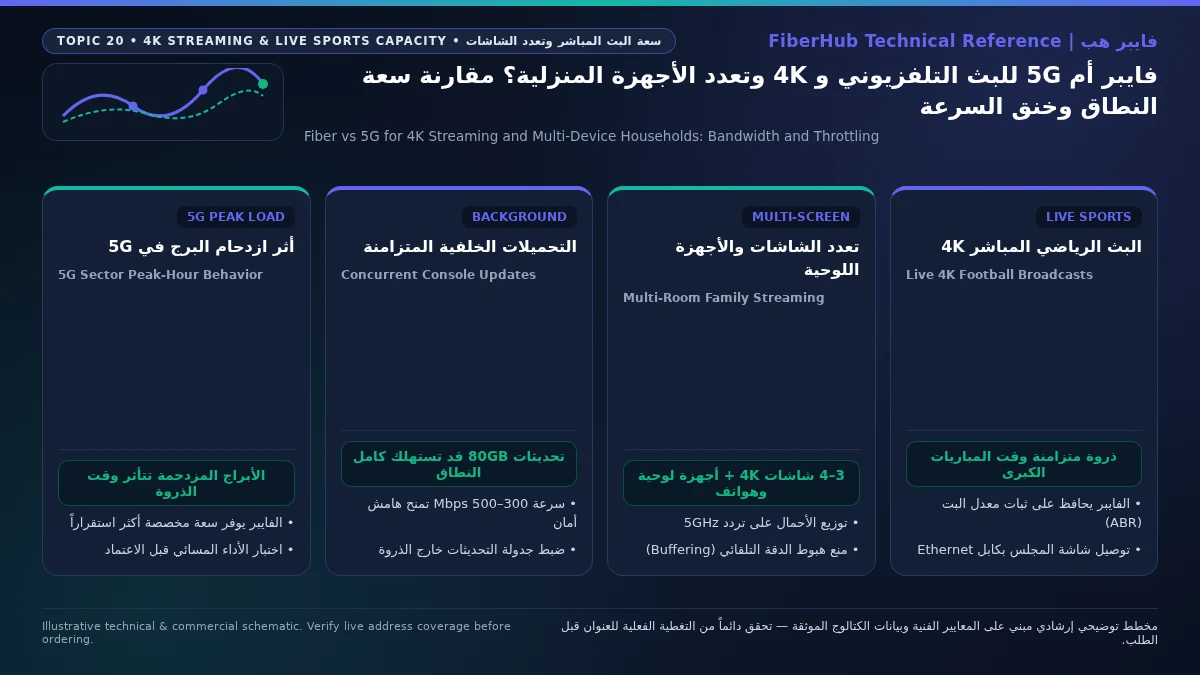
The Hidden Bottleneck Inside Smart TVs: How to Fix Local Home Network Throttling
In many Saudi homes we diagnose, a family subscribes to a 500 Mbps fiber package, yet their flagship 75-inch 4K television still buffers during evening streams. When the ISP fiber line tests at full speed, the culprit is almost always a hardware or wireless bottleneck right behind the television:
Check 5G and fiber availability in your district
Home 5G performance depends on local sector coverage and window line-of-sight. Check your address options before committing.
1. Metal TV Chassis Shielding and 2.4 GHz Fallback
Wall-mounted smart TVs sit flush against reinforced concrete walls or inside decorative marble and wood media units. Inside the back panel of every large LED/OLED television is a solid sheet of metal electromagnetic shielding and heat-dissipation plating. Because the TV's internal Wi-Fi antennas are tucked behind that metal plate, the television itself blocks signals arriving from the front or opposite side of the room! If your router sits down the hallway, the 5 GHz signal reaching the back of the TV drops below -75 dBm, forcing the TV to fall back to the crowded 2.4 GHz band—where real-world throughput rarely exceeds 15 to 25 Mbps, starving 4K streams.
2. The 100 Mbps Ethernet Port Quirk on Modern 4K TVs—and Why Wiring Still Wins
Surprisingly, almost all major television manufacturers equip even premium 4K TVs with a 100 Mbps Fast Ethernet RJ45 port rather than a 1,000 Mbps Gigabit port to shave component costs. Despite that 100 Mbps ceiling, plugging a Cat6 Ethernet cable into your smart TV is still vastly superior to unstable Wi-Fi for streaming Netflix, Shahid VIP, STC TV, Apple TV+, and YouTube. Because commercial 4K streaming platforms compress video using HEVC or AV1 to between 15 and 40 Mbps (with bursts up to 80 Mbps), a dedicated, interference-free 100 Mbps wired Ethernet lane delivers zero packet loss and instant segment loading. The only scenario where a TV needs more than 100 Mbps is if you stream uncompressed 4K Blu-ray Remux files (120+ Mbps) from a local Plex/NAS server—in which case you should connect the TV to a nearby Wi-Fi 6 access point on a clean 5 GHz 80 MHz channel certified by the Wi-Fi Alliance or attach a compatible USB 3.0-to-Gigabit Ethernet adapter.
3. Offloading Smart TV Processing to Dedicated Media Boxes
Built-in television processors often struggle with memory management in heavy streaming apps after a few years of firmware updates. Connecting a dedicated media streamer such as an Apple TV 4K (which features a true Gigabit Ethernet port, fast silicon, and generous RAM for ABR segment caching) eliminates app lag and stabilizes live sports playback.
Comparing Verified Saudi Fiber and 5G Plans for 4K Entertainment (VAT Inclusive)
Saudi telecom operators offer both pure high-speed broadband tiers and entertainment-bundled packages tailored for multi-screen homes (all monthly prices listed below include 15% VAT per verified tariff schedules):
- 300 Mbps Fiber Plans (Ideal for 2 to 3 Concurrent 4K Screens):
STC offers
STC Baity Fiber Basic (300 Mbps)at 287.5 SAR/month (andSTC Baity Fiber 300at 345 SAR/month), Salam providesSalam Fiber 300at 287.5 SAR/month, Zain offersZain Fiber Home Plus (300 Mbps)at 279 SAR/month (orZain Fiber 300at 287.5 SAR/month), and Mobily deliversMobily Fiber Postpaid 300at 345 SAR/month (orMobily Home Fiber Prepaid 300at 287.5 SAR/month). Every one of these fiber plans provides truly unlimited data with no fair-use throttling and includes a Wi-Fi 6 Gigabit router. - 500 Mbps to 1 Gbps Fiber & Entertainment Bundles (For 4+ 4K Screens and Large Families):
For households wanting bundled streaming subscriptions alongside high capacity, STC offers
STC Baity Fiber Stream (500 Mbps)at 402.5 SAR/month,STC Baity Fiber Entertainment (500 Mbps)at 460 SAR/month,STC Baity Fiber Stream Pro (500 Mbps)at 575 SAR/month, andSTC Baity Fiber Entertainment Pro (500 Mbps)at 690 SAR/month. For pure high-speed value, Salam providesSalam Fiber 500at 345 SAR/month andSalam Fiber 1000 (Gigabit)at 460 SAR/month; Zain offersZain Fiber Home Premium (500 Mbps)at 389 SAR/month; and Mobily offersMobily Fiber Postpaid 400at 402.5 SAR/month andMobily Fiber Postpaid 500at 460 SAR/month. - High-Capacity 5G Home Plans Where Fiber Is Unavailable:
If your building relies on 5G, select an uncapped high-speed tier such as
STC Baity 5G Home(300 Mbps at 287.5 SAR/month) orSTC Baity 5G Unlimited(500 Mbps at 402.5 SAR/month),Mobily 5G Wireless Home Broadband(300 Mbps at 287.5 SAR/month) orMobily Home 5G Unlimited(500 Mbps at 402.5 SAR/month),Zain 5G Home Pro(400 Mbps at 287.5 SAR/month) orZain 5G Max Home(1000 Mbps at 299 SAR/month), orSalam HomeFi Max 5G(500 Mbps at 345 SAR/month).
You can compare these verified plans side by side on our broadband comparison tool, or browse fiber optic packages, 5G home wireless plans, and the complete Saudi broadband directory.
Frequently Asked Questions About 4K Streaming and Multi-Device Broadband
Compare home 5G plans, router terms, and billing
Review prepaid vs postpaid 5G tiers, CPE router conditions, and operator contract terms side by side.
How much monthly data does a family consume watching 4K TV, and will my ISP throttle my speed?
A single hour of 4K HDR streaming consumes between 7 GB and 16 GB of data depending on the platform's bitrate. A household running three 4K TVs for four hours each evening easily exceeds 3,500 GB (3.5 TB) per month before counting phones, tablets, or console game downloads. Verified residential FTTH fiber plans and unlimited 5G home plans in Saudi Arabia carry no monthly data caps or Fair Usage Policy (FUP) throttling.
Why does live football on Shahid or STC TV buffer while Netflix 4K plays smoothly on the same TV?
Netflix streams pre-recorded video and caches up to a full minute of playback in your TV's memory buffer, masking brief wireless hiccups. Live football broadcasts use low-latency streaming with a tiny 2-to-5-second buffer so you see the action in real time. Furthermore, major matches create simultaneous neighborhood traffic spikes on shared 5G cellular towers at kickoff time, whereas dedicated FTTH fiber splitters maintain steady throughput.
Should I connect my living-room 4K TV with an Ethernet cable or Wi-Fi?
Always wire stationary 4K TVs and media boxes (such as Apple TV 4K) using a Cat6 Ethernet cable whenever possible. Even if your television has a 100 Mbps Ethernet port, a dedicated wired connection eliminates concrete-wall signal loss and metal-chassis interference, while freeing up precious 5 GHz Wi-Fi airtime for your family's smartphones and iPads.
Can a 5G home router support three 4K TVs in a rented apartment?
Yes, if your apartment has strong 5G reception (SINR above 15 dB) with the router placed near an exterior window facing the cell site, a 300 Mbps to 500 Mbps 5G plan can run two to three 4K streams smoothly during normal hours, though occasional bitrate step-downs may occur during peak evening tower congestion compared to FTTH.
How do I stop a PlayStation or PC download from ruining family movie night?
Enable Quality of Service (QoS) or Wi-Fi Multimedia (WMM) in your router settings and assign streaming priority to your smart TVs, or set a download speed limit inside your gaming console's network settings so bulk game patches leave at least 100 Mbps of uncontested bandwidth for household televisions.
Need fast home internet without waiting for trenching?
Check your address first to confirm whether fiber is ready or compare eligible home 5G plans for your location.
Editorial Transparency & Neutrality Notice:
This guide is provided for comparison and decision support. It does not constitute final address coverage confirmation, binding operator pricing, or regulatory accreditation. Always verify final plan terms and box readiness before completing your subscription request.