- The Throughput Myth in Esports: Why Deterministic Packet Delivery Beats Raw Megabits
- Packet Scheduling Physics: Passive Optical Bursts vs 5G TDD Radio Frame Switching
- Why 5G Jitter Spikes Happen Mid-Match: Sector Congestion, Handovers, and RF Attenuation
- CGNAT, Console NAT Types, and International Submarine Peering to Middle East and EU Servers
- The Gold-Standard In-Home Gaming Setup: Wired Cat6/Cat6A Ethernet, SQM QoS, and Bufferbloat Mitigation
- Frequently Asked Questions: Fiber vs 5G for Competitive Gaming
- Does upgrading my fiber plan from 300 Mbps to 1 Gbps lower my in-game ping?
- Why do I get NAT Type 3 (Strict NAT) on my 5G router, and how does it hurt online gaming?
- If I plug an Ethernet cable into a wireless Wi-Fi mesh node or repeater in my bedroom, is that as good as wired fiber?
- Which game genres suffer the most when played on 5G instead of FTTH fiber?
Yes—Fiber-to-the-Home (FTTH) makes a decisive, measurable difference for competitive console (PlayStation 5, Xbox Series X|S) and PC gaming in Saudi Arabia compared to 5G Fixed Wireless Access (5G FWA), even though active multiplayer matches consume only 0.5 Mbps to 3.5 Mbps of bandwidth. Winning gunfights and one-on-one duels in titles like EA Sports FC, Call of Duty, Valorant, Counter-Strike 2, and Fortnite has nothing to do with peak megabit download numbers; it is governed entirely by deterministic UDP packet scheduling, sub-millisecond jitter, zero packet loss, and clean NAT traversal. Because FTTH transmits controller inputs as dedicated laser pulses through a sealed glass core without waiting for cellular radio frame switches or competing for shared tower airtime, it eliminates the micro-stutters, rubber-banding, and delayed hit registration that frequently plague cellular 5G connections during prime evening hours.
Many gamers mistakenly equate fast patch downloads with superior in-game netcode performance. A 5G router sitting near a bedroom window can effortlessly pull a 90 GB seasonal update at 500 Mbps at 3:00 AM, yet still suffer severe packet burst warnings and 120 ms latency spikes at 10:00 PM when neighborhood cellular sectors saturate. This technical engineering guide dissects packet scheduling across passive optical networks versus 5G TDD radio frames, explains why cellular jitter spikes and CGNAT restrictions occur, and outlines how to configure a tournament-grade home setup right after checking your building's status on our Saudi fiber coverage checker.
The Throughput Myth in Esports: Why Deterministic Packet Delivery Beats Raw Megabits
To understand why raw bandwidth is a vanity metric during live gameplay, we must distinguish between bulk file transfer protocols (TCP) used by web browsers, Steam, or the PlayStation Store, and the real-time User Datagram Protocol (UDP) used by modern multiplayer game engines. When you stream a 4K movie or download a game patch, the application buffers megabytes of data ahead of time; if a radio interference spike delays a packet by 40 milliseconds, the video buffer absorbs the delay invisibly. Live multiplayer gaming, by contrast, cannot buffer the future. Your console or PC exchanges 60 to 128 tiny UDP state packets every single second (governed by the server's tick rate), with each packet carrying just 64 to 256 bytes of positional coordinates, aim vectors, and button timestamps.
Because game traffic is lightweight but relentlessly time-sensitive, a 100 Mbps or 300 Mbps wired FTTH line will decisively outperform a 700 Mbps 5G connection whenever the wireless link suffers from variable packet delivery timing. Competitive netcode quality is dictated by four strict network metrics:
- Round-Trip Time (RTT / Ping): The exact time in milliseconds required for a UDP datagram to travel from your network interface card (NIC) to the game server (whether hosted locally in Riyadh, regionally in Bahrain or Dubai, or internationally in Frankfurt) and return.
- Packet Delay Variation (PDV / Jitter): The variance in arrival intervals between consecutive packets. If your ping remains locked at 14 ms on every tick, the game engine's client-side interpolation remains butter-smooth; if arrival times fluctuate erratically between 14 ms, 58 ms, and 21 ms, players teleport across your screen and shots fail to register.
- UDP Packet Loss: The percentage of outgoing or incoming game datagrams dropped due to radio link corruption or queue overflow. Unlike TCP, dropped UDP game states cannot be casually retransmitted seconds later because the live match state has already moved on.
- Latency Under Load (Bufferbloat): The surge in ping and jitter that occurs when another device on your home network initiates a 4K stream, cloud backup, or large download while you are in an active match.
Packet Scheduling Physics: Passive Optical Bursts vs 5G TDD Radio Frame Switching
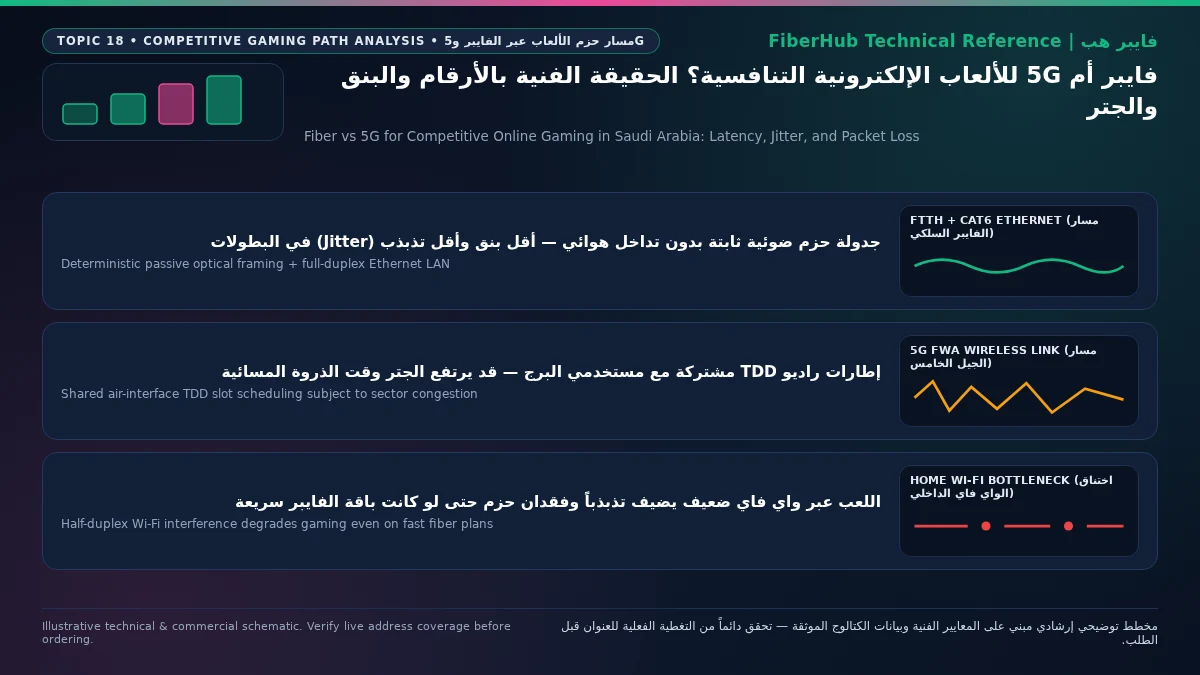
The fundamental reason FTTH fiber broadband dominates competitive esports lies in how the physical and medium-access control (MAC) layers schedule upstream and downstream packets. On GPON and XGS-PON optical networks, downstream traffic from the ISP Optical Line Terminal (OLT) and upstream traffic from your home Optical Network Terminal (ONT) operate simultaneously on completely separate laser wavelengths via Wavelength Division Multiplexing (WDM). Guided by deterministic Dynamic Bandwidth Allocation (DBA), an outgoing controller input packet leaves your ONT and reaches the ISP core router in roughly 1 to 2 milliseconds, experiencing a near-zero bit-error rate (BER) because light inside silica glass is immune to external radio interference.
In stark contrast, Saudi 5G Fixed Wireless Access operates predominantly on mid-band 3.5 GHz spectrum (band n78) utilizing Time Division Duplexing (TDD), as standardized by the 3rd Generation Partnership Project (3GPP). In a TDD radio channel, the cell tower and your home 5G router share a single frequency band and cannot transmit and receive simultaneously; instead, every 10-millisecond radio frame is partitioned into alternating Downlink (DL) and Uplink (UL) time slots separated by guard periods.

Because telecom operators optimize 5G TDD slot patterns for heavy consumer video downloading (commonly configuring 4 Downlink slots for every 1 Uplink slot, such as DDDSU), every urgent controller input you press on a 5G connection must navigate three sequential air-interface hurdles:
- TDD Slot Alignment Delay: If your PC or console generates an outgoing UDP fire command while the cell tower is actively broadcasting in a Downlink time slot, your 5G CPE cannot transmit immediately. It must hold the packet in its internal buffer until the Downlink slots finish, the guard period elapses, and the designated Uplink slot opens.
- Dynamic MAC Scheduling Grants: Unlike an optical line with continuous deterministic grants, a 5G modem must send a Scheduling Request (SR) to the base station's gNodeB scheduler and wait to receive an Uplink Grant assigning specific Physical Resource Blocks (PRBs) before transmitting the game payload.
- HARQ Over-the-Air Retransmissions: When multipath reflections, thermal window coatings, or neighboring cell interference corrupt a radio transport block in flight, the 5G physical layer invokes Hybrid Automatic Repeat Request (HARQ) to retransmit the damaged block over the air. While HARQ prevents permanent packet loss for web browsing, each retransmission cycle injects an immediate 8 ms to 24 ms delay spike into your real-time game stream—manifesting instantly as in-game jitter and packet burst icons.
Why 5G Jitter Spikes Happen Mid-Match: Sector Congestion, Handovers, and RF Attenuation
A common frustration among players using 5G home internet is unpredictable evening inconsistency: a connection that delivers a playable 24 ms ping at 11:00 AM suddenly suffers violent lag spikes to 110 ms at 10:30 PM, even though the router's LED signal bars remain full. This happens because signal bars only reflect raw Reference Signal Received Power (RSRP) from the tower beacon—they do not measure the Signal-to-Interference-plus-Noise Ratio (SINR) or the real-time scheduling load on the cell sector.
During Saudi peak evening hours (9:00 PM to 1:00 AM), hundreds of smartphones and dozens of fixed wireless routers within your neighborhood contend for the exact same pool of Resource Blocks on the serving tower sector. As concurrent 4K streaming and downloads surge, inter-cell interference rises and SINR drops. To maintain connectivity, the base station dynamically adjusts massive MIMO beamforming weights and steps down modulation schemes (from 256-QAM to 64-QAM or 16-QAM). Furthermore, on Non-Standalone (5G NSA) connections that rely on a 4G LTE anchor band alongside a 5G NR carrier, background band re-selections, carrier aggregation changes, or sector handovers momentarily freeze packet flow for tens of milliseconds—triggering rubber-banding at the worst possible moment in a ranked match.
The engineering table below compares real-world gaming telemetry across four common Saudi home network configurations when connecting to regional GCC and European game servers:
| Competitive Gaming Metric | FTTH Fiber via Wired Cat6 Ethernet | FTTH Fiber via Indoor Wi-Fi 6 | 5G FWA (Outdoor CPE / High SINR) | 5G FWA (Indoor CPE / Peak Evening Load) |
|---|---|---|---|---|
| Ping to Regional Servers (Riyadh/Bahrain/Dubai) | 4 to 16 ms (rock-solid flat line) | 7 to 22 ms | 18 to 35 ms | 30 to 75+ ms (highly variable) |
| Ping to EU Servers (Frankfurt/Amsterdam) | 68 to 88 ms (bounded by speed of light) | 72 to 95 ms | 85 to 115 ms | 95 to 160+ ms |
| Jitter / Packet Delay Variation (PDV) | < 0.5 to 1.5 ms | 2 to 6 ms (subject to Wi-Fi airtime) | 4 to 12 ms | 15 to 60+ ms (frequent HARQ spikes) |
| UDP Packet Loss Rate | 0.0% under normal operation | 0.0% to 0.3% (increases through walls) | 0.1% to 1.0% | 1.5% to 5.0%+ during sector contention |
| Console NAT Classification | Type 1 / Type 2 (Open / Moderate) | Type 2 (seamless UPnP port mapping) | Typically Type 3 / Strict (behind CGNAT) | Type 3 / Strict (blocks P2P hosting) |
| Resilience to Household Multi-User Load | Exceptional (especially with SQM QoS) | Moderate (shared half-duplex Wi-Fi) | Moderate to constrained on uplink | Poor (rapid uplink bufferbloat spikes) |
Check 5G and fiber availability in your district
Home 5G performance depends on local sector coverage and window line-of-sight. Check your address options before committing.
CGNAT, Console NAT Types, and International Submarine Peering to Middle East and EU Servers
Beyond physical layer latency, serious console and PC players must contend with IP addressing architecture and international autonomous system (AS) routing. Across mobile and 5G fixed wireless networks worldwide, operators conserve scarce IPv4 addresses by deploying Carrier-Grade NAT (CGNAT), standardized under Internet Engineering Task Force (IETF) RFC 6598. Under CGNAT, your 5G home router is not assigned a dedicated public IPv4 address; instead, it receives a private carrier-internal address (from the 100.64.0.0/10 shared address block) and shares a single public IPv4 address with dozens of other subscribers behind a carrier firewall.
This double-translation layer (Double NAT) prevents your PlayStation, Xbox, or PC from opening incoming UDP listening ports via Universal Plug and Play (UPnP) or manual port forwarding. Consequently, consoles connected over cellular 5G frequently report NAT Type 3 on PlayStation or Strict NAT on Xbox and PC titles, resulting in:
- Inability to join or hear certain players inside console Party Chat voice channels when both peers sit behind strict CGNAT translators.
- Longer matchmaking queue times and inability to act as lobby host in games that utilize peer-to-peer (P2P) or listen-server netcode architectures.
- By contrast, Saudi FTTH residential connections generally provision either a dynamic public IPv4 address or clean Dual-Stack IPv6 connectivity right at the home gateway—allowing instant NAT Type 2 (Open/Moderate) status as soon as UPnP is enabled.
International and regional routing paths also play a decisive role across Saudi Arabia's four most played competitive titles:
- Middle East Servers (Riyadh, Dammam, Bahrain, Dubai): In Valorant, Fortnite, Call of Duty, and EA Sports FC matches hosted on regional cloud nodes, the geographic distance is short, meaning your first-hop access latency (from your room to the ISP core gateway) accounts for a massive proportion of total ping. Because FTTH completes the first hop in 1–2 ms, a player in Riyadh or Dammam can hit local and Bahrain servers at 4 ms to 14 ms. On 5G, the radio air interface alone adds 15 ms to 30 ms before the packet even enters the fiber core, doubling or tripling total regional ping.
- European Servers (Frankfurt, Amsterdam, London): When competing in top-tier European divisions routed through Red Sea and Mediterranean submarine fiber cables into Marseille and Frankfurt internet exchanges, physical propagation delay establishes a hard floor around 68 ms to 88 ms. On European servers, every millisecond of local access overhead matters: keeping your first hop at 1 ms via FTTH keeps you under 85 ms total, whereas adding 30 ms of cellular TDD delay and jitter pushes total latency past 115 ms—where peeker's advantage becomes insurmountable.
Quarterly game-server latency benchmarks published through the Meqyas platform of the Communications, Space and Technology Commission (CST) consistently highlight this structural gap between fixed optical networks and wireless connections across major gaming platforms.
The Gold-Standard In-Home Gaming Setup: Wired Cat6/Cat6A Ethernet, SQM QoS, and Bufferbloat Mitigation
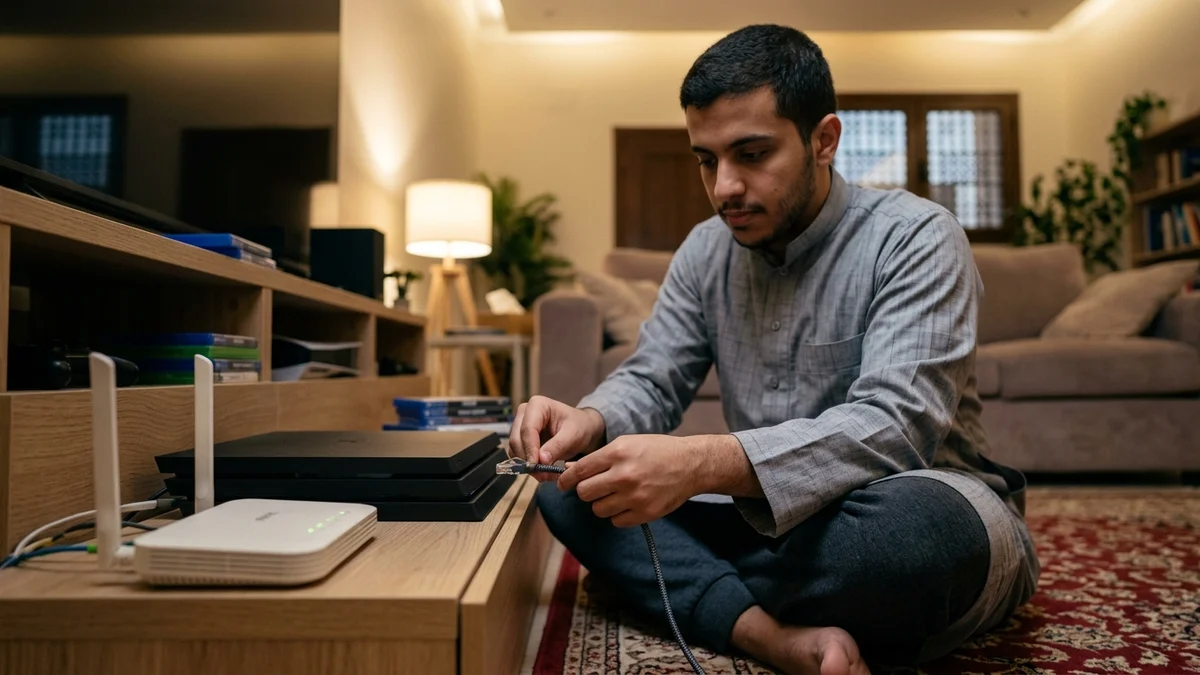
Installing an FTTH fiber line in your villa or apartment is only half the battle; connecting your PlayStation 5 or gaming PC to the fiber router over indoor Wi-Fi surrenders much of fiber's competitive advantage. Wi-Fi operates as a shared, half-duplex radio medium using Carrier Sense Multiple Access with Collision Avoidance (CSMA/CA). Only one device on a Wi-Fi channel can transmit at a microsecond instant; if a family member's phone or smart TV transmits while your console attempts to send a UDP game packet, your console must back off and wait—re-introducing wireless jitter inside your own living room.
To achieve true esports-grade stability at home, implement this four-step engineering checklist:
- Run Direct Cat6 or Cat6A Copper Ethernet: Connect your console or PC directly to the Gigabit or 2.5G LAN port on your FTTH ONT or gaming router using a certified solid-core copper Cat6/Cat6A patch cable. Wired Ethernet is full-duplex—allowing simultaneous 1000 Mbps upstream and downstream transmission with zero airtime contention and less than 0.2 ms of local switching latency.
- Eliminate In-Home Bufferbloat with SQM / QoS: To prevent your ping from spiking when family members stream 4K video or upload cloud backups, enable Smart Queue Management (SQM using CAKE or FQ-CoDel algorithms) or adaptive Quality of Service (QoS) on your router. Prioritizing gaming UDP ports or DSCP markings (such as EF / CS4) and capping total WAN queue bandwidth at 90–95% of line rate ensures game packets bypass bulk download queues immediately.
- Configure Clean NAT Traversal (UPnP / Port Forwarding): Enable UPnP on your fiber router or assign a static DHCP lease to your console and forward the specific UDP ports required by PlayStation Network, Xbox Live, or your game client to guarantee an Open / Type 2 NAT state.
- Emergency Mitigation for Players Temporarily on 5G: If your building lacks an active fiber ODB and you must game on 5G FWA temporarily, never connect your console to the 5G router via Wi-Fi (which stacks indoor Wi-Fi jitter on top of cellular TDD jitter). Wire your console to the 5G CPE with an Ethernet cable, mount an outdoor 5G receiver or place the router at the highest window facing the serving tower to maximize SINR, and restrict background devices from uploading during match hours.
You can evaluate the lowest-latency optical packages available at your address today by browsing our verified fiber broadband plans or running a head-to-head filter on our broadband comparison tool.
Frequently Asked Questions: Fiber vs 5G for Competitive Gaming
Does upgrading my fiber plan from 300 Mbps to 1 Gbps lower my in-game ping?
Upgrading raw download speed on the same FTTH provider from 300 Mbps to 500 Mbps or 1 Gbps does not reduce your baseline minimum ping to a game server, because laser pulses travel at the exact same speed of light through the glass fiber and follow the same BGP routing paths. However, higher-tier fiber packages provide two major practical benefits for gamers: they slash 100 GB game update download times down to a few minutes, and they provide massive downstream and upstream headroom so that concurrent 4K streaming or cloud uploads by other family members never saturate the line or trigger bufferbloat lag spikes during your matches.
Compare home 5G plans, router terms, and billing
Review prepaid vs postpaid 5G tiers, CPE router conditions, and operator contract terms side by side.
Why do I get NAT Type 3 (Strict NAT) on my 5G router, and how does it hurt online gaming?
NAT Type 3 occurs because mobile network operators place cellular 5G subscribers behind Carrier-Grade NAT (CGNAT), meaning your home router shares a public IPv4 address with many other users and blocks unsolicited inbound UDP connections. In online games, Strict NAT prevents your console from hosting peer-to-peer lobbies, increases matchmaking wait times, and can block voice communication in console party chats with friends who also have Restricted or Moderate NAT. Switching to a residential FTTH fiber connection with a public dynamic IPv4 address or clean Dual-Stack IPv6 support resolves CGNAT restrictions permanently.
If I plug an Ethernet cable into a wireless Wi-Fi mesh node or repeater in my bedroom, is that as good as wired fiber?
Plugging an Ethernet cable into a wireless mesh satellite or Wi-Fi range extender that links back to the main router over the air does not give you a true wired gaming connection. While the short cable between your console and the mesh node is wired, your game packets still traverse the indoor wireless radio hop between the satellite node and the main ONT—exposing your match to Wi-Fi airtime contention and jitter. For zero-jitter performance, run a continuous Cat6 Ethernet cable all the way from the main fiber router (or via pre-wired wall Ethernet jacks) directly to your gaming setup.
Which game genres suffer the most when played on 5G instead of FTTH fiber?
Tactical first-person shooters (Valorant, Counter-Strike 2, Call of Duty, Overwatch 2), competitive sports simulations (EA Sports FC), fighting games (Street Fighter 6, Tekken 8), and fast-paced battle royales (Fortnite, Apex Legends) suffer the most on cellular 5G. Because these titles run on high-tick-rate servers with strict lag-compensation windows, a sudden 25 ms TDD scheduling delay or HARQ retransmission jitter spike directly causes missed parries, delayed player switching, ghost bullets, and lost one-on-one duels.
Need fast home internet without waiting for trenching?
Check your address first to confirm whether fiber is ready or compare eligible home 5G plans for your location.
Editorial Transparency & Neutrality Notice:
This guide is provided for comparison and decision support. It does not constitute final address coverage confirmation, binding operator pricing, or regulatory accreditation. Always verify final plan terms and box readiness before completing your subscription request.