- Radio Wave Physics: Why Centimeter-Level Placement Dictates 5G Speeds
- The Four-Facade Compass Survey: A Step-by-Step Protocol to Find Your Golden Spot
- Decoding Router Diagnostic Metrics: RSRP, SINR, RSRQ, and PCI
- Hidden Architectural Blockers Inside Saudi Homes That Kill 5G Reception
- Antenna Geometry and Placement by Saudi Property Type
- Summer Thermal Management and Decoupling 5G from Indoor Wi-Fi
- Frequently Asked Questions About Home 5G Router Placement
- Is placing a 5G router on the second floor or rooftop annex always better than the ground floor?
- How can I tell which direction my operator's 5G tower is located without specialized tools?
- Do standard fabric curtains block 5G signal if drawn closed in front of the router?
- Can I place my 5G router inside the recessed metal wall cabinet where fiber and Ethernet cables meet?
- When should I consider an outdoor 5G receiver instead of repositioning my indoor router?
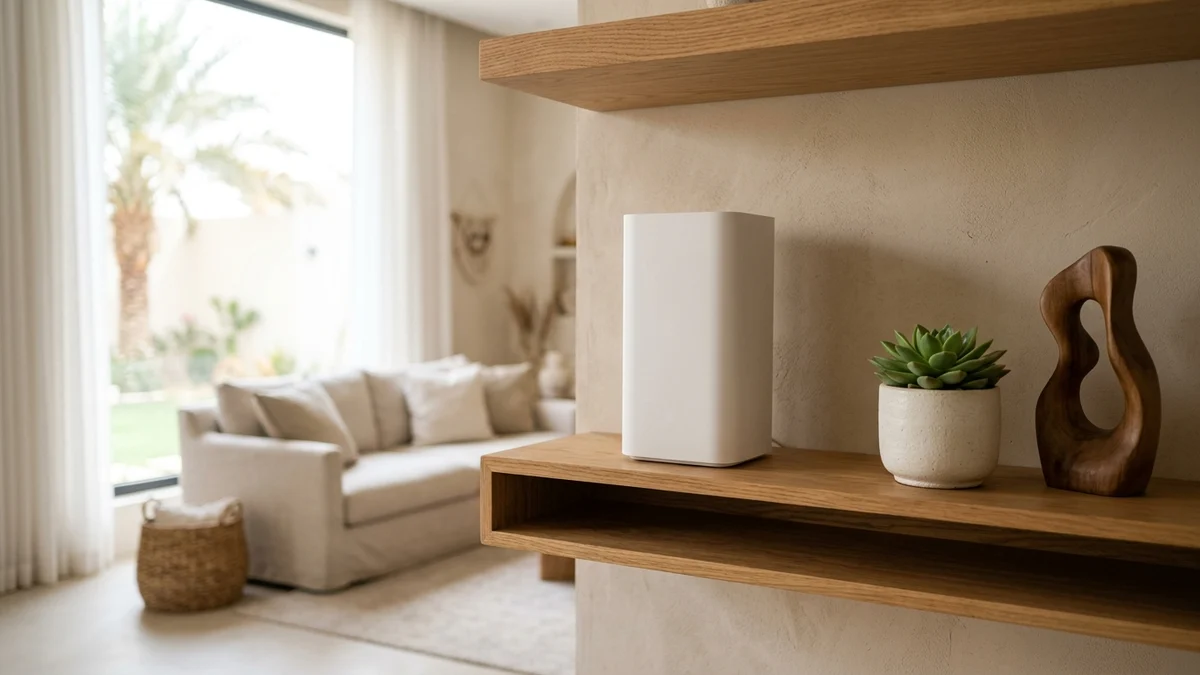
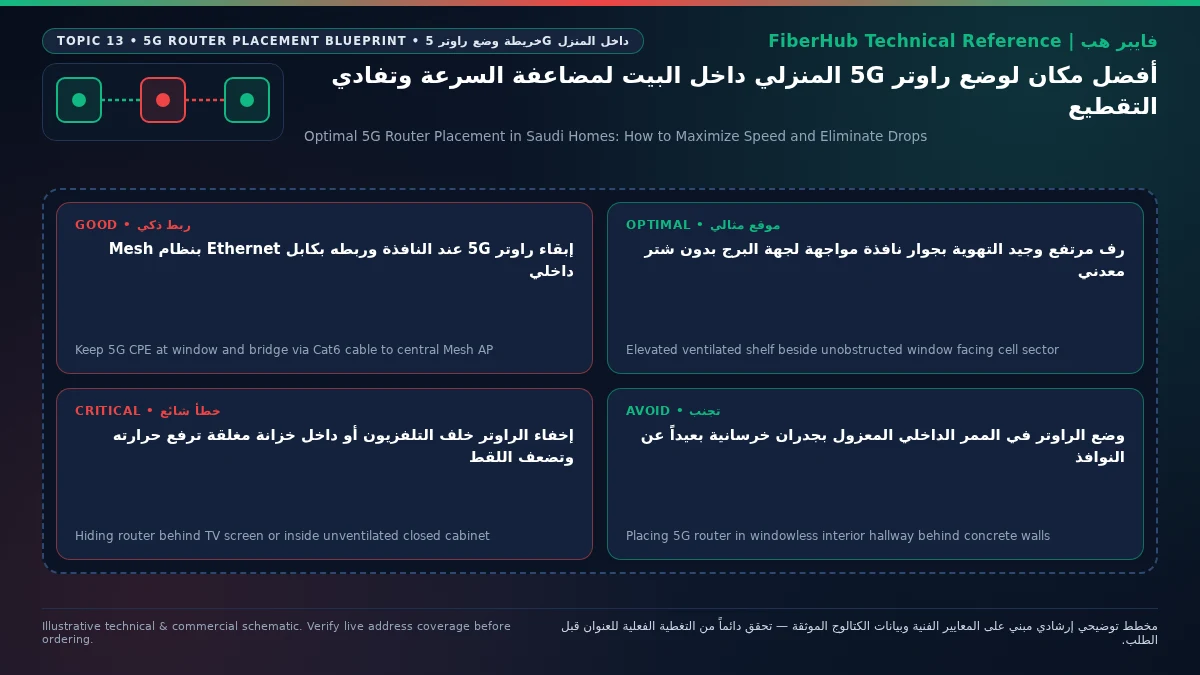
The optimal place to position a home 5G router (Customer Premises Equipment, or CPE) in a Saudi residence is on an elevated shelf or sturdy table between 1.2 and 1.8 meters above the floor, directly adjacent to an exterior window facing your telecom operator's nearest serving cell tower, set back 40 to 60 centimeters from direct sunlight, and completely clear of motorized aluminum roller shutters and metallic heat-reflective window films. This precise indoor geometry strikes the essential engineering balance between capturing mid-band 3.5 GHz (Band n78) radio waves with minimal structural attenuation and preventing the router's internal baseband processor from thermal throttling during intense summer heat.
Fixed Wireless Access (FWA) broadband delivered by major Saudi operators—STC, Mobily, Zain, and Salam—relies on high-capacity radio spectrum that behaves very differently from legacy low-band cellular signals. When a subscriber places a 5G router in a central interior hallway or behind reinforced concrete walls hoping to distribute Wi-Fi evenly across the house, 60% to 80% of the incoming cellular signal energy is absorbed or reflected before it ever reaches the router's internal MIMO antenna array.

Radio Wave Physics: Why Centimeter-Level Placement Dictates 5G Speeds
Commercial 5G home broadband across Saudi cities operates primarily on the mid-band Time Division Duplex (TDD) spectrum designated as Band n78 (around 3500 MHz) under 3GPP Release 15 and Release 16 technical specifications. This frequency band allows operators to allocate wide 80 MHz to 100 MHz contiguous channels capable of delivering real-world download speeds between 300 Mbps and 1 Gbps. However, electromagnetic wave physics enforces a strict trade-off: higher frequencies have shorter wavelengths (roughly 8.5 centimeters at 3.5 GHz) and suffer severe penetration loss when passing through dense building materials.
Contemporary residential construction in Riyadh, Jeddah, Dammam, and other Saudi urban centers prioritizes thermal insulation to combat extreme summer temperatures. Exterior walls are commonly built using insulated concrete blocks (sandwich blocks with polystyrene cores or volcanic pumice blocks), reinforced by thick steel-rebar concrete columns and beams, alongside double-glazed thermal windows mandated by the Saudi Building Code. Penetrating a single reinforced concrete exterior wall attenuates a 3.5 GHz signal by 15 dB to 25 dB. Because the decibel scale is logarithmic, a 20 dB drop represents a 99% reduction in received radio power.
Consequently, shifting a 5G CPE just two meters from behind a load-bearing concrete pillar to an unobstructed window opening can transform a struggling 25 Mbps connection plagued by packet drops into a rock-solid 350+ Mbps link on the exact same SIM card and cell sector. Before testing individual rooms, you can verify operator infrastructure availability at your street address using our interactive home coverage checker.
Furthermore, modern 5G base stations utilize Massive MIMO Beamforming, dynamically steering focused radio beams toward your router's physical location. When a router is buried deep in an interior corridor, it receives scattered echoes bouncing off multiple walls at slightly different nanosecond delays—a phenomenon known as multipath delay spread. Placing the CPE near an exterior aperture allows the router to lock onto the primary direct beam rather than struggling to decode distorted reflections.
The Four-Facade Compass Survey: A Step-by-Step Protocol to Find Your Golden Spot
Relying on the three or four LED signal bars on the front panel of your 5G router is one of the most common mistakes homeowners make. Manufacturers calibrate those LED indicators generously, often showing "full bars" even when the signal suffers from heavy multi-path interference or has dropped back to a 4G LTE anchor band. To locate the highest-performing reception spot in your apartment or villa, execute this structured four-facade survey:
- Map Available Exterior Apertures: Identify windows or balcony doors facing open streets or wide courtyards across the four cardinal directions (North, South, East, West). Deprioritize narrow interior light wells (manawir) or windows facing an adjacent building wall just two meters away.
- Use an Extension Cord for Temporary Mobility: Attach your 5G router to a portable power strip so you can position it temporarily at each candidate window at a height of roughly 1.5 meters (placed on a high table, bookshelf, or bar stool rather than on the floor).
- Allow a Full 3-Minute Stabilization Window: Every time you power up or relocate the CPE, wait 90 to 180 seconds. The cellular baseband modem needs time to complete cell reselection, evaluate neighbor lists, and lock its Carrier Aggregation (CA) or Dual Connectivity (EN-DC) component carriers before diagnostic numbers stabilize. Running a speed test thirty seconds after plugging in the router often measures the initial 4G connection before the 5G n78 carrier is aggregated.
- Isolate Cellular Throughput from Indoor Wi-Fi Loss: Perform your speed and latency tests either via a Gigabit Ethernet cable plugged directly into a laptop or by standing exactly one meter from the router connected to its 5 GHz Wi-Fi band. This guarantees you are measuring the cellular tower link rather than indoor Wi-Fi attenuation.
- Log Diagnostic Radio Metrics During Evening Peak Hours: Record download speed, upload speed, unloaded ping, and raw cellular radio values from the router's admin dashboard at each window, ideally repeating the check between 8:30 PM and 11:30 PM when neighborhood cell load peaks.
Decoding Router Diagnostic Metrics: RSRP, SINR, RSRQ, and PCI
The definitive way to evaluate any indoor placement is to log into your router's local web administration portal (typically 192.168.8.1 on Huawei and Brovi CPEs or 192.168.1.1 on ZTE, Nokia, and Fiberhome units) and open the System Information or Network Status / Cellular Diagnostics screen. Four engineering parameters govern your real-world speed:
| Cellular Metric | Engineering Function | Excellent Target Range | Acceptable Stable Range | Poor Range (Relocate Immediately) |
|---|---|---|---|---|
| 5G RSRP | Reference Signal Received Power from the serving 5G antenna | Stronger than -80 dBm (e.g., -72 dBm) | -81 dBm to -95 dBm | Weaker than -100 dBm (e.g., -108 dBm) |
| 5G SINR | Signal-to-Interference-plus-Noise Ratio (signal purity) | Above +20 dB | +10 dB to +19 dB | Below +5 dB or negative values |
| 5G RSRQ | Reference Signal Received Quality accounting for cell load | -3 dB to -9 dB | -10 dB to -14 dB | Worse than -15 dB |
| PCI / Cell ID | Physical Cell Identity of the active radio sector | Locked steady on one ID | Occasional shift off-peak | Ping-ponging rapidly between 2–3 IDs |
Homeowners frequently pick the window with the highest raw signal strength (RSRP) while ignoring SINR (Signal-to-Interference-plus-Noise Ratio). In dense Saudi neighborhoods, a high corner window might have direct line-of-sight to two different 5G towers operating on the same frequency channel. While the RSRP at that window looks impressive at -77 dBm, overlapping radio waves from the second tower create severe co-channel interference, dragging SINR down to +1 dB or -2 dB.
When SINR collapses, the router cannot sustain high-order modulation schemes like 256-QAM (which packs 8 bits per symbol) and falls back to 64-QAM or 16-QAM while triggering constant Hybrid Automatic Repeat Request (HARQ) packet retransmissions. As a result, download speeds plummet and gaming latency spikes erratically despite "full signal bars." If a slightly more recessed window on another facade yields a moderate RSRP of -88 dBm alongside a clean SINR of +19 dB because the building structure shields it from the interfering secondary tower, that second window will deliver double the sustained throughput and far smoother latency.
Check 5G and fiber availability in your district
Home 5G performance depends on local sector coverage and window line-of-sight. Check your address options before committing.
Hidden Architectural Blockers Inside Saudi Homes That Kill 5G Reception
Even when a router sits right next to a window, specific fixtures common in Saudi villas and apartments act as electromagnetic shields against 3.5 GHz radio waves:
- Motorized Aluminum Roller Shutters (Exterior Shutters): Exterior window shutters widely installed across the Kingdom for privacy, dust protection, and sunblocking are fabricated from interlocking aluminum slats filled with polyurethane foam. When lowered completely at night, an aluminum shutter forms a continuous conductive sheet—effectively a Faraday shield—right in front of the glass, blocking over 95% of mid-band 5G signals. Many subscribers complain that their 5G connection is fast during the afternoon but collapses every night, never realizing that lowering the motorized aluminum shutter at sunset is physically cutting off the tower signal. If your router sits behind a shuttered window, you must either leave the top third of the shutter raised above the height of the router or move the CPE to a window that remains unshuttered.
- Low-E Thermal Glass and Metallic Window Tint Films: To meet modern Saudi energy-efficiency standards and reduce air-conditioning loads, residential windows increasingly use Low-Emissivity (Low-E) double glazing coated with microscopic layers of silver or metal oxides, or aftermarket metallic solar-control window films. While transparent to visible light, these metallic coatings reflect infrared heat and strongly attenuate high-frequency radio waves, introducing 10 dB to 18 dB of signal loss. You can verify whether your window glass is metallic-coated in thirty seconds: log into the router's signal page, note the 5G RSRP with the window closed, and then slide the glass pane open. If RSRP jumps by 10 dB to 15 dB the instant the glass is opened, the window coating is choking your signal.
- Ornamental Iron Grilles, Large TVs, and Appliances: Placing a 5G router directly behind dense wrought-iron security grilles, tucked behind a 65-inch or 75-inch OLED/LED television, or next to kitchen microwaves and split AC indoor units degrades performance. Large flat-screen televisions contain a solid metal backplate across the entire display panel that casts a complete radio shadow behind the screen. Never hide a 5G CPE behind a television stand or inside a media console.
Antenna Geometry and Placement by Saudi Property Type
Inside modern 5G routers supplied by Saudi operators—such as the Huawei/Brovi 5G CPE Pro series (H155-381, H158-381), ZTE MC801A and MC888, and Nokia FastMile 5G Gateways—four to eight internal cellular antennas (4x4 MIMO or 8x8 MIMO) are arranged vertically around the perimeter of the internal circuit board:
- The 1.2m to 1.8m Elevation and Vertical Posture Rule: Setting a router on the floor forces incoming radio waves to pass through boundary walls, parked cars outside, and indoor sofas. Elevating the unit to chest level clears the lower Fresnel zone. Moreover, never lay a tower-style 5G router horizontally on its side to fit inside a low shelf; doing so cross-polarizes the antennas and blocks vertical convection cooling chimneys.
- The 45-Degree Azimuth Rotation Test: Internal CPE antennas rarely exhibit a uniform 360-degree gain pattern; one face of the chassis typically provides 3 dB to 5 dB higher antenna gain on Band n78 than the others. Once you pick the best window, rotate the router on its vertical axis by 45 degrees and 90 degrees while monitoring SINR. Pointing the side or rear edge toward the window glass frequently outperforms facing the front LEDs outward.
- Multi-Story Standalone Villas and Duplexes: In typical Saudi villas, the ground floor is surrounded by a 3-meter concrete perimeter wall that casts a deep radio shadow across ground-floor windows. Placing the 5G router on the first floor (bedroom level) or rooftop annex (Mulhaq) almost always yields a dramatically stronger signal above the boundary wall line, using a wall Ethernet jack to feed access points downstairs.
- Multi-Unit Residential Apartments: Street-facing units enjoy wide horizontal clearance toward cell towers, whereas rear or side apartments facing a narrow shaft suffer from reflection. In side apartments, test windows closest to the outer building corner where radio waves diffract more cleanly.
Summer Thermal Management and Decoupling 5G from Indoor Wi-Fi
A critical operational hazard in Saudi Arabia is placing a 5G router directly on an interior windowsill exposed to blazing afternoon sunlight between May and September. When direct solar radiation heats the plastic enclosure on a windowsill, internal silicon temperatures on the 5G baseband modem and RF power amplifiers can exceed 85°C. To prevent permanent hardware damage, the router's firmware triggers thermal protection (Thermal Throttling): it cuts uplink transmission power (causing upload speeds to crash), drops the 5G NR (n78) carrier back to 4G LTE, or enters a reboot loop. To prevent summer throttling, place the router on a table or shelf 40 to 60 centimeters back from the window glass, positioned inside the shaded, air-conditioned airflow of the room.
In spacious Saudi apartments and villas, the window that delivers the cleanest line-of-sight to the operator's 5G tower is frequently located in a front majlis or corner bedroom—far removed from the family living room or home office. The definitive architectural solution is to decouple cellular reception from indoor Wi-Fi distribution:
- Leave your 5G router permanently stationed at the exterior window that produces the highest RSRP and SINR, treating it purely as a cellular-to-Ethernet gateway.
- Run a Gigabit Cat6 Ethernet cable from the 5G router's LAN port (along baseboards or through structured wall Ethernet jacks) to the central living area.
- Connect the primary node of a Wi-Fi 6 Mesh system to that Ethernet cable in the center of the home (configuring the Mesh system in Access Point mode to avoid Double NAT), preserving 100% of the tower's 5G speed at the window while delivering full-strength Wi-Fi to every room.
If you are evaluating which operator offers the strongest 5G package for your home setup, you can browse verified 5G home broadband plans or use our side-by-side broadband comparison tool to review speeds and monthly fees (inclusive of 15% VAT) across Saudi providers:
| Operator | Verified Catalog Plan | Max Speed (Download / Upload) | Monthly Price (Incl. 15% VAT) | Commitment & Hardware |
|---|---|---|---|---|
| STC | STC Baity 5G Home Wireless Unlimited | 300 / 50 Mbps | 287.5 SAR | 12 Months — Wi-Fi 6 Router Included |
| STC | STC Baity 5G Unlimited (500) | 500 / 100 Mbps | 402.5 SAR | 12 Months — Wi-Fi 6 Router Included |
| Mobily | Mobily 5G Wireless Home Broadband | 300 / 50 Mbps | 287.5 SAR | 12 Months — Wi-Fi 6 Router Included |
| Mobily | Mobily Home 5G Unlimited (500) | 500 / 100 Mbps | 402.5 SAR | 12 Months — Wi-Fi 6 Router Included |
| Zain | Zain 5G Home Pro | 400 / 50 Mbps | 287.5 SAR | 12 Months — Wi-Fi 6 Router Included |
| Zain | Zain 5G Max Home | 1000 / 200 Mbps | 299 SAR | 12 Months — Wi-Fi 6 Router Included |
| Salam | Salam HomeFi 200 5G | 200 / 40 Mbps | 287.5 SAR | 12 Months — Wi-Fi 6 Router Included |
| Salam | Salam HomeFi Max 5G | 500 / 100 Mbps | 345 SAR | 12 Months — Wi-Fi 6 Router Included |
Quarterly quality-of-service benchmarks published by the Communications, Space and Technology Commission (CST) consistently demonstrate that indoor 5G performance depends heavily on local sector proximity and indoor signal quality. You can also explore all Saudi home broadband plans to check whether FTTH fiber optics is available as a wired alternative at your building.
Frequently Asked Questions About Home 5G Router Placement
Is placing a 5G router on the second floor or rooftop annex always better than the ground floor?
In the vast majority of Saudi villas, yes. Positioning the router on an upper floor elevates its antennas above perimeter courtyard walls, parked vehicles, and street trees, reducing ground-level multipath clutter and improving direct line-of-sight to the cell tower sector. However, do not expect the router's built-in Wi-Fi to penetrate downward through a reinforced concrete ceiling slab to the ground floor; link the upper-floor 5G router via Ethernet cable to an access point downstairs.
Compare home 5G plans, router terms, and billing
Review prepaid vs postpaid 5G tiers, CPE router conditions, and operator contract terms side by side.
How can I tell which direction my operator's 5G tower is located without specialized tools?
Log into your router's web admin interface (192.168.8.1 or 192.168.1.1), open the cellular signal diagnostics page, and test one window on each side of your building (North, South, East, West) for three minutes per side. The facade that yields the strongest 5G RSRP (closest to zero, such as -75 dBm instead of -99 dBm) coupled with the highest positive SINR (+15 dB or higher) and a stable PCI number points directly toward your serving cell sector.
Do standard fabric curtains block 5G signal if drawn closed in front of the router?
Ordinary residential curtains woven from cotton, linen, or standard polyester have virtually zero impact on 3.5 GHz radio waves (less than 0.5 dB of loss) and are actually helpful for shading the router from direct summer sunlight. Only heavy blackout drapes lined with metallic thermal foils, metallic-threaded tapestries, or exterior aluminum roller shutters block 5G signals.
Can I place my 5G router inside the recessed metal wall cabinet where fiber and Ethernet cables meet?
Never place a 5G router inside a recessed metal structured-wiring enclosure. Those metal boxes are embedded inside interior concrete hallway walls and act as a Faraday cage that blocks over 90% of cellular tower signals, suffocates Wi-Fi output, and traps heat. Keep the 5G router by an exterior window and plug its LAN port into the nearest wall Ethernet socket that leads back to that central wiring cabinet.
When should I consider an outdoor 5G receiver instead of repositioning my indoor router?
If you have tested every window in your home and RSRP remains stuck below -102 dBm—yet holding the router outside an open window causes RSRP to jump to -80 dBm and speeds to triple—your building's thermal glass and wall insulation are blocking indoor penetration. In that scenario, mounting a weatherproof outdoor 5G CPE on the roof or exterior facade and feeding a PoE Ethernet cable indoors is the definitive engineering fix.
Need fast home internet without waiting for trenching?
Check your address first to confirm whether fiber is ready or compare eligible home 5G plans for your location.
Editorial Transparency & Neutrality Notice:
This guide is provided for comparison and decision support. It does not constitute final address coverage confirmation, binding operator pricing, or regulatory accreditation. Always verify final plan terms and box readiness before completing your subscription request.