- 1. Why Fiber Rollout Takes Time in New Saudi Districts: The 4 Stages From Street Trenching to Active ODB
- 2. Selecting a Penalty-Free Temporary 5G Plan: Matching Contract Term to Your Rollout Horizon
- 3. Field-Testing 5G Signal Quality (`RSRP` & `SINR`) Inside Newly Built Saudi Villas
- 4. Pre-Wiring Your Villa's Internal Conduits Now for a 15-Minute Fiber Cutover Later
- 5. Tracking Neighborhood Trenching Progress and Triggering Fast ODB Registration
- 6. Frequently Asked Questions About Temporary 5G While Waiting for Fiber in Saudi Arabia
- Workers just dug trenches and laid orange pipes on my street—how soon can I order fiber?
- Can I upgrade a 12-month postpaid 5G contract to fiber with the same provider without paying a penalty?
- What can I do with my 5G router once permanent fiber is installed at my villa?
- Why is my 5G speed fast near the upstairs window but slow in the ground-floor living room?
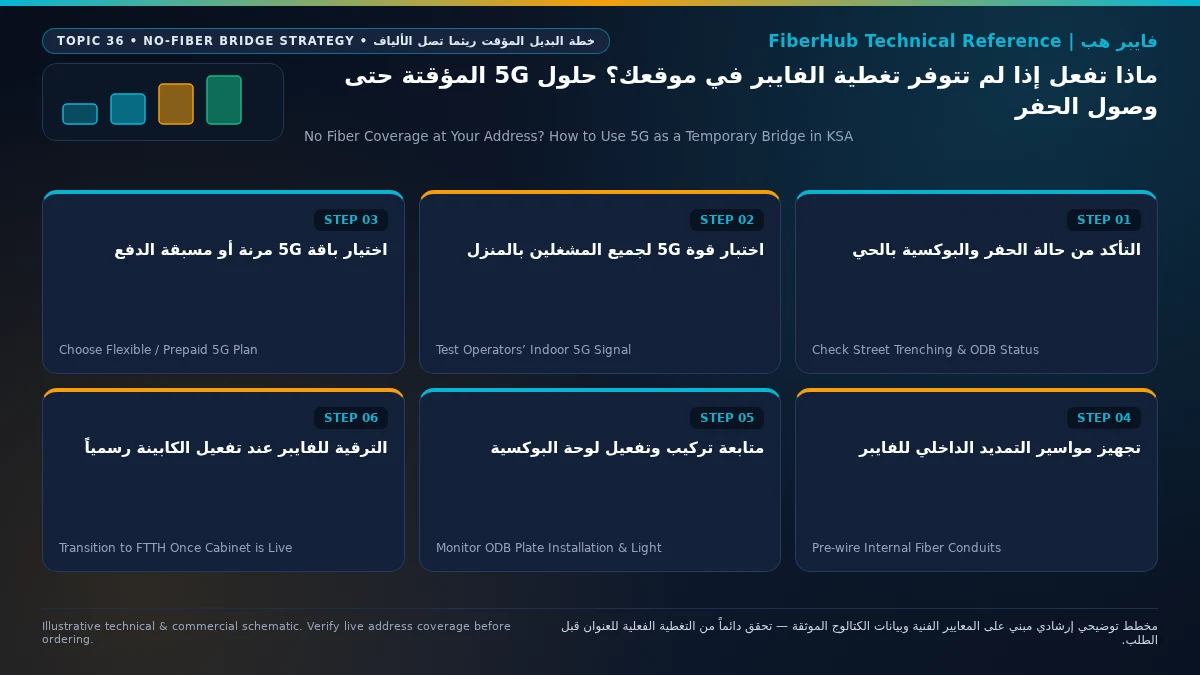
If you have moved into a newly built villa or apartment building in a developing Saudi neighborhood where no Fiber-to-the-Home (FTTH) Optical Distribution Box (ODB) is active yet, the smartest way to get fast, dependable home broadband today without getting trapped in early-termination penalties when fiber arrives is to match your 5G Fixed Wireless Access (FWA) contract term to the actual civil engineering stage of your street. If an ODB cabinet is already mounted on your boundary wall and simply awaiting wholesale optical activation within 1 to 3 months, choose a short-term 3-month prepaid 5G home plan (such as Salam HomeFi 5G Prepaid at 200 Mbps for 287.5 SAR/month over 3 months, or STC Baity 5G Prepaid Home at 100 Mbps for 3 months) or a rolling 1-month commitment eSIM plan (such as STC Baity 5G Basic eSIM at 200 Mbps for 299 SAR/month or STC Baity 5G Unlimited eSIM at 500 Mbps for 402.5 SAR/month paired with your own unlocked Wi-Fi 6 5G CPE router). Conversely, if your street has not yet undergone municipal trenching and conduit installation, signing a 12-month postpaid 5G home package with a bundled free router (ranging from 217.35 to 287.5 SAR/month VAT-inclusive) delivers reliable multi-hundred-megabit internet while civil and optical rollouts progress under Communications, Space and Technology Commission (CST) oversight.
Thousands of families relocating to expanding districts across Riyadh, Jeddah, Dammam, Medina, and Qassim face this transition gap when moving into a new home before street-level fiber trenching completes. In this guide, we explain the four physical stages of Saudi fiber deployment (and why no provider can guarantee an exact activation date until the ODB plate is spliced and lit), compare flexible vs 12-month temporary 5G options, detail how to test n78 5G signal inside thermally insulated villas, and show how to pre-wire low-voltage conduits (قنوات التيار الخفيف) for a 15-minute fiber cutover.
1. Why Fiber Rollout Takes Time in New Saudi Districts: The 4 Stages From Street Trenching to Active ODB
Homeowners frequently assume that seeing micro-trenching machinery or orange/black sub-duct coils along their street means FTTH subscriptions will open next week. In real-world telecom engineering, turning a raw residential street into an active Open Access fiber zone requires four sequential phases across municipal authorities, civil contractors, and wholesale infrastructure operators (STC, Dawiyat, Mobily, and Salam):

- Stage 1 — Municipal Permits & Civil Micro-Trenching (
Civil Works & HDPE Ducting): Before any optical cable is pulled, infrastructure contractors must obtain municipal road-opening permits (تصاريح الحفر البلدية) and coordinate utility clearances with electricity, water, and paving authorities. Crews cut narrow micro-trenches along sidewalks, lay high-density polyethylene (HDPE) sub-ducts and underground handholes, and backfill/repave the asphalt. At this stage, the underground pipes are empty—no optical fiber is live yet. - Stage 2 — Street Cabinet Installation & Feeder Cable Pulling (
FDH & Central Office Link): Once underground ducts pass inspection, technicians erect the neighborhood Fiber Distribution Hub (FDH) street cabinet and blow multi-core feeder fiber cables from the operator's Central Office (OLT) through underground manholes to the neighborhood hub. - Stage 3 — Boundary Wall ODB Mounting, Fusion Splicing & OTDR Testing (
Optical Termination): Field splicers mount the gray or white Optical Distribution Box (ODB) on each villa boundary wall (or inside apartment telecom closets), fuse individual glass strands to optical splitters (1:8or1:16), and test end-to-end attenuation (dBloss) using an Optical Time-Domain Reflectometer (OTDR) in accordance with ITU-T G.652/G.657 optical standards. - Stage 4 — GIS Indexing & Wholesale Open Access Database Activation (
Commercial Go-Live): Even after an ODB box and its stamped metal plate are bolted to your wall, no retail ISP can place an installation work order until quality-assurance engineers sign off the cabinet and publish its coordinates and port inventory into the national Open Access GIS database—turning your building status green on the National Address fiber coverage map. Because municipal clearances and QA handoffs vary by district, no sales representative can truthfully promise an exact activation date before Stage 4 is complete.
| What You Observe Outside Your Property Today | Current Engineering Stage | Realistic Remaining Lead Time to Activation | Recommended Temporary 5G Bridging Strategy |
|---|---|---|---|
| Freshly paved street with zero telecom trenches or wall boxes | Pre-Stage 1 (awaiting subdivision civil scheduling & permits) | 6 to 18 months (depends on neighborhood occupancy density) | 12-month postpaid 5G FWA plan with free bundled router (217.35–287.5 SAR/mo) |
| Open street trenches or orange/black conduits visible, but no ODB box on wall | Stage 1 or Stage 2 (civil ducting & feeder cable pulling) | 3 to 9 months until splicing, OTDR QA, and database release | 3-month prepaid 5G bundle or unlocked 5G CPE router + 1-month rolling plan |
| ODB box mounted on your boundary wall with metal plate ID, but shows "Unavailable" online | Late Stage 3 awaiting Stage 4 Open Access GIS database activation | 3 weeks to 3 months (final optical audit & wholesale ingestion) | 1-month commitment eSIM 5G plan (299 SAR/mo) or 3-month prepaid 5G plan |
| Next-door neighbors on the same street have active fiber, but your new villa address fails check | Cabinet is live; requires National Address GIS plot linking / field survey | 5 business days to 3 weeks (administrative address-to-ODB mapping) | Temporary mobile 5G hotspot or 1-month rolling plan while ticket resolves |
2. Selecting a Penalty-Free Temporary 5G Plan: Matching Contract Term to Your Rollout Horizon
The costliest mistake new homeowners make is signing an 18-month or 24-month wireless broadband contract with bundled device installments when fiber civil works are already halfway down their block. When the ODB box goes live 90 days later, cancelling a long-term postpaid contract early triggers residual router and promotional settlement fees. Instead, pick one of these three verified pathways from our 5G home broadband catalog:
- Pathway 1 — 1-Month Rolling Commitment (
eSIM / SIM-Only) for Imminent Fiber Rollouts: If you already own an unlocked 5G home router (or purchase a standaloneWi-Fi 6 5G CPErouter), you can subscribe to postpaid 5G plans that carry only a 1-month contract commitment because no subsidized router is bundled:STC Baity 5G Basic eSIM (200 Mbps): Delivers200 Mbpsdownload and40 Mbpsupload at299 SAR/month(inclusive of 15% VAT under ZATCA tax regulations) with a 1-month commitment, allowing you to cancel cleanly the exact month your fiber ODB goes live.STC Baity 5G Unlimited eSIM (500 Mbps): Delivers500 Mbpsdownload and100 Mbpsupload at402.5 SAR/monthwith a 1-month commitment for heavy multi-user households.
- Pathway 2 — 3-Month Prepaid 5G Home Bundles (Router Included, Short Commitment):
If you want the operator to include a
Wi-Fi 6 Gigabit 5G Routerwithout locking yourself into a full year:Salam HomeFi 5G Prepaid(سلام هوم فاي 5G مسبق الدفع): Provides200 Mbpsdownload and40 Mbpsupload with a bundled Wi-Fi 6 router over a 3-month commitment at287.5 SAR/monthequivalent.STC Baity 5G Prepaid Home(بيتي 5G المنزلي مسبق الدفع): Provides100 Mbpsdownload and25 Mbpsupload with a bundled router over a 3-month commitment (533 SAR/month).
- Pathway 3 — 12-Month Postpaid 5G Plans for Un-Trenched New Subdivisions:
If your subdivision has zero trenching activity and fiber is realistically 10 to 18 months away, a standard 12-month postpaid 5G plan with a free bundled router is the most economical choice—such as
Salam HomeFi 140 5G(217.35 SAR/month),Mobily Home 5G 100 Mbps(230 SAR/month), or the287.5 SAR/monthtier (STC Baity 5G Home 300 Mbps,Mobily Home 5G 200 Mbps,Salam HomeFi 200 5G, andZain 5G Home Pro 400 Mbps). Avoid 18-month commitments if there is any chance fiber trenching will reach your street within a year.
| Verified Catalog Plan Name | Operator | Billing & Commitment Term | Speed (Down / Up) | Monthly Price (VAT Inc.) | Best Temporary Bridging Fit |
|---|---|---|---|---|---|
| STC Baity 5G Basic eSIM | STC | Postpaid — 1 Month (BYO 5G Device) | 200 / 40 Mbps |
299 SAR | Best ultra-flexible option when ODB box is already on wall awaiting activation |
| Salam HomeFi 5G Prepaid | Salam | Prepaid — 3 Months (Router Included) | 200 / 40 Mbps |
287.5 SAR | Best short-term all-in-one bundle (includes Wi-Fi 6 router with only 3m lock) |
| STC Baity 5G Unlimited eSIM | STC | Postpaid — 1 Month (BYO 5G Device) | 500 / 100 Mbps |
402.5 SAR | High-speed 1-month rolling bridge for large families owning a 5G router |
| Salam HomeFi 140 5G | Salam | Postpaid — 12 Months (Router Included) | 140 / 30 Mbps |
217.35 SAR | Lowest monthly cost for brand-new districts where fiber is 12+ months away |
| Mobily Home 5G 100 Mbps | Mobily | Postpaid — 12 Months (Router Included) | 100 / 25 Mbps |
230 SAR | Reliable entry-level 12-month bridge in Mobily-covered suburbs |
| Zain 5G Home Pro | Zain | Postpaid — 12 Months (Router Included) | 400 / 50 Mbps |
287.5 SAR | High download throughput for villas with strong line-of-sight to Zain 5G towers |
3. Field-Testing 5G Signal Quality (RSRP & SINR) Inside Newly Built Saudi Villas
In newly developed suburbs, cell tower density and mid-band 5G spectrum availability (Band n78 at 3.5 GHz and Band n41 at 2.5 GHz) vary dramatically from one block to the next. Furthermore, modern Saudi villas constructed under the Saudi Building Code utilize thick reinforced concrete slabs and double-glazed thermal insulation windows (Low-E coated glass), which attenuate high-frequency 3.5 GHz radio waves by 15 to 25 dB as they pass from the street into ground-floor living rooms.
Before ordering any temporary 5G package via our broadband comparison tool, perform this 15-minute on-site RF check at your property:
- Test Candidate Networks During Evening Peak Hours (8 PM – 11 PM): Using smartphones with active
STC,Mobily, andZain5G SIMs, run speed and latency tests at three specific spots: next to an upper-floor window facing the nearest main road, in the central stairwell/atrium, and in your main living room. - Inspect Raw Radio Signal Metrics (
5G RSRP&SINR) — Not Just Signal Bars:- Reference Signal Received Power (
5G RSRP): For stable200–500 Mbpsperformance onBand n78, look for anRSRPstronger than-85 dBm(e.g.,-74 dBm), with-86 dBmto-95 dBmrepresenting good indoor reception. If indoor readings drop below-105 dBm, the router will frequently drop down to4G LTEduring peak load. - Signal-to-Interference-plus-Noise Ratio (
SINR): Target+15 dBto+25 dBor higher. A cleanSINRis what keeps your upload speed (30–100 Mbps) and video call latency stable.
- Reference Signal Received Power (
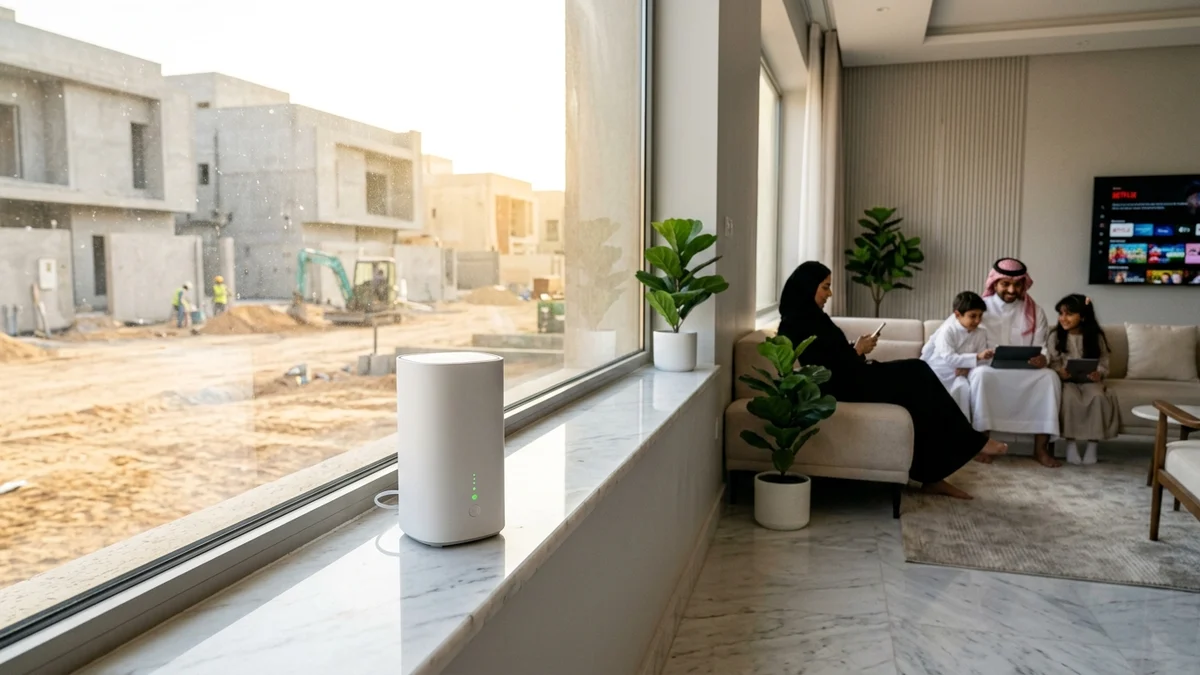
- Position the 5G CPE High and Feed Your Home via Ethernet: Never hide a 5G router inside a metal low-voltage wall cabinet in the hallway. Place the 5G CPE on an upper-floor windowsill or shelf with clear line-of-sight toward the cell sector, and plug its Gigabit
LANport into the nearest wall Ethernet jack to feed the rest of your villa by wire.
Check 5G and fiber availability in your district
Home 5G performance depends on local sector coverage and window line-of-sight. Check your address options before committing.
4. Pre-Wiring Your Villa's Internal Conduits Now for a 15-Minute Fiber Cutover Later
The biggest advantage of setting up temporary 5G in a new home is that you can architect your internal home network (LAN and Mesh Wi-Fi) so that it is 100% independent of your external internet technology. By preparing three physical elements today, switching from 5G to permanent fiber later will require zero wall drilling and zero Wi-Fi reconfiguration:
- Decouple Your Internal Mesh Wi-Fi & Ethernet Switch from the ISP Router:
Install your own whole-home
Wi-Fi 6 / Wi-Fi 7 Meshsystem or ceiling access points wired viaCat6 / Cat6AEthernet back to a central Gigabit Ethernet Switch in your home's low-voltage distribution box (صندوق تجميع الشبكة الداخلي). Today, you feed that central switch via an Ethernet cable coming from your upper-floor 5G router. On the day fiber is installed, you simply unplug the 5G feed cable and plug a shortCat6patch cord from the new fiberONTinto the exact same switch—every TV, PC, smart lock, and phone in the house stays connected without changing a single password. - Verify an Unobstructed
25mm–32mmExterior-to-Interior Low-Voltage Conduit with Pull String: Inspect the underground/in-wall low-voltage conduit running from your exterior boundary wall (where the futureODBbox will be mounted) to your indoor telecom cabinet. Ensure the pipe is clear of cement debris, uses smooth sweep bends (نصف قطر انحناء تدريجي) rather than sharp90°plumbing elbows that kink glass fiber, and has a nylon pull string (سلك سحب) pre-threaded inside. When the fiber technician arrives months later, they will pull the indoor optical drop cable through that conduit in 10 minutes without tacking exposed cables across your facade. - Reserve Power and Mounting Space for the Future ONT:
Leave a dedicated 3-pin electrical socket and a
25 cm × 20 cmmounting space inside or beside your indoor distribution panel for the future optical modem (ONT) and wallRosette.
5. Tracking Neighborhood Trenching Progress and Triggering Fast ODB Registration
Rather than waiting passively, follow this operational routine to catch the exact week fiber opens on your street:
- Run a Monthly National Address Coverage Check: At the start of each month, enter your short National Address code or building coordinates on the fiber coverage check page to monitor when your street polygon transitions from unserved to active FTTH.
- Photograph the Stamped Metal ODB Plate as Soon as It Is Mounted: Once field crews bolt the gray/white
ODBenclosure onto your boundary wall (or your adjacent neighbor's shared wall), take a clear photo of the embossed metal plate code (لوحة الكبينة المعدنية). That alphanumeric plate ID identifies the exact splitter and cabinet needed to place an order on our fiber broadband plans page. - Submit a Missing-Plot / Field Survey Ticket If Only Your Neighbors Show Covered: In newly subdivided streets where two adjacent villas already have active fiber on the same block, a newly built villa in between may initially show "No Coverage" online simply because its National Address building number was registered after the original GIS survey. Providing the adjacent neighbor's
ODBplate photo allows the operator's network team to link your plot to the spare ports on that existing cabinet within days. - Overlap the Final Cutover by 24 Hours: When your new line from our FTTH services catalog is scheduled for installation, keep your temporary 5G router running until the technician verifies green optical power (
-15 dBmto-23 dBm) on the newONT, then cancel your rolling 5G plan the next day with zero gap in connectivity.
6. Frequently Asked Questions About Temporary 5G While Waiting for Fiber in Saudi Arabia
Workers just dug trenches and laid orange pipes on my street—how soon can I order fiber?
Street trenching and laying empty HDPE sub-ducts is only Stage 1 of deployment. Crews still need to install the neighborhood street cabinet (FDH), blow feeder fiber cables, mount boundary-wall ODB boxes, fusion-splice the optical splitters, pass OTDR signal loss testing, and upload the cabinet inventory into the Wholesale Open Access database. Across developing Saudi suburbs, the realistic window from street trenching to orderable service is 3 to 9 months.
Compare home 5G plans, router terms, and billing
Review prepaid vs postpaid 5G tiers, CPE router conditions, and operator contract terms side by side.
Can I upgrade a 12-month postpaid 5G contract to fiber with the same provider without paying a penalty?
Some Saudi operators permit an in-contract technology migration (ترقية التقنية من 5G إلى فايبر) if the newly activated fiber cabinet on your wall is served by that same retail operator. However, if fiber reaches your street via a different infrastructure/retail provider and you terminate a 12-month or 18-month postpaid 5G contract early, standard early hardware/contract settlement fees apply. If trenching is already visible nearby, stick to 1-month eSIM plans or 3-month prepaid 5G bundles.
What can I do with my 5G router once permanent fiber is installed at my villa?
Because 5G home routers (Wi-Fi 6 5G CPE) sold or completed under contract in Saudi Arabia are unlocked across carriers in compliance with Communications, Space and Technology Commission (CST) regulations, you have three practical options: (1) configure the router in Access Point / Bridge Mode and connect it via Ethernet to extend Wi-Fi coverage in an annex (ملحق خارجي) or upper floor, (2) keep it with a prepaid data SIM for family travel, camping, or automatic WAN failover backup, or (3) sell the unlocked 5G CPE on the secondary market where demand in new districts remains high.
Why is my 5G speed fast near the upstairs window but slow in the ground-floor living room?
Mid-band 5G (3.5 GHz Band n78) delivers high speeds (200–500+ Mbps) but loses significant signal strength when penetrating reinforced concrete floors and thermal Low-E window glass. Keep the 5G router upstairs right beside the window with the strongest RSRP/SINR reading, and run a Cat6 Ethernet cable through your wall conduits down to a Mesh Wi-Fi node or switch on the ground floor so the entire house enjoys full speed.
Regulatory and Technical References:
- Communications, Space and Technology Commission (CST): Fixed Broadband Deployment Regulations, Wholesale Open Access Framework, and Consumer Protection Rules in Saudi Arabia (
https://www.cst.gov.sa). - Zakat, Tax and Customs Authority (ZATCA): Value Added Tax (15% VAT) compliance standards for residential telecommunications tariffs (
https://zatca.gov.sa). - International Telecommunication Union (ITU-T G.652 / G.657): Optical fiber cable bend-radius, residential ducting, and FTTH drop installation specifications (
https://www.itu.int).
Need fast home internet without waiting for trenching?
Check your address first to confirm whether fiber is ready or compare eligible home 5G plans for your location.
Editorial Transparency & Neutrality Notice:
This guide is provided for comparison and decision support. It does not constitute final address coverage confirmation, binding operator pricing, or regulatory accreditation. Always verify final plan terms and box readiness before completing your subscription request.