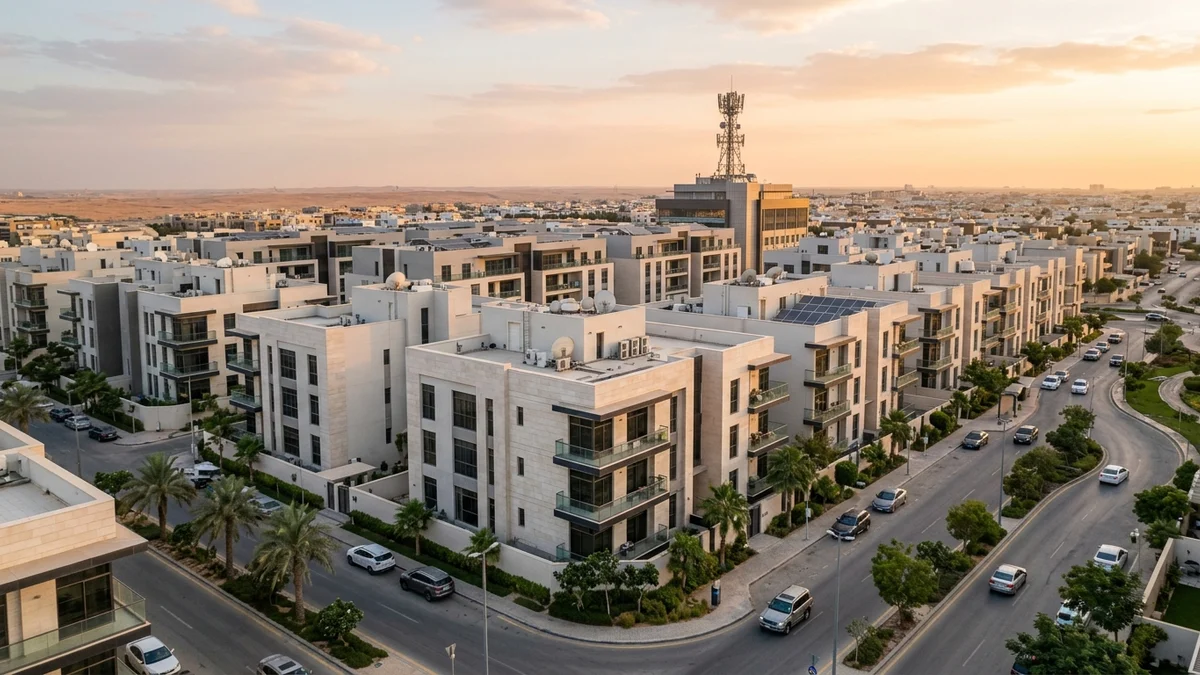
- 1. 5G Fixed Wireless Radio Architecture: How Data Travels From the Tower to Your Living Room
- 2. Sub-6 GHz Frequency Bands in KSA (n78 & n41 vs. n28): The Speed vs. Penetration Trade-Off
- 3. Building Material Attenuation: How Low-E Thermal Glass and Concrete Block 5G Signals
- 4. Evening Cell Sector Congestion (8 PM to Midnight) and Air-Interface Scheduling
- 5. CPE Antenna Gain, Power Classes, and Optimal Indoor vs. Outdoor Placement
- Frequently Asked Questions About How 5G Home Works and Indoor Stability
- Why does moving my 5G home router just two meters away from the window cause speeds to drop by half?
- What is the difference between RSRP and SINR in my 5G router diagnostic settings?
- How can I tell whether slow evening 5G speeds are caused by poor indoor signal or tower congestion?
- Does direct sunlight or summer heat near a window cause a 5G home router to slow down or disconnect?
The fundamental reason why the exact same 5G home broadband plan delivers blazing 600+ Mbps speeds in one residence while struggling with sluggish throughput and drop-offs in another comes down to four physical and radio-engineering variables governing the wireless path between the serving cellular tower and your indoor Customer Premises Equipment (CPE): first, the specific frequency band locked by the router indoors (whether it sustains wide-channel mid-band n78/n41 or falls back to narrow low-band n28 or 4G LTE); second, building material attenuation caused by reinforced concrete walls and metallic Low-Emissivity (Low-E) thermal window glass; third, shared Physical Resource Block (PRB) congestion on the serving tower sector during evening peak hours between 8:00 PM and midnight; and fourth, the CPE's internal MIMO antenna gain and beamforming alignment at its exact placement spot. Before ordering or troubleshooting a setup, you can run a location coverage check and review available 5G home broadband solutions tailored to your district.
1. 5G Fixed Wireless Radio Architecture: How Data Travels From the Tower to Your Living Room
Understanding why 5G Fixed Wireless Access (FWA) varies dramatically from one apartment or villa to the next in Saudi Arabia requires tracing how digital packets travel from the telecom operator's core network into your home router. Unlike Fiber-to-the-Home (FTTH)—where laser light travels inside a sealed glass strand completely shielded from weather, walls, and neighboring users—5G home broadband transmits data over the open air interface using 5G New Radio (5G NR) waveforms standardized by 3GPP (3rd Generation Partnership Project). While the neighborhood cellular tower itself is fed by high-capacity underground optical fiber backhaul, the final hundred to thousand meters between the tower mast and your window depend entirely on radio wave propagation physics.
Across Saudi telecom networks, two core deployment architectures govern how your home router establishes and maintains its session:
- Non-Standalone (NSA) 5G Architecture (Option 3x): In an NSA connection, your home router must simultaneously lock onto a 4G LTE carrier as its primary control-plane anchor (for signaling, handovers, and authentication) while aggregating a 5G NR carrier as a high-speed data booster. If the indoor 4G anchor cell is congested or poorly aligned with the 5G sector, latency fluctuates and session stability suffers even when 5G signal indicators appear lit.
- Standalone (SA) 5G Architecture (Option 2): In a full 5G Standalone network, the router connects directly to the cloud-native 5G Core (5GC) over 5G NR radio channels for both control signaling and user-plane data without relying on legacy 4G LTE anchors. Standalone operation lowers baseline packet latency, improves uplink scheduling efficiency, and supports dedicated Quality-of-Service (QoS) flows engineered specifically for fixed residential broadband gateways.
Furthermore, modern Saudi 5G base stations utilize Massive MIMO (Multiple-Input Multiple-Output) active antenna arrays with digital Beamforming. Rather than spraying radio energy uniformly across an entire neighborhood, a 64T64R (64-transmit, 64-receive) tower panel dynamically shapes narrow, high-gain radio beams aimed directly toward active CPE routers, continuously calculating phase and amplitude reflections to maximize spatial multiplexing streams. Advanced deployments also leverage Multi-Band Carrier Aggregation and Uplink Centric Switching, combining high-capacity TDD mid-band channels (such as n78) for massive download throughput with lower-frequency FDD channels (such as n28 or 1800 MHz LTE) to reinforce indoor upload stability where the router's transmit power budget is constrained by building walls.
2. Sub-6 GHz Frequency Bands in KSA (n78 & n41 vs. n28): The Speed vs. Penetration Trade-Off
Seeing a "5G" icon on a router dashboard does not mean every router is connected to the same radio highway. Saudi operators deploy 5G across multiple Sub-6 GHz spectrum layers, each governed by an inescapable law of electromagnetic physics: higher frequencies provide massive channel bandwidths capable of fiber-like speeds but attenuate rapidly against solid obstacles, whereas lower frequencies penetrate deep into concrete buildings but carry far less data capacity. Nationwide quality reports published by the Communications, Space and Technology Commission (CST) highlight how mid-band spectrum availability drives high median throughput across the Kingdom.
| 5G Spectrum Tier in KSA | Approximate Operating Frequency | Typical Channel Bandwidth | Real-World Indoor Speed Range | Concrete & Thermal Glass Penetration | Primary Role in Home Broadband |
|---|---|---|---|---|---|
| Upper Mid-Band (Band n78 - C-Band) | 3500 MHz (3.5 GHz) | 80 MHz to 100 MHz | Very High (250 to 800+ Mbps) | Moderate to Low (attenuates sharply behind Low-E glass and concrete) | Primary ultra-fast capacity layer for urban and suburban 5G FWA |
| Mid-Band TDD (Band n41) | 2500 MHz (2.5 GHz) | 40 MHz to 100 MHz | High (150 to 500 Mbps) | Moderate (slightly lower path loss than 3.5 GHz) | Core capacity band or secondary carrier in 5G Carrier Aggregation |
| Low-Band FDD (Band n28 / n71) | 700 MHz | 10 MHz to 20 MHz | Modest (25 to 90 Mbps) | Exceptional (penetrates deep interior walls and basements easily) | Wide-area coverage anchor preventing connection drops indoors |
This spectrum hierarchy explains why two homes on the same street can experience completely different speeds on the same plan. If Home A places its router near a window that captures Band n78 (3.5 GHz) with a full 100 MHz channel width and 4x4 MIMO spatial streams, the modem operates on a massive multi-lane digital highway. Conversely, if Home B places the identical router inside an interior hallway where the 3.5 GHz wave cannot penetrate, the router automatically falls back to Band n28 (700 MHz) or 4G LTE bands. Because 700 MHz penetrates concrete effortlessly, the router displays "full signal bars," yet its narrow 10 to 20 MHz channel width physically caps download speeds to a fraction of C-band performance.
To interpret your router's internal radio diagnostic page accurately when evaluating window placement, use the following engineering reference table for Sub-6 GHz mid-band (n78/n41) reception:
| RF Signal Quality Tier | 5G RSRP (Received Power) | 5G SINR (Signal-to-Noise Ratio) | 5G RSRQ (Received Quality) | Expected Modem Behavior & Household Experience |
|---|---|---|---|---|
| Excellent (Direct Line of Sight) | Stronger than -80 dBm | Above +20 dB | Better than -10 dB | Full 256-QAM modulation and 4x4 MIMO lock; peak multi-hundred-Mbps speeds and low jitter |
| Good (Healthy Indoor Window) | -81 dBm to -95 dBm | +13 dB to +20 dB | -10 dB to -14 dB | Highly stable household broadband supporting simultaneous 4K streams and remote work calls |
| Fair (Indoor Cell Edge) | -96 dBm to -105 dBm | +5 dB to +12 dB | -15 dB to -18 dB | Noticeable evening speed drops and lower upload rates; requires repositioning to a clearer window |
| Poor (Heavy Wall/Glass Shielding) | Weaker than -106 dBm | Below +4 dB | Worse than -19 dB | Frequent fallback to 4G LTE or low-band n28; strongly requires a rooftop/wall Outdoor 5G CPE |

3. Building Material Attenuation: How Low-E Thermal Glass and Concrete Block 5G Signals
Modern residential construction in Saudi Arabia incorporates advanced thermal insulation standards mandated by the Saudi Building Code to reduce air-conditioning energy loads during extreme summer heat. While thermal glazing and insulated concrete walls are remarkably effective at blocking solar infrared heat, they unintentionally act as powerful barriers against 3.5 GHz radio waves—a phenomenon engineers call Building Penetration Loss (BPL):
- Low-Emissivity (Low-E) Double-Glazed Thermal Windows: Modern villa and apartment windows are coated with a microscopic, optically transparent layer of metal oxide designed to reflect solar radiation. To a 3.5 GHz radio wave, this metallic film behaves like an electromagnetic mirror (a partial Faraday cage). Whereas standard clear glass introduces only 2 to 4 dB of signal loss, a double-glazed Low-E thermal window frequently introduces 15 dB to 30 dB of attenuation. Because decibels follow a logarithmic scale, a 20 dB loss means 99% of the incoming 5G radio power is reflected away at the glass, leaving only 1% to reach the router sitting right behind the window.
- Reinforced Concrete Shear Walls and Insulated Masonry: Structural concrete columns, floor slabs, and rebar meshes scatter and absorb mid-band radio energy. Each reinforced concrete wall between the exterior facade and the router subtracts another 12 dB to 25 dB from the link budget. Passing through two interior walls effectively erases Band n78 reception.
- Metallic Window Tinting, Shutters, and Appliances: Aftermarket metallic solar window films, exterior aluminum roller shutters, and placing a router directly behind a large metal-backed smart TV or inside a closed wooden cabinet further degrade the Signal-to-Interference-plus-Noise Ratio (SINR) and detune internal MIMO antennas.
Check 5G and fiber availability in your district
Home 5G performance depends on local sector coverage and window line-of-sight. Check your address options before committing.
4. Evening Cell Sector Congestion (8 PM to Midnight) and Air-Interface Scheduling
Even when a home enjoys pristine signal strength and zero window attenuation, wireless speeds fluctuate across the day due to Cell Sector Load. A standard macro cellular tower is divided into three directional sectors (each covering a 120-degree azimuth wedge). Every smartphone, mobile hotspot, and 5G home router located inside that 120-degree geographic wedge competes every millisecond for a finite pool of time-frequency Physical Resource Blocks (PRBs) managed by the base station's Medium Access Control (MAC) scheduler.
At 10:00 AM or 2:00 PM, residential sectors have low active traffic, allowing the tower scheduler to assign a large share of PRBs to your router and produce 500+ Mbps speed tests. However, during the Saudi evening peak window between 8:00 PM and 12:30 AM, household bandwidth demand surges simultaneously across the neighborhood: live 4K sports broadcasts, multi-gigabyte game updates, cloud backups, and continuous video streaming.
When a cell sector reaches high resource utilization at night, three radio-layer mechanisms reduce indoor throughput and stability:
- Proportional Fair PRB Sharing: As dozens of simultaneous active data sessions request bandwidth on the same sector, each user's instantaneous time-frequency allocation shrinks proportionally unless the carrier has deployed multi-carrier aggregation (such as combining two 100 MHz C-band carriers or n78 + n41).
- Rising Inter-Cell Interference and Lower Modulation Orders: When neighboring towers transmit at full power during peak hours, background co-channel interference rises, causing your router's SINR to drop. In response, the modem steps down its Adaptive Modulation and Coding (AMC) scheme from ultra-dense 256-QAM (8 bits per symbol) to 64-QAM or 16-QAM to prevent packet corruption, immediately reducing megabits per second per resource block.
- Air-Interface Scheduling Queues and TDD Uplink Contention: Because Saudi 5G bands (n78 and n41) use Time-Division Duplexing (TDD)—where downloads and uploads take turns on the same frequency—heavy evening congestion causes packets to wait in buffer queues for several milliseconds, increasing ping jitter during interactive calls or gaming. You can evaluate carrier options for your neighborhood on our broadband comparison page to identify the strongest network footprint at your address.
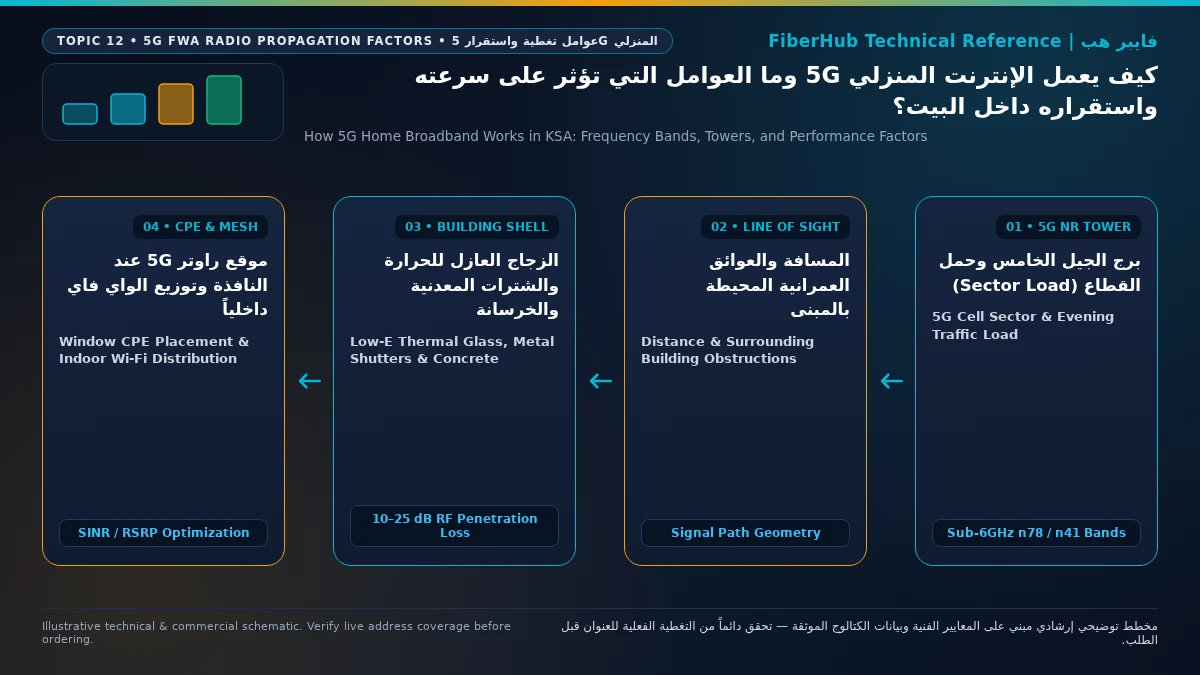
5. CPE Antenna Gain, Power Classes, and Optimal Indoor vs. Outdoor Placement
The fourth decisive factor separating fast, rock-solid 5G home internet from a frustrating connection is the hardware engineering of the CPE gateway itself and its physical placement. Inserting a 5G SIM card into a pocket battery hotspot or smartphone rarely matches the sustained performance of a dedicated mains-powered 5G Home CPE for three hardware reasons:
- High-Gain Internal 4x4 / 8x8 MIMO Antenna Arrays: Full-size vertical home gateways integrate directional or high-efficiency omnidirectional internal antenna arrays delivering 6 dBi to 11 dBi of antenna gain, allowing the router to resolve weak spatial streams and maintain 4x4 Downlink MIMO even in moderate signal conditions.
- High-Power User Equipment (HPUE Power Class 2 - 26 dBm): While standard smartphones are restricted to Power Class 3 (23 dBm / 200 mW maximum transmit power), premium 5G FWA routers on Band n78/n41 often support Power Class 2 (26 dBm / 400 mW), doubling uplink transmission power to punch back through window glass to the serving tower and prevent upload stalls.
- Passive Heatsinks and Continuous Duty Cycles: Heavy 5G baseband processing generates substantial heat; dedicated home routers feature tall aluminum heatsinks and convection chimneys to prevent thermal throttling during multi-hour 4K streaming sessions.
To maximize your 5G home router's performance, follow this engineering placement checklist:
- Optimize for Cellular Signal First, Not Hallway Centering: Never place a 5G gateway in a windowless central corridor just to center your Wi-Fi coverage. Log into the router's diagnostic UI, monitor 5G RSRP (aim for better than -90 dBm) and 5G SINR (aim for above 15 dB), and test windows on different sides and upper floors of the house until you locate the cleanest line of sight to the tower.
- Deploy an Outdoor 5G CPE When Low-E Glass Blocks Indoor Signals: If your room behind a closed thermal window reads -108 dBm RSRP, but holding a phone outside on the balcony or roof reads -76 dBm with 500+ Mbps speeds, an Outdoor 5G CPE is the definitive engineering solution. Mounted on an exterior wall or roof mast and connected indoors via a single Power-over-Ethernet (PoE) cable, an outdoor directional unit bypasses building penetration loss completely.
- Eliminate Local Wi-Fi Bottlenecks: Often a 5G router receives 450 Mbps from the tower, but devices in distant bedrooms connect over legacy 2.4 GHz Wi-Fi through concrete walls and measure only 35 Mbps. Connect stationary PCs and consoles via Gigabit Ethernet, and pair the 5G gateway with a Wi-Fi 6 Mesh system so your indoor network delivers the full wireless speed entering the house. You can also explore current home broadband plans to match router hardware and technologies to your property layout.
Frequently Asked Questions About How 5G Home Works and Indoor Stability
Why does moving my 5G home router just two meters away from the window cause speeds to drop by half?
Mid-band 5G signals on Band n78 (3.5 GHz) have short wavelengths (~8.5 centimeters) that rely heavily on direct or near-direct line-of-sight propagation and are easily shadowed by dense structural columns. When the router sits directly in the window aperture, its internal MIMO antennas capture the primary directional beam from the tower. Moving it just two meters sideways behind a reinforced concrete pillar places it in an electromagnetic shadow, dropping RSRP by 15 to 20 dB and reducing spatial MIMO streams from 4x4 to 2x2.
Compare home 5G plans, router terms, and billing
Review prepaid vs postpaid 5G tiers, CPE router conditions, and operator contract terms side by side.
What is the difference between RSRP and SINR in my 5G router diagnostic settings?
RSRP (Reference Signal Received Power) measures raw signal strength arriving from the cell tower in negative decibel-milliwatts (dBm)—values closer to zero like -75 dBm are very strong, while values below -105 dBm are weak. SINR (Signal-to-Interference-plus-Noise Ratio) measures signal clarity relative to background radio noise and interference from neighboring towers in decibels (dB). You can have strong RSRP (-80 dBm) near a window, yet suffer slow speeds if overlapping signals from two towers push SINR below 3 dB. Fast, stable 5G requires both strong RSRP (better than -95 dBm) and clean SINR (above 15 dB).
How can I tell whether slow evening 5G speeds are caused by poor indoor signal or tower congestion?
Keep the router in the exact same spot and compare a speed test and signal diagnostic snapshot taken at 1:30 PM against one taken at 10:00 PM. If your router achieves 450 Mbps at 1:30 PM with healthy RSRP (-85 dBm), and at 10:00 PM the RSRP remains -85 dBm while download speeds drop to 25 Mbps and loaded ping rises, the root cause is evening cell sector congestion on the tower. Conversely, if speeds are low both at midday and at night and RSRP is weaker than -106 dBm, the bottleneck is indoor signal attenuation.
Does direct sunlight or summer heat near a window cause a 5G home router to slow down or disconnect?
Yes. Even inside an air-conditioned room, placing a 5G router directly on a sun-drenched south- or west-facing window sill exposes the chassis to intense solar radiant heat on top of the internal heat generated by the 5G baseband modem and RF power amplifiers. When internal chip temperatures cross safety thresholds, the router triggers thermal throttling—dropping carrier aggregation or rebooting the radio modem to cool down. Always shade the router from direct sunbeams and ensure unobstructed airflow around its ventilation slots.
Need fast home internet without waiting for trenching?
Check your address first to confirm whether fiber is ready or compare eligible home 5G plans for your location.
Editorial Transparency & Neutrality Notice:
This guide is provided for comparison and decision support. It does not constitute final address coverage confirmation, binding operator pricing, or regulatory accreditation. Always verify final plan terms and box readiness before completing your subscription request.