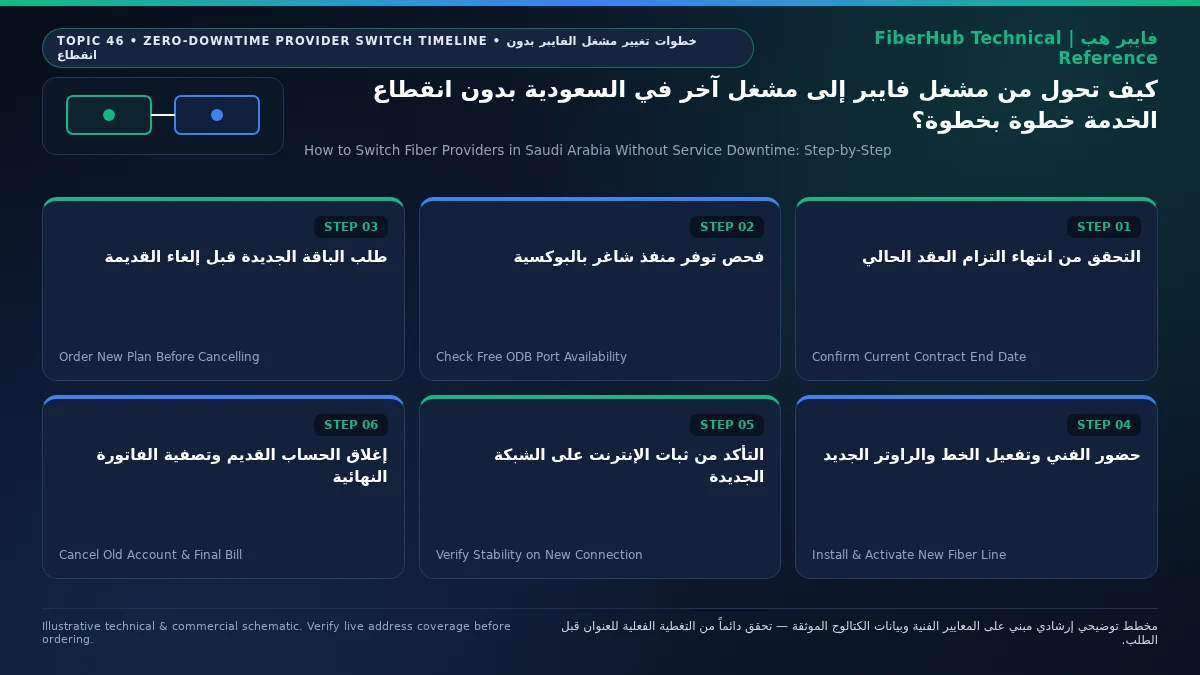
- 1. Auditing Your Current Contract Commitment, Billing Cycle, and Equipment Installments
- 2. Inspecting the Building ODB Plate: Spare Port Overlap vs Single-Drop Open Access Transfer
- 3. The Zero-Downtime Overlap Timeline: Day-by-Day Execution Plan
- 4. Installation Day Protocol: ONT Swap, Optical Signal Verification, and Live Cutover Testing
- 5. Handling Port Edge Cases, Formal Cancellation, and Final Bill Settlement
- 6. Frequently Asked Questions About Switching Fiber Providers in Saudi Arabia
- Do I need to pull new fiber optic cables inside my house when switching providers?
- Can I keep using my old provider's ONT fiber modem with the new provider?
- How long does switching fiber providers actually take from order to activation?
- What should I do if my old provider keeps billing me after I requested cancellation?
You can switch from one Fiber-to-the-Home (FTTH) provider to another in Saudi Arabia with zero hours of internet downtime by executing a parallel overlap switch when your building cabinet has a spare port, or by scheduling a same-day Open Access cutover before cancelling your existing subscription. The cardinal rule of uninterrupted switching between Saudi operators (STC, Mobily, Salam, and Zain) is simple: never cancel your current fiber line first. Instead, audit your existing contract commitment, submit the new installation order while your old line remains live, and wait until the new provider's field technician physically arrives at your home Optical Distribution Box (ODB) and verifies a green optical signal on the new ONT before closing your previous account. Whether your property supports two simultaneous fiber drops for a 48-hour overlap or uses a single shared indoor fiber drop under the wholesale Open Access regulations overseen by the Communications, Space and Technology Commission (CST), following a structured cutover timeline reduces total offline time to less than 15 minutes during the physical router swap.
Most multi-day internet blackouts experienced by Saudi households during provider transitions are not caused by fiber network outages—they happen because subscribers prematurely terminate their active account days before the new operator's wholesale work order is provisioned. When a household relies on FTTH connectivity for remote work, cloud VPN sessions, online classrooms, smart home automation, and 4K streaming, losing home broadband for three to five days is an entirely avoidable disruption. This step-by-step operational guide walks you through every phase of a seamless Saudi fiber transition: auditing contract commitments and hardware installments, diagnosing your building's ODB port topology, coordinating technician visit day, migrating your home Wi-Fi seamlessly, and settling your final pro-rated bill cleanly.
1. Auditing Your Current Contract Commitment, Billing Cycle, and Equipment Installments
Before placing an order on our fiber plan comparison page, perform a complete administrative audit of your active subscription. Residential fiber plans in Saudi Arabia vary between rolling no-commitment contracts and 12-month or 24-month commitment agreements that bundle free installation, promotional discounts, or Mesh Wi-Fi hardware.
- Checking Contract Commitment Expiry: Open your current operator's official self-care application (
mystc,Mobily App,MySalam, orZain SA) and inspect your fixed broadband line details to confirm the exact Contract Commitment End Date. If you have already completed your initial 12-month or 24-month contract term, your subscription operates on a rolling month-to-month basis and can be terminated on any day without early exit fees or installation clawbacks. Under CST consumer protection regulations, subscribers always retain the right to cancel a service at any time, but terminating an active commitment contract early allows the provider to charge the documented early settlement calculation (such as remaining hardware installment balances or pro-rated installation/promotional benefits for the months used). Scheduling your switch during the final week of your commitment period eliminates early exit penalties completely. - Separating Base ONT Equipment from Installment Add-Ons: Check your latest PDF tax invoice to see whether any secondary devices are attached to your fixed landline/fiber account. Distinguish between the primary Optical Network Terminal (ONT) provided for fiber termination and optional monthly installment add-ons such as whole-home Mesh Wi-Fi nodes, gaming routers, or smart TV streaming boxes billed over 12 or 24 months. Clear any overdue invoice balances on the account so that administrative holds do not delay your final termination request once the new line is active, and record your Account Number, Landline / Circuit Service ID, and billing cycle cut-off date in a note for easy reference on cancellation day.
- Aligning the Switch with Your Monthly Billing Cycle: Postpaid fiber invoices in Saudi Arabia generate on a fixed monthly cycle date (for example, the 1st, 15th, or 28th of each calendar month). Even though Saudi telecom billing systems calculate final cancellation invoices on a pro-rated daily basis, initiating your new provider order 5 to 7 days before your current billing cycle closes is the smartest operational window. It gives you an already-paid buffer week to absorb any technician rescheduling while testing the new connection thoroughly before a new monthly invoice is issued. If you are on a Prepaid Fiber (الفايبر مسبق الدفع) package, submit your new provider order 6 to 8 days before your current prepaid validity expires, since prepaid bundles are not pro-rated after expiration.
2. Inspecting the Building ODB Plate: Spare Port Overlap vs Single-Drop Open Access Transfer
How your switch executes physically depends on the Optical Distribution Box (ODB) mounted on your villa boundary wall or inside your apartment building's telecom riser room, and on how the indoor fiber drop cable reaches your living room wall socket (Rosette). You can verify which infrastructure owner and retail operators serve your building using the National Address fiber coverage checker.

In Saudi residential deployments, provider transitions follow one of two distinct physical pathways:
- Pathway A — True Parallel Overlap via a Spare ODB Port (Zero-Minute Downtime): This pathway applies to most standalone villas, duplexes, and apartment buildings where the external ODB cabinet has free optical splitter ports (
Spare Ports) and either a second indoor drop cable or an accessible conduit path (or where two separate operator ODB boxes exist on the boundary wall). You order a new fiber line from the incoming ISP while leaving your existing ISP untouched and online. The field technician patches a spare port in the ODB and activates the new ONT alongside your existing ONT. Both fiber connections run simultaneously inside your home, and you keep both lines running in parallel for 24 to 48 hours to verify evening peak performance on the new provider before submitting the termination request for the old provider. - Pathway B — Single-Drop Shared Cable Cutover via Wholesale Open Access (15-Minute Cutover): In most modern Saudi apartment buildings, a single pre-installed indoor fiber cable runs from the building's ODB cabinet through internal wall conduits to the apartment's optical wall outlet (
Rosette), and drilling or pulling a second exposed fiber wire is undesirable. Under the national Open Access framework, the physical fiber drop and ODB belong to the Wholesale Infrastructure Operator (STC,Dawiyat,Mobily, orSalam), while any partnered Retail ISP can deliver internet service over that exact same optical strand. Keep your current fiber modem powered on and connected right up until the new operator's technician knocks on your door. During the visit, the technician disconnects the old ONT inside your apartment, re-patches or logically re-provisions your apartment's fiber strand onto the new retail provider's splitter port/VLAN profile at the ODB cabinet, and connects the new ONT—keeping total internet interruption to just 10 to 25 minutes.
| Comparison Factor | Pathway A: Parallel Multi-Port Overlap | Pathway B: Single-Drop Open Access Cutover |
|---|---|---|
| Typical Property Type | Standalone villas, duplexes, apartments with spare conduit | Modern apartments and compounds with a single hidden drop |
| New Indoor Cabling Needed? | Requires a second fiber drop or spare internal patch cable | Zero cabling needed; reuses the existing indoor optical strand |
| Total Internet Downtime | 0 minutes (both lines run simultaneously) | 10 to 25 minutes during technician ONT & port swap |
| When Old ONT Is Unplugged | 24–48 hours after testing the new line under peak load | At the exact moment the technician installs the new ONT |
| Cabinet Prerequisite | At least one free splitter port (Spare Port) on the ODB |
Healthy existing drop cable and accurate ODB plate ID |
3. The Zero-Downtime Overlap Timeline: Day-by-Day Execution Plan
To eliminate any risk of being left without home internet due to wholesale ticket delays or rescheduled technician appointments, follow this structured 9-day transition schedule:
| Timeline Window | Subscriber Action Required | Home Internet Status | Operational Objective & Risk Control |
|---|---|---|---|
| Day -7 (Pre-Switch Audit) | Check commitment expiry in current ISP app; photograph external ODB metal plate ID and indoor wall Rosette | 100% Online (Old ISP Active) | Confirm zero early-termination surprises and capture exact ODB plate metadata |
| Day -5 (Order Placement) | Submit new fiber subscription via the fiber plans catalog using exact National Address and ODB Plate ID | 100% Online (Old ISP Active) | Trigger wholesale/retail installation work order without disturbing active service |
| Day -2 (Appointment Lock) | Confirm technician SMS slot; ensure building guard or electrical/telecom room key is accessible on visit day | 100% Online (Old ISP Active) | Prevent missed installation visits caused by locked apartment telecom closets |
| Day 0 (Installation & Cutover) | Technician verifies optical laser level, activates new ONT, and connects home network | 0 min downtime (Spare Port) or ~15 min swap (Single Drop) | Never sign off work order until active internet browsing is verified on the new ONT |
| Day +1 (Peak-Hour Validation) | Run evening peak workload (8 PM – 12 AM): video calls, gaming latency, and speed checks on the new line | 100% Online (New ISP Active) | Validate routing stability and throughput before surrendering fallback line |
| Day +2 (Old Account Closure) | Submit formal cancellation (Termination) to old ISP, save reference SMS, and settle final pro-rated bill |
100% Online (New ISP Active) | Stop recurring billing on old account immediately after new line is proven stable |
Many subscribers assume they must cancel their current fiber provider before another company can accept their order. In practice, cancelling first shuts down your internet within hours, while a new Open Access wholesale work order between a retail ISP and an infrastructure operator typically takes 2 to 5 business days to schedule and dispatch. Keeping your existing line active until the new technician is physically on-site guarantees that even if an appointment is postponed by 48 hours, your household work and study routines remain completely unaffected.
Verify fiber box readiness at your address first
Fiber availability depends on your building ODB plate and port status. Check your address to see eligible operators.
4. Installation Day Protocol: ONT Swap, Optical Signal Verification, and Live Cutover Testing
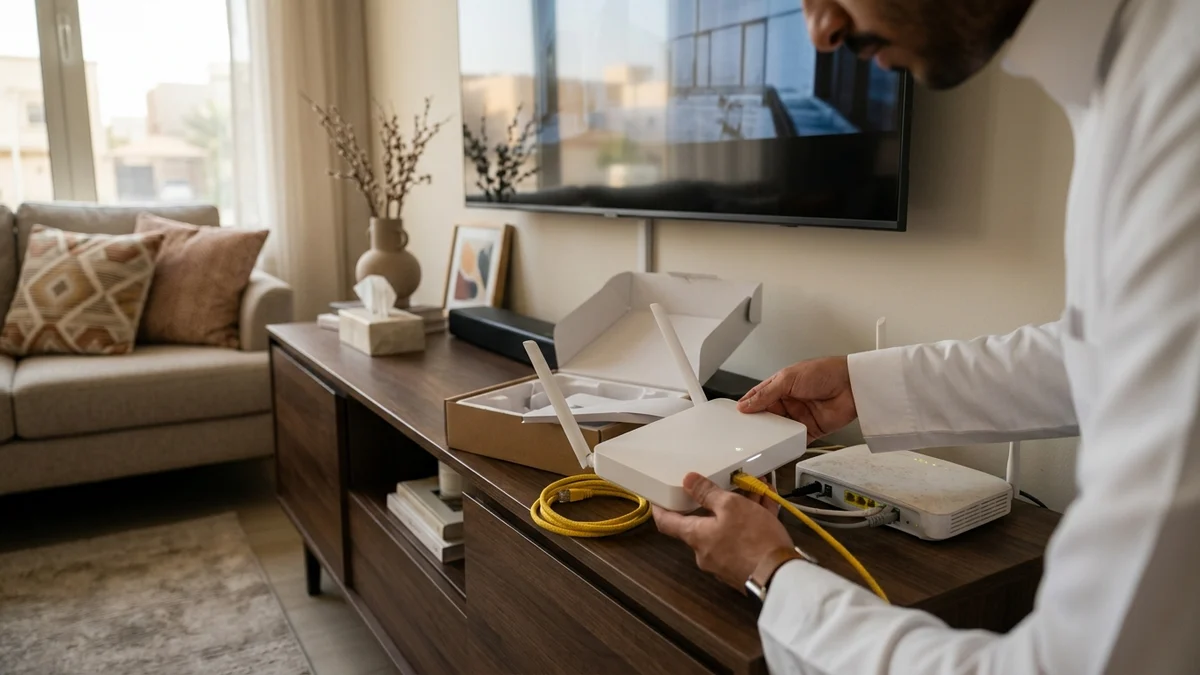
Every Saudi fiber operator provisions its own Optical Network Terminal (ONT / Fiber Gateway) locked to its central office OLT management profile and authentication method (such as PPPoE credentials or automated IPoE / DHCP VLAN binding). That means your old operator's fiber modem will be replaced by the new operator's ONT during the installation visit.
Do not let the technician close the job ticket simply because the PON LED turned solid green. Perform these four mandatory verification steps on the spot:
- Verify Optical Receive Power (
Rx Optical Power): Ask the technician to show the Optical Power Meter reading—or log into the ONT status page (192.168.1.1or192.168.100.1)—and verify that Rx Power sits between-15 dBmand-23 dBm. If the reading is weaker than-25 dBm(for example,-27 dBm), ask the technician to clean the greenSC/APCconnector ferrules with optical alcohol wipes or re-splice the drop termination at the ODB/Rosette so your line does not suffer packet loss later. - Verify Provisioned Download and Upload Tier: Connect a laptop via a
Cat6Ethernet cable (or connect a Wi-Fi 6 phone on the5 GHzband right next to the ONT) and run a benchmark on the CST Meqyas speed test platform to confirm that both download and upload speeds match the tier you selected on the fiber services page. - Verify External Routing and DNS Resolution: Open several domestic and international websites, test a live video call, and check latency to your primary work or gaming servers to confirm that PPPoE/IPoE session authentication and DNS resolvers are working properly.
- Migrate Your Wi-Fi SSID or Mesh WAN Cable Without Reconfiguring 30 Devices: You do not need to manually type a new Wi-Fi password into every smart TV, security camera, printer, and phone in your house. If you use the ISP's built-in Wi-Fi router, log into the new ONT wireless settings, set the exact same Wi-Fi Network Name (SSID), password, and
WPA2/WPA3security mode that your old router used, and turn off Wi-Fi on the old router. If you use your own third-party Mesh Wi-Fi system (TP-Link Deco,Asus,Eero,Netgear Orbi), simply unplug the Ethernet WAN cable fromLAN 1on the old ISP modem and plug it intoLAN 1on the new ISP modem (configuringBridge ModeorDMZif required by your setup).
5. Handling Port Edge Cases, Formal Cancellation, and Final Bill Settlement
Occasionally, switching fiber providers across shared neighborhood infrastructure surfaces operational edge cases, followed by the administrative requirement to close your old contract cleanly so recurring monthly invoices stop immediately:
- Resolving "ODB Cabinet Full" or Stranded Ghost Ports: Standard residential ODB enclosures house 8 or 16 subscriber ports. In high-occupancy apartment buildings, all ports may appear allocated in the wholesale database even if previous tenants moved out without formally cancelling their old lines (
Ghost Ports). Because you kept your active subscription running, your apartment already holds a working, lit port inside that ODB. Rather than waiting weeks for a cabinet expansion, instruct the incoming provider to process the order as an existing-drop port migration on your active strand, or request a field port audit to reclaim inactive ports while your current line stays up. - Protecting Against Cross-Carrier Scheduling Delays: When your chosen retail ISP operates over another company's physical fiber network, the installation ticket requires cross-carrier scheduling. Never trigger a cancellation or disconnection date with your current ISP based merely on an initial order confirmation SMS from the new ISP; wait until the wholesale field technician physically completes the splice/patch at your building.
- Requesting "Final Service Termination" and Saving the Reference ID: Once your new fiber line has run flawlessly through at least one full evening peak window, contact your previous provider via their app or customer care line and explicitly select Final Service Cancellation / Termination (
إلغاء نهائي) rather than temporary suspension (إيقاف مؤقت). Under CST consumer protection regulations in Saudi Arabia, telecom providers must issue a documented cancellation request reference number immediately via SMS or in-app notification, and cannot bill you for recurring subscription fees past the date of a documented cancellation request. - Returning Equipment and Clearing the Final Pro-Rated Bill: In most 12-month or 24-month fiber contracts that have reached full maturity, standard ONT ownership transfers to the subscriber, whereas no-commitment or early exit contracts may require handing the device over at an official branch against a signed receipt. Keep the old ONT boxed with its power adapter for 30 days until your final pro-rated settlement invoice (
فاتورة المخالصة النهائية) generates, pay any remaining pro-rated days via SADAD, and verify in the app that the account status reads Closed / Terminated with a0.00 SARbalance.
6. Frequently Asked Questions About Switching Fiber Providers in Saudi Arabia
Do I need to pull new fiber optic cables inside my house when switching providers?
In over 95% of Saudi homes, no new indoor cabling or wall drilling is required. As long as the existing fiber drop cable running from the outdoor ODB box to your indoor wall outlet (Rosette) is intact and delivers clean optical power levels between -15 dBm and -23 dBm, the new provider's technician reuses that exact fiber strand under the national Open Access system and simply installs the new provider's ONT router inside your home.
Match fiber speed and upload tiers to your household
Review published FTTH plans and compare download/upload speeds, commitment terms, and hardware conditions.
Can I keep using my old provider's ONT fiber modem with the new provider?
No, you cannot use the old ONT as the primary optical modem on the new provider's line. Fiber ONTs (Huawei, Nokia, or ZTE) are cryptographically and logically provisioned to the issuing operator's central OLT firmware and VLAN management systems. Your new provider will supply and install a compatible ONT during setup. However, any personal third-party Wi-Fi router or Mesh Wi-Fi system you own can be plugged directly into the new ONT via Ethernet and used immediately.
How long does switching fiber providers actually take from order to activation?
Administrative scheduling and technician dispatch typically take 2 to 5 business days from the moment you submit your new subscription order. Because you keep your existing provider active during that entire waiting period, your household experiences zero days without internet, and the actual physical swap during the technician's visit takes only 10 to 20 minutes.
What should I do if my old provider keeps billing me after I requested cancellation?
As long as you hold the official cancellation request reference number received via SMS or the provider's app, CST regulations protect you from any recurring charges after that request date. Submit a billing dispute ticket through the provider's app attaching your cancellation reference number, and if unresolved, escalate the dispute directly through the Communications, Space and Technology Commission (CST) portal for mandatory adjustment.
References and Regulatory Sources:
- Communications, Space and Technology Commission (CST): Regulatory Framework for User Rights Protection, Service Cancellation Rules, and Fixed Broadband Switching in Saudi Arabia (
https://www.cst.gov.sa). - Saudi Wholesale Open Access Framework: Inter-operator FTTH provisioning and shared Optical Distribution Box (ODB) access standards across Saudi residential networks.
- ITU-T G.984 & G.9807 Standards: Optical power budget specifications and ONT physical layer requirements for GPON and XGS-PON subscriber installations.
Ready to verify coverage and request home fiber?
Submit your address or ODB plate details so we can confirm availability and walk you through eligible plans.
Editorial Transparency & Neutrality Notice:
This guide is provided for comparison and decision support. It does not constitute final address coverage confirmation, binding operator pricing, or regulatory accreditation. Always verify final plan terms and box readiness before completing your subscription request.