
- The Engineering Physics Behind Asymmetric Speeds in GPON Fiber and 5G
- TCP ACK Starvation and Upstream Bufferbloat: How Slow Upload Kills Your Download
- Real-World Upload Bandwidth Math: Video Calls, Cloud Sync, Live Streaming, and CCTV
- Comparing Verified Upload Speeds Across Saudi Providers (STC, Mobily, Salam, Zain)
- Why Indoor Wi-Fi Cuts Your Upload Speed in Half (and How to Fix It)
- Frequently Asked Questions About Download vs. Upload Speeds
- Do Saudi telecom providers offer symmetrical (1:1) fiber plans where upload equals download?
- How much upload speed do online multiplayer games like EA FC, Call of Duty, and Valorant actually use?
- Why does upload speed drop much faster on a 5G Home router than on fiber during evening peak hours?
- What is the most accurate way to test my home internet's true upload speed?
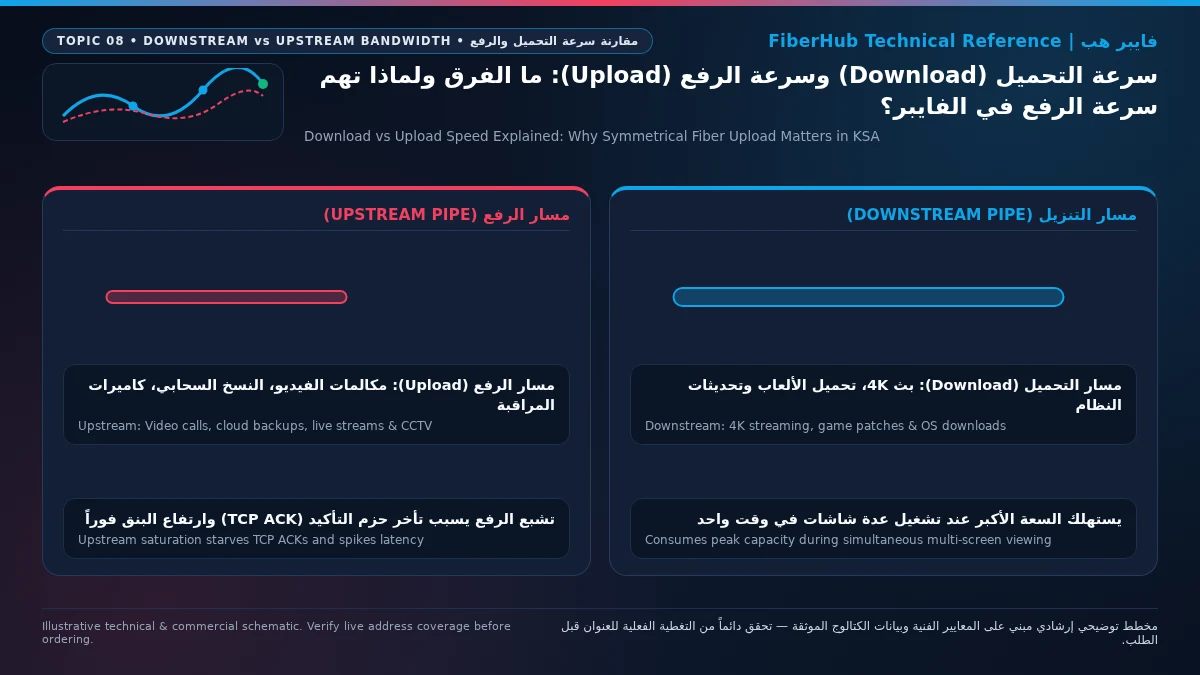
Upload speed matters just as much as download speed because every internet connection operates as a two-way conversation: even when you are downloading a large game or streaming 4K video, your devices must continuously transmit upstream acknowledgment packets (TCP ACKs) to confirm data receipt, and if a narrow upload pipe gets saturated by a background smartphone cloud backup, a security camera feed, or a video conference call, your download speed will instantly stall and your ping will skyrocket even on a 500 Mbps plan. Broadband marketing naturally highlights the headline download figure because downloading media consumes the largest volume of bits, yet in modern Saudi households, upload capacity is the silent bottleneck that determines whether remote work calls stay crystal clear, cloud files sync in minutes rather than hours, and competitive games remain responsive when the whole family is online.
When you browse Saudi home internet plans, you will notice that residential broadband packages are provisioned asymmetrically—meaning the upload speed is a fraction of the download speed, typically following a 3:1 or 4:1 ratio (such as 300 Mbps download paired with 100 Mbps upload, or 500 Mbps download paired with 125 Mbps to 200 Mbps upload). This asymmetry reflects both optical network engineering standards and historical traffic patterns. However, as remote work, 4K live streaming, cloud-First workflows, and multi-camera smart home surveillance become everyday staples across the Kingdom, inspecting the exact upload rating before subscribing is essential to avoiding evening network congestion.

The Engineering Physics Behind Asymmetric Speeds in GPON Fiber and 5G
To understand why telecom operators provision higher download speeds than upload speeds on residential lines, we must examine the physical layer architecture of Gigabit Passive Optical Networks (GPON), standardized under ITU-T Recommendation G.984 and deployed across Saudi Arabia's national fiber footprint. In a residential FTTH network, a single strand of single-mode silica glass leaves the central office Optical Line Terminal (OLT) and passes through an unpowered optical splitter in your neighborhood cabinet to serve 32 to 64 homes simultaneously.
Downstream and upstream traffic travel simultaneously over that single glass strand using Wavelength Division Multiplexing (WDM). Downstream data from the ISP to your home is transmitted using a 1490 nm laser wavelength with a total shared line capacity of 2.488 Gbps, whereas upstream data from subscriber homes back to the ISP is transmitted on a separate 1310 nm laser wavelength with a total shared capacity of 1.244 Gbps—exactly half the downstream rate. Furthermore, while downstream frames are broadcast continuously to all optical modems on the splitter, upstream transmissions must share the 1310 nm wavelength using Time Division Multiple Access (TDMA). Each home's Optical Network Terminal (ONT) fires its laser only during microsecond time slots assigned by the central OLT so that light pulses from neighboring villas never collide at the passive splitter.
On fixed wireless 5G Home networks (5G FWA) operating on the TDD (Time Division Duplex) C-band spectrum (n78 at 3.5 GHz), the physical asymmetry between download and upload is even more pronounced. Because TDD uses a single frequency channel for both directions, the cellular base station allocates roughly 75% to 80% of radio time slots to downstream transmission and only 20% to 25% to upstream transmission. Additionally, while a telecom tower transmits with massive power (often exceeding 50 dBm EIRP) through large sector antennas, your indoor 5G router's uplink transmitter is strictly capped at 23 dBm to 26 dBm (200 to 400 milliwatts). Consequently, while home fiber optic broadband delivers rock-solid, deterministic upload throughput 24 hours a day, 5G wireless upload speeds degrade rapidly if the router sits behind thick concrete walls or Low-E thermal glass windows.
TCP ACK Starvation and Upstream Bufferbloat: How Slow Upload Kills Your Download
One of the most pervasive myths in home networking is that download and upload channels operate independently, leading users to assume that uploading a massive file will only slow down other uploads while leaving video streaming and downloads untouched. In reality, the vast majority of web traffic, file downloads, and streaming video relies on the Transmission Control Protocol (TCP), governed by Internet Engineering Task Force (IETF) standards. TCP enforces reliable delivery through a strict feedback loop: for every few data segments your device receives on the download channel, it must immediately transmit a tiny Acknowledgment packet (TCP ACK) back to the server on the upload channel to confirm receipt and advance the transmission window.
Under normal conditions, upstream TCP ACK traffic consumes roughly 2% to 4% of your active download throughput. For example, sustaining a 300 Mbps game download requires your router to smoothly transmit 6 Mbps to 10 Mbps of continuous ACK packets upstream. Now consider what happens on a connection with a modest 25 Mbps upload limit when a family member plugs an iPhone into its charger at night and iCloud Photo Library immediately begins backing up gigabytes of 4K family videos at full blast.
The moment that cloud backup saturates 100% of the 25 Mbps upstream pipe, outgoing packets begin piling up inside the router's memory queue—a phenomenon known in network engineering as upstream bufferbloat. Crucial TCP ACK packets belonging to your active downloads, web browsing sessions, and real-time voice calls get trapped at the back of that congested upload queue, delayed by 200 to 800 milliseconds. When the remote download server stops receiving timely ACKs, its congestion-control algorithm assumes the network path is failing and drastically slashes your download transmission rate—often dropping a 300 Mbps download down to 15 Mbps! Provisioning a generous fiber upload tier (100 Mbps to 300 Mbps) provides ample upstream headroom so background cloud syncs complete rapidly without ever starving your download stream.
Real-World Upload Bandwidth Math: Video Calls, Cloud Sync, Live Streaming, and CCTV
Sizing your household's upload requirement accurately requires calculating the simultaneous upstream bitrates of modern applications—and understanding how much time high-speed upload saves when transferring large work datasets:
| Upstream Application / Digital Workload | Sustained Upload Bandwidth Needed | Time to Upload a 20 GB File / Project | Recommended Minimum Household Upload Tier |
|---|---|---|---|
| HD Video Conferencing (Zoom / Teams 1080p + Screen Share) | 3.8 to 6 Mbps per active participant | Continuous real-time UDP stream | 25 to 50 Mbps (for 2 concurrent remote workers) |
| Full HD Game Streaming (Twitch / Kick 1080p60 CBR) | 6 to 8 Mbps constant bitrate | Continuous real-time RTMP stream | 100 Mbps to prevent ping spikes while live |
| Ultra HD Creator Streaming (YouTube 4K60 HEVC / AV1) | 20 to 35 Mbps constant bitrate | Continuous high-density live stream | 125 to 200 Mbps for zero dropped frames |
| Smart Home CCTV NVR (4x 4K H.265 Cameras Viewed Remotely) | 16 to 32 Mbps combined uplink | Continuous cloud event or remote view | 100 Mbps so security feeds never lag the home |
| Cloud Backup & Media Transfer on a 25 Mbps Upload Plan | Saturates 100% of 25 Mbps pipe | Approx. 2 hours and 5 minutes | Entry-level only; prone to family saturation |
| Cloud Backup & Media Transfer on a 100 Mbps Upload Plan | Saturates 100% of 100 Mbps pipe | Approx. 28 minutes | Ideal sweet spot for active Saudi families |
| Cloud Backup & Media Transfer on a 300 Mbps Upload Plan | Saturates 100% of 300 Mbps pipe | Approx. 9 minutes and 20 seconds | Built for creators, engineers, and large villas |
Notice how quickly simultaneous upstream demands stack up during a typical weekday or evening in a Saudi home. If two parents are participating in interactive 1080p Microsoft Teams meetings with screen sharing (10 Mbps combined), a university student is uploading a recorded lecture presentation to OneDrive (25 Mbps), a teenager is streaming gameplay to friends on Discord or Twitch (8 Mbps), and four outdoor smart security cameras are syncing motion clips to the cloud (16 Mbps), the household is actively demanding nearly 60 Mbps of continuous upload throughput. On a legacy 25 Mbps or 50 Mbps upload tier, that combination triggers immediate packet queuing and voice roboticization; on a 100 Mbps or 150 Mbps fiber upload tier, every single application runs effortlessly with 40% to 60% spare headroom.
Beyond interactive calls and social streaming, villa homeowners frequently underestimate the continuous upstream footprint of multi-camera CCTV Network Video Recorders (NVRs), smart video doorbells, and personal Network Attached Storage (NAS) servers. When you install eight 4K IP cameras around your villa perimeter, viewing them locally on a monitor consumes zero internet bandwidth. However, the moment you open your smartphone app away from home to view the live multi-camera grid in full resolution (Main Stream), your home NVR must push 4 Mbps to 6 Mbps per camera over your fiber upload link—even with efficient H.265 (HEVC) compression—instantly consuming 32 Mbps to 48 Mbps of upstream bandwidth.
The same physics apply to engineers, architects, and financial professionals working from home over encrypted corporate VPN tunnels or synchronizing multi-gigabyte CAD/BIM repositories and local NAS snapshots off-site. Selecting a fiber package with 100 Mbps to 300 Mbps of verified upload capacity ensures that heavy remote-access and surveillance streams operate invisibly in the background without ever degrading family entertainment or low-latency gaming.
Separate indoor Wi-Fi bottlenecks from line capacity issues
If slow speeds or high ping persist over direct Ethernet, check whether fiber or a higher upload tier is available at your address.
Comparing Verified Upload Speeds Across Saudi Providers (STC, Mobily, Salam, Zain)
When you evaluate packages using our broadband plan comparison tool, look directly at the verified Upload Speed (Mbps) and the Monthly Price (inclusive of 15% VAT) published in official tariff cards regulated by the Communications, Space and Technology Commission (CST). Across Saudi Arabia's major operators, upload allocations follow distinct engineering tiers—including specialized gaming and creator plans that boost upstream ratios:
- 100 Mbps to 200 Mbps Entry Fiber Tiers (25 to 50 Mbps Upload): Entry-level 100 Mbps fiber packages—such as STC Baity Fiber 100 (287.5 SAR/month) and Zain Fiber Home Basic 100 (398 SAR/month)—provide a 25 Mbps upload rate (4:1 ratio). Stepping up to 200 Mbps—such as Mobily Fiber Postpaid 200 (230 SAR/month) or Zain Fiber Home 200 (478 SAR/month)—doubles the upload speed to 50 Mbps. These tiers suit smaller apartments with light cloud storage demands.
- 300 Mbps Fiber Tiers (The 100 Mbps Upload Sweet Spot): The 300 Mbps tier represents the most balanced price-to-upload jump in the Saudi market, where all four major fiber operators provision a full 100 Mbps upload speed (an advantageous 3:1 ratio). Verified plans include STC Baity Fiber Basic 300 (287.5 SAR/month), Salam Fiber 300 (287.5 SAR/month), Zain Fiber 300 (287.5 SAR/month) or Zain Fiber Home Plus 300 (279 SAR/month), and Mobily Fiber Postpaid 300 (345 SAR/month) or Prepaid 300 (287.5 SAR/month), all inclusive of 15% VAT.
- 500 Mbps Standard vs. Gaming & Premium Fiber Tiers (125 to 200 Mbps Upload): Standard 500 Mbps packages—such as STC Baity Fiber Stream 500 (402.5 SAR/month), Salam Fiber 500 (345 SAR/month), and Mobily Fiber Postpaid 500 (460 SAR/month)—deliver 125 Mbps upload (4:1 ratio). However, if your household prioritizes upstream capacity without paying for a full gigabit tier, three verified 500 Mbps plans offer boosted upload channels: Mobily Fiber Gamers 500 (402.5 SAR/month) increases upload to 150 Mbps, while Salam Fiber Gaming 500 (399 SAR/month) and Zain Fiber Home Premium 500 (389 SAR/month) deliver a massive 200 Mbps upload speed!
- 1 Gbps Flagship Fiber Tiers (300 Mbps Upload): Residential Gigabit plans—including Salam Fiber 1000 (460 SAR/month), STC Baity Fiber Max 1 Gbps (920 SAR/month), Mobily Fiber Postpaid 1GB (920 SAR/month), and Zain Fiber Home Black 1 Gbps (949 SAR/month), all VAT-inclusive—provide 300 Mbps upload, cutting multi-gigabyte cloud backup times to mere minutes.
Why Indoor Wi-Fi Cuts Your Upload Speed in Half (and How to Fix It)
A frequent frustration among fiber subscribers occurs when a speed test standing right next to the ONT router shows the full 100 Mbps or 125 Mbps upload speed, yet a laptop or smartphone in an upstairs bedroom records 90 Mbps download and only 6 Mbps upload—accompanied by choppy audio on Zoom calls. The culprit is not your fiber line; it is Wi-Fi Link Budget Asymmetry between the router and your mobile device.
Your main Wi-Fi 6 router is plugged into mains electricity and uses high-gain antennas and dedicated power amplifiers transmitting at up to 200 milliwatts (23 dBm). Because the router shouts loudly, your laptop or phone easily hears its signal through two concrete walls (resulting in decent download speeds). Conversely, when your smartphone or ultrabook transmits data back to the router (upload), its tiny internal battery-powered radio transmits at only 15 to 30 milliwatts (12 to 15 dBm) to conserve battery life and meet SAR human-exposure regulations. That weak upstream radio signal gets heavily absorbed by reinforced concrete walls and metal doors on its way back to the router, causing wireless upload speeds to collapse long before download speeds fail.
To reclaim 100% of your contracted upload speed across every room in your home, apply three proven engineering fixes:
- Use Direct Cat6 Gigabit Ethernet for Workstations, Consoles, and NVRs: Never rely on long-distance Wi-Fi for live streaming rigs, video editing workstations, or CCTV Network Video Recorders. Connecting these devices via a physical Cat6 Ethernet cable eliminates radio link asymmetry completely and guarantees 100% of your fiber upload speed with zero wireless packet retries.
- Deploy Wired-Backhaul Mesh Nodes or FTTR Upstairs: Because mobile devices have weak transmitters, you must bring the Wi-Fi access point closer to the device. Installing a secondary Wi-Fi 6 access point or FTTR optical room unit on the upper floor ensures your phone or laptop only has to transmit across a few meters of open air, while the access point carries your upstream data back to the main ONT over Ethernet or fiber.
- Configure Upstream QoS / Smart Queue Management (SQM): If automated cloud backups regularly saturate your upstream link, enable Quality of Service (QoS) in your router settings and set an upstream bandwidth ceiling at roughly 85% to 90% of your verified upload speed (for example, 88 Mbps on a 100 Mbps upload line). Reserving that 10% buffer prevents upstream bufferbloat and ensures real-time voice packets and TCP ACKs always bypass heavy file uploads instantaneously.
Frequently Asked Questions About Download vs. Upload Speeds
Do Saudi telecom providers offer symmetrical (1:1) fiber plans where upload equals download?
Standard residential FTTH packages in Saudi Arabia use GPON architecture with asymmetrical speed profiles (such as 300/100 Mbps, 500/200 Mbps, or 1000/300 Mbps) to maximize network efficiency and keep monthly consumer tariffs affordable. Fully symmetrical 1:1 fiber lines (such as 500/500 Mbps Dedicated Internet Access) are offered under enterprise business portfolios with dedicated SLAs and static IP blocks at significantly higher commercial rates.
Does your current plan support your device count and upload needs?
Compare download/upload ratios and Wi-Fi 6 or FTTR hardware options across plans available at your address.
How much upload speed do online multiplayer games like EA FC, Call of Duty, and Valorant actually use?
During active gameplay, multiplayer titles transmit very small UDP state updates—typically consuming only 0.5 Mbps to 2 Mbps of upload bandwidth. However, having a 100+ Mbps fiber upload tier is still vital for gamers because it prevents background household uploads (like family smartphone photo backups or cloud syncs) from clogging the upstream queue and causing massive ping spikes or packet loss mid-match.
Why does upload speed drop much faster on a 5G Home router than on fiber during evening peak hours?
5G Fixed Wireless Access operates over shared cellular radio spectrum using Time Division Duplexing (TDD), which dedicates the majority of air-interface time slots to downloading. When neighborhood tower congestion rises between 8:00 PM and midnight—or when your indoor 5G router faces signal attenuation through concrete walls—available uplink resource blocks shrink rapidly. Fiber optic GPON uses a dedicated 1310 nm laser wavelength inside a shielded glass strand, keeping upload speeds consistent 24/7.
What is the most accurate way to test my home internet's true upload speed?
To measure the true upstream capacity delivered by your ISP without wireless bottlenecks distorting the result, connect a computer directly to one of the yellow Gigabit LAN ports on your fiber ONT using a Cat6 Ethernet cable, pause any active cloud storage sync clients (OneDrive, iCloud, Dropbox), and run a full test on the official CST Meqyas benchmark platform while observing both the sustained upload Mbps and upstream latency under load.
Completed tuning and ready for a more stable fiber line?
Check fiber availability at your address and compare low-latency plans for gaming, telework, and multi-floor homes.
Editorial Transparency & Neutrality Notice:
This guide is provided for comparison and decision support. It does not constitute final address coverage confirmation, binding operator pricing, or regulatory accreditation. Always verify final plan terms and box readiness before completing your subscription request.