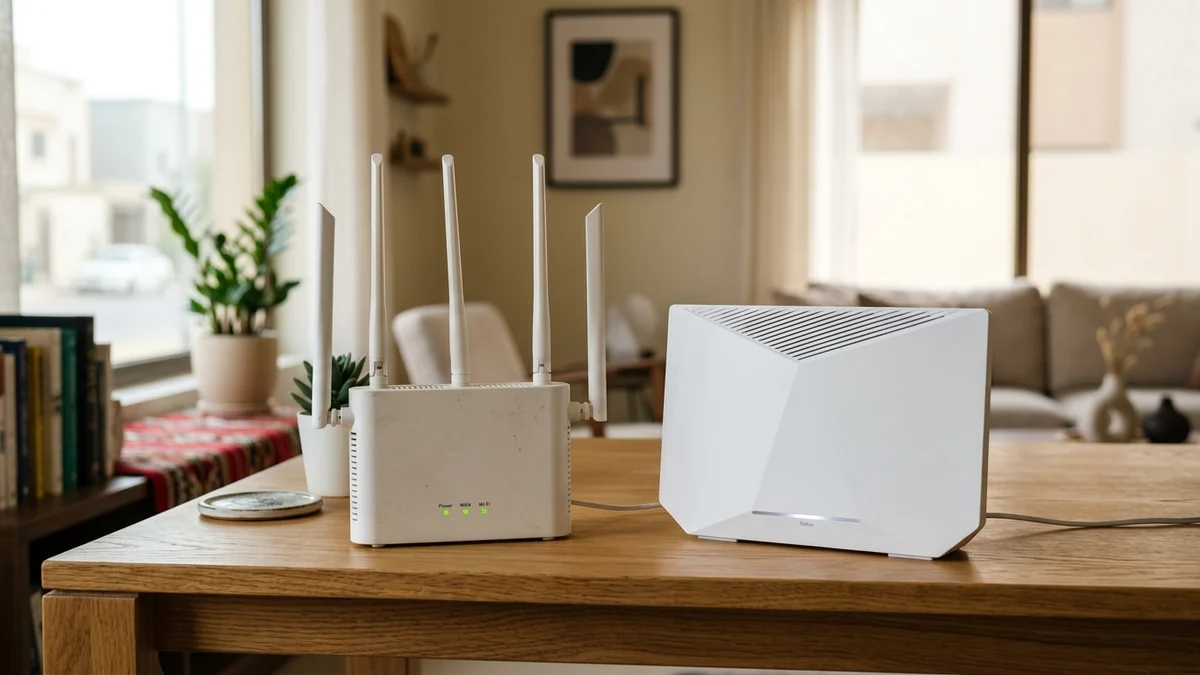
- Why Wi-Fi 5 Became the Bottleneck for Modern Saudi Fiber Lines
- The 5 Core Engineering Upgrades Inside Wi-Fi 6 Gateways
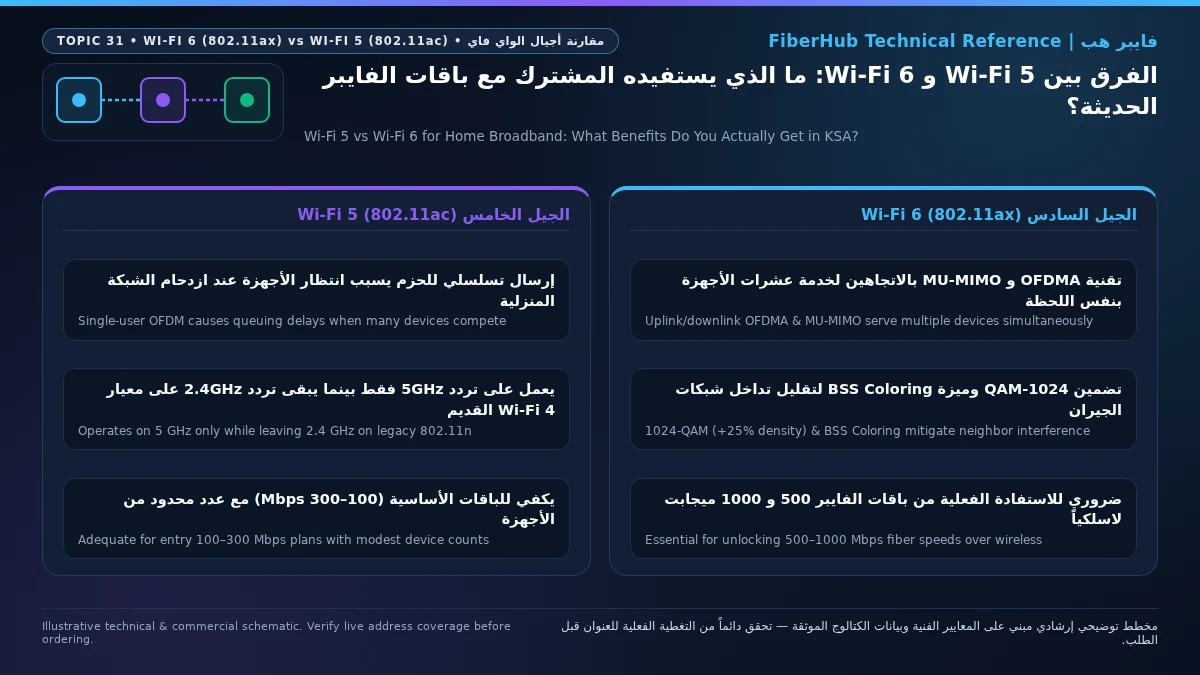
- 1. OFDMA and Sub-Channel Resource Units (RUs)
- 2. Bidirectional 8x8 MU-MIMO (Simultaneous Uplink and Downlink)
- 3. 1024-QAM Modulation (+25% Symbol Density) and 160 MHz Channels
- 4. BSS Coloring for High-Density Saudi Apartment Buildings
- 5. Target Wake Time (TWT) and 4x Longer Multipath-Resistant Symbols
- Real-World Speed Comparison Across Verified Saudi Fiber Tiers
- The Two-Way Compatibility Rule: Auditing Your Household Devices
- How Saudi Property Layouts Shape Your Wi-Fi 6 Results
- 4 Practical Steps to Configure Your ISP Wi-Fi 6 Router for Peak Speed
- Frequently Asked Questions: Wi-Fi 5 vs Wi-Fi 6
- Will a new Wi-Fi 6 fiber router work with my older Wi-Fi 5 and Wi-Fi 4 devices?
- Does Wi-Fi 6 penetrate concrete walls better than Wi-Fi 5?
- How can I tell if my current ISP fiber router is Wi-Fi 5 or Wi-Fi 6?
- What is the difference between Wi-Fi 6, Wi-Fi 6E, and Wi-Fi 7 for home fiber?
- Does Wi-Fi 6 actually lower gaming ping compared to Wi-Fi 5?
Yes, upgrading from Wi-Fi 5 (IEEE 802.11ac) to Wi-Fi 6 (IEEE 802.11ax) produces an immediate, measurable improvement in wireless speed, ping stability, and multi-device reliability across your home—provided two conditions are met: your connected devices (smartphones, laptops, gaming consoles) include 802.11ax-compatible radios, and your router is placed where 5 GHz waves can reach your primary living spaces without excessive concrete barriers. Whereas Wi-Fi 5 was engineered over a decade ago to boost peak single-device speed in homes that owned only five or six wireless screens, Wi-Fi 6 was architected specifically to eliminate the real-world bottleneck of modern Saudi households: airtime congestion across 25 to 50 active devices, severe radio overlap in multi-unit apartment buildings, and latency spikes when 4K streaming, online gaming, and remote work collide during peak evening hours.
When you subscribe to modern fiber optic broadband plans in Saudi Arabia at 300 Mbps, 500 Mbps, or 1 Gbps today, all four national telecom operators—STC, Mobily, Salam, and Zain—supply a Wi-Fi 6 Gigabit Optical Network Terminal (ONT) or router as standard included hardware. However, separating genuine RF engineering gains from marketing hype protects you from costly misconceptions. While Wi-Fi 6 quadruples spectral efficiency under heavy household load and increases raw symbol density by 25% at close-to-medium range, it does not repeal the physics of reinforced concrete wall attenuation. This in-depth engineering guide breaks down OFDMA, bidirectional 8x8 MU-MIMO, 1024-QAM, BSS Coloring, and Target Wake Time (TWT), showing you the exact speeds and latency improvements you can expect across verified Saudi fiber plans.

Why Wi-Fi 5 Became the Bottleneck for Modern Saudi Fiber Lines
To understand why the Wi-Fi Alliance and the Institute of Electrical and Electronics Engineers designated IEEE 802.11ax (Wi-Fi 6) as High-Efficiency Wireless (HEW), we must first examine the architectural ceiling of IEEE 802.11ac (Wi-Fi 5). Ratified in 2013, Wi-Fi 5 relied on Orthogonal Frequency-Division Multiplexing (OFDM). Under OFDM, the entire wireless channel—whether operating at 20 MHz, 40 MHz, or 80 MHz width—is dedicated to a single client device during each transmission symbol. Imagine an eight-lane highway in Riyadh where traffic control allows only one vehicle onto the entire stretch of road at any given microsecond, even if that vehicle is a small courier carrying a single text message.
In a modern Saudi home running 4K OLED televisions, smartphones for every family member, school tablets, cloud security cameras, smart air-conditioning thermostats, and PlayStation 5 consoles simultaneously, Wi-Fi 5's single-file transmission model triggers severe airtime contention. Every device must compete for the channel using Carrier-Sense Multiple Access with Collision Avoidance (CSMA/CA), pausing through mandatory inter-frame spacing and single-user acknowledgment frames before the next device can transmit. As a result, even when your Fiber-to-the-Home (FTTH) optical fiber delivers a flawless 500 Mbps to the wall terminal, a legacy Wi-Fi 5 router frequently chokes down to 180–240 Mbps of usable wireless throughput during busy family evenings, accompanied by noticeable jitter spikes whenever another device backs up photos or buffers a video.
Even worse, the IEEE 802.11ac standard operated exclusively on the 5 GHz band, leaving the 2.4 GHz band stranded on the aging IEEE 802.11n (Wi-Fi 4) specification from 2009. Because 2.4 GHz waves have a longer wavelength that penetrates reinforced concrete walls to reach distant bedrooms, majlis areas, and outdoor courtyards, any smartphone or smart-home device that roamed onto 2.4 GHz on a Wi-Fi 5 router instantly dropped back to fifteen-year-old scheduling and modulation technology—often limping along at 20 to 40 Mbps.
| Technical Parameter & Standard | Wi-Fi 5 (IEEE 802.11ac) | Wi-Fi 6 (IEEE 802.11ax) | Real-World Impact for KSA Fiber Subscribers |
|---|---|---|---|
| Supported Frequency Bands | 5 GHz only (leaves 2.4 GHz on legacy Wi-Fi 4) | Native dual-band 2.4 GHz and 5 GHz operation | Major speed and reliability upgrade for distant rooms and IoT |
| Channel Multiplexing Architecture | OFDM (one client occupies full channel width per symbol) | OFDMA (slices channel into multi-user Resource Units) | Eliminates packet queuing and keeps gaming ping rock-steady |
| Peak Quadrature Modulation | 256-QAM (8 bits encoded per symbol, MCS 8–9) | 1024-QAM (10 bits encoded per symbol, MCS 10–11) | +25% higher net data rate in close-to-medium range |
| MU-MIMO Spatial Streams | 4x4 Downlink only (in Wave 2 hardware) | Up to 8x8 Bidirectional (Uplink & Downlink) | Smooth concurrent cloud backups, livestreams, and video calls |
| OFDM Symbol Duration & Guard | 3.2 μs symbol (0.4 or 0.8 μs Guard Interval) | 12.8 μs symbol (0.8, 1.6, or 3.2 μs Guard Interval) | 4x stronger protection against concrete/marble signal bounce |
| Max 2x2 Client Link Rate (PHY) | 866.7 Mbps (at 80 MHz channel width) | 1,201 Mbps (at 80 MHz) / 2,402 Mbps (at 160 MHz) | Delivers full 500 Mbps and 1 Gbps fiber speeds over wireless |
| Neighbor Interference Mitigation | None (defers to any audible co-channel radio energy) | BSS Coloring (6-bit PHY header tag + spatial reuse) | 30%–50% higher evening stability in dense apartment buildings |
| Client Battery Management | Legacy beacon polling and basic power-save | Target Wake Time (TWT microsecond wake negotiation) | Longer battery life on smartphones, tablets, and smart sensors |
The 5 Core Engineering Upgrades Inside Wi-Fi 6 Gateways
Rather than merely inflating theoretical lab numbers, the IEEE 802.11ax task group re-engineered both the Physical (PHY) layer and Medium Access Control (MAC) layer to quadruple average per-user throughput in dense residential environments. Five interlocking technologies drive this transformation:
1. OFDMA and Sub-Channel Resource Units (RUs)
Orthogonal Frequency-Division Multiple Access (OFDMA) is the single most important architectural leap in Wi-Fi 6, adapted directly from 4G LTE and 5G cellular base station scheduling. Instead of forcing the router to dedicate an entire 20 MHz channel (composed of 256 subcarriers) to a single device sending a tiny packet, a Wi-Fi 6 gateway subdivides the channel into finer frequency slices called Resource Units (RUs).
During any single transmission symbol, the router's MAC scheduler can partition a 20 MHz channel into up to nine 26-tone RUs, four 52-tone RUs, two 106-tone RUs, or assign the full 242-tone RU when a single workstation is downloading a massive file. That means the router can simultaneously transmit a 4K video buffer chunk to the living room TV, an ultra-low-latency positional packet to a PlayStation 5, and a Wi-Fi Calling voice frame to a smartphone within the exact same microsecond window. By serving multiple devices in parallel rather than in a single-file queue, OFDMA slashes latency jitter across busy households.
2. Bidirectional 8x8 MU-MIMO (Simultaneous Uplink and Downlink)
While OFDMA is ideal for packing small and medium payloads from many devices into shared frequency blocks without queuing delay, Multi-User Multiple-Input Multiple-Output (MU-MIMO) uses spatial beamforming across multiple physical antennas to direct high-capacity data streams to several devices at once. In Wi-Fi 5 (Wave 2), MU-MIMO was restricted to four spatial streams and worked strictly in the downlink direction. Whenever multiple family members uploaded files or turned on HD webcams on Zoom or Microsoft Teams, the router had to fall back to sequential one-by-one communication. Wi-Fi 6 upgrades MU-MIMO to support both Uplink and Downlink (UL/DL) across up to eight spatial streams (8x8), pairing seamlessly with the 100 Mbps to 300 Mbps upload tiers on Saudi FTTH plans.
3. 1024-QAM Modulation (+25% Symbol Density) and 160 MHz Channels
Wireless spectral capacity is governed by how many binary bits can be encoded into each radio wave symbol via Quadrature Amplitude Modulation (QAM). Wi-Fi 5 topped out at 256-QAM (8 bits per symbol). Wi-Fi 6 introduces MCS 10 and MCS 11 using 1024-QAM, packing 10 bits into every symbol—a direct 25% increase in raw data rate over the exact same channel bandwidth.
On the most common client hardware in Saudi homes—smartphones and laptops equipped with 2x2 MIMO antennas:
- On a Wi-Fi 5 router using a standard 80 MHz channel, a 2x2 client negotiates a maximum physical link rate of 866.7 Mbps, delivering 280 to 380 Mbps of real net TCP throughput across typical living spaces.
- On a Wi-Fi 6 router using an 80 MHz channel, that same 2x2 client negotiates a 1,201 Mbps PHY link rate, delivering 500 to 780 Mbps of real net throughput at close range.
- When both the Wi-Fi 6 gateway and the 2x2 client support 160 MHz channel width (HE160), the physical link rate doubles to 2,402 Mbps, enabling wireless downloads of 800 to 940 Mbps on 1 Gbps fiber plans.
Separate indoor Wi-Fi bottlenecks from line capacity issues
If slow speeds or high ping persist over direct Ethernet, check whether fiber or a higher upload tier is available at your address.
4. BSS Coloring for High-Density Saudi Apartment Buildings
If you live in an apartment building in urban districts such as Al Malqa or Al Narjis in Riyadh, Al Salamah in Jeddah, or Al Khobar, opening your smartphone's Wi-Fi menu often reveals 15 to 30 neighboring wireless networks. Under Wi-Fi 5, the legacy listen-before-talk mechanism forced your router to pause and wait whenever it heard any co-channel radio transmission above a low threshold—even if that weak signal came from a neighbor's apartment two floors away. Wi-Fi 6 eliminates this phantom bottleneck using Basic Service Set (BSS) Coloring. Every Wi-Fi 6 router embeds a 6-bit numerical "color" tag into the PHY header of every packet. When your router detects radio energy on its channel, it checks the color tag instantly; if the packet belongs to a neighbor's network and is weak enough not to corrupt local reception, your router ignores it and transmits simultaneously, boosting evening stability by 30% to 50%.
5. Target Wake Time (TWT) and 4x Longer Multipath-Resistant Symbols
Target Wake Time (TWT) allows a Wi-Fi 6 router to negotiate exact microsecond sleep-and-wake schedules with each client device, extending smartphone and IoT sensor battery life while keeping the channel clear. In addition, Wi-Fi 6 increases the OFDM symbol duration fourfold—from 3.2 microseconds to 12.8 microseconds—providing superior resilience against multipath delay spread caused by signals bouncing off reinforced concrete walls and marble floors inside Saudi homes.
Real-World Speed Comparison Across Verified Saudi Fiber Tiers
When subscribers explore our home broadband comparison tool or benchmark their connection using the Meqyas speed test platform provided by the Communications, Space and Technology Commission (CST), what matters most is the net speed delivered to their screen. The table below compares realistic performance across verified Saudi fiber tiers (all monthly prices include 15% VAT regulated by ZATCA):
| Fiber Speed Tier & Verified KSA Catalog Examples | Wired Ethernet (Cat6) | Wireless on Wi-Fi 5 Router (Same Room / 1 Wall) | Wireless on Wi-Fi 6 Router (Same Room / 1 Wall) |
|---|---|---|---|
| 300 Mbps Fiber Plans (STC Baity Fiber Basic 300, Salam Fiber 300, Zain Fiber 300 at 287.5 SAR; Mobily Fiber 300 at 345 SAR) |
295 – 300 Mbps | 230 – 275 Mbps (Same Room) 130 – 175 Mbps (1 Concrete Wall) |
295 – 300 Mbps (Same Room) 220 – 270 Mbps (1 Concrete Wall) |
| 500 Mbps Fiber Plans (Salam Fiber 500 at 345 SAR, Zain Premium 500 at 389 SAR, STC Stream 500 at 402.5 SAR, Mobily 500 at 460 SAR) |
490 – 500 Mbps | 310 – 380 Mbps (Wi-Fi 5 Ceiling) 150 – 205 Mbps (1 Concrete Wall) |
475 – 500 Mbps (Same Room) 310 – 410 Mbps (1 Concrete Wall) |
| 1000 Mbps (1 Gbps) Fiber Plans (Salam Fiber 1000 at 460 SAR, STC Max & Mobily 1GB at 920 SAR, Zain Fiber Home Black at 949 SAR) |
930 – 945 Mbps | 340 – 430 Mbps (Over 50% Lost) 160 – 220 Mbps (1 Concrete Wall) |
720 – 920 Mbps (160 MHz Width) 380 – 520 Mbps (1 Concrete Wall) |
If you subscribe to a 500 Mbps or 1 Gbps fiber package but still rely on an older Wi-Fi 5 router, you are leaving 30% to 55% of your paid broadband speed unused due to Wi-Fi 5's modulation ceiling.
The Two-Way Compatibility Rule: Auditing Your Household Devices
Every connection negotiates the highest standard supported by both the router and the client device. All Wi-Fi 6 gateways installed by Saudi telecom operators are 100% backward compatible with legacy Wi-Fi 5 (802.11ac) and Wi-Fi 4 (802.11n) equipment. However, to directly unlock 1024-QAM and OFDMA on a specific device, that client must contain an 802.11ax wireless chip:
- Smartphones & Tablets: Apple iPhone models from iPhone 11 through iPhone 16, iPad Pro/Air (2020+), and Samsung Galaxy flagships from S10 through S24/S25, plus most modern Honor and Xiaomi devices.
- Gaming & Computing: Sony PlayStation 5, Apple Silicon Macs (M1/M2/M3/M4), and Windows laptops with Intel AX200/AX201/AX210 wireless cards.
Even in a mixed household with older smart TVs or cameras, upgrading the main gateway to Wi-Fi 6 improves the whole network because modern devices finish their transfers in microseconds, leaving the channel clear for legacy equipment.
How Saudi Property Layouts Shape Your Wi-Fi 6 Results
- Single-Floor Apartments (120 to 220 sqm): When installed in a central living zone, the ISP's included Wi-Fi 6 gateway usually covers the entire apartment effectively thanks to BSS Coloring and upgraded 2.4 GHz scheduling.
- Multi-Story Concrete Villas and Duplexes (300+ sqm): All home routers must obey CST transmit power limits, and 5 GHz waves lose 12 to 18 dB per reinforced concrete wall or Hordi slab. In large villas, pair your Wi-Fi 6 router with wired Cat6 Ethernet access points or choose a Fiber-to-the-Room (FTTR) package—such as Salam Home FTTR 500 (402.5 SAR/month), Mobily Home FTTR 500 Mbps (460 SAR/month), or STC Baity Fiber Plus FTTR (488.75 SAR/month, all VAT-inclusive).
4 Practical Steps to Configure Your ISP Wi-Fi 6 Router for Peak Speed
- Set 5 GHz Channel Width to 80 MHz or 160 MHz: Ensure Channel Bandwidth in your router settings is set to
80 MHzor160 MHzrather than a restrictive 20/40 MHz mode. - Select Clean Non-DFS 5 GHz Channels: Test clean lower channels (
36–48) or upper channels (149–161) to avoid congested apartment frequencies. - Split SSIDs If High-Speed Devices Drop to 2.4 GHz: Create a dedicated 5 GHz network name (
Home-WiFi6-5G) for consoles, TVs, and laptops. - Check Your Address and Hardware Eligibility: Use our Saudi fiber coverage checker and browse our verified home broadband plans directory to confirm which packages include a free Wi-Fi 6 Gigabit router.
Does your current plan support your device count and upload needs?
Compare download/upload ratios and Wi-Fi 6 or FTTR hardware options across plans available at your address.
Frequently Asked Questions: Wi-Fi 5 vs Wi-Fi 6
Will a new Wi-Fi 6 fiber router work with my older Wi-Fi 5 and Wi-Fi 4 devices?
Yes, 100% seamlessly. The IEEE 802.11ax specification requires full backward compatibility with all legacy 802.11a/b/g/n/ac standards, so older TVs, printers, and smart plugs connect normally.
Does Wi-Fi 6 penetrate concrete walls better than Wi-Fi 5?
Maximum transmit power is capped by CST spectrum rules, so raw physical reach through concrete does not double. However, Wi-Fi 6 delivers much higher usable speeds at medium-to-long range by upgrading the longer-range 2.4 GHz band and using a 4x longer OFDM symbol duration (12.8 microseconds) that resists indoor signal reflections.
How can I tell if my current ISP fiber router is Wi-Fi 5 or Wi-Fi 6?
Check the manufacturer label on the router: models labeled with AX (such as AX3000 or 802.11ax) are Wi-Fi 6, whereas models labeled with AC (such as AC1200 or 802.11ac) are Wi-Fi 5. Modern phones also display a small 6 icon on the Wi-Fi status bar.
What is the difference between Wi-Fi 6, Wi-Fi 6E, and Wi-Fi 7 for home fiber?
Wi-Fi 6 operates across 2.4 GHz and 5 GHz and is supported by virtually all modern phones and consoles. Wi-Fi 6E adds the short-range 6 GHz band, while Wi-Fi 7 introduces 320 MHz channels. For 300 Mbps to 1 Gbps home fiber in Saudi Arabia, the included Wi-Fi 6 gateway easily delivers full line speeds.
Does Wi-Fi 6 actually lower gaming ping compared to Wi-Fi 5?
Yes. On Wi-Fi 5, household video streaming forces gaming packets to wait in a single-file OFDM queue, causing lag spikes. With Wi-Fi 6 OFDMA, the router assigns dedicated sub-channel Resource Units so your PlayStation 5 or PC exchanges gaming packets in parallel with other household traffic.
Completed tuning and ready for a more stable fiber line?
Check fiber availability at your address and compare low-latency plans for gaming, telework, and multi-floor homes.
Editorial Transparency & Neutrality Notice:
This guide is provided for comparison and decision support. It does not constitute final address coverage confirmation, binding operator pricing, or regulatory accreditation. Always verify final plan terms and box readiness before completing your subscription request.