- The Network Physics of Esports: Why Upgrading from 300 Mbps to 1 Gbps Does Not Lower Ping
- The Silent Killer of Competitive Play: Why Half-Duplex Wi-Fi Creates Jitter and Why Cat6 Ethernet Is Mandatory
- Defeating Bufferbloat: How Household Traffic Spikes Your Ping and How to Tune QoS & SQM
- Domestic vs. International Server Routing: Understanding Middle East and European Ping Benchmarks
- NAT Type Optimization, UPnP, Port Forwarding, and the Truth About Custom MTU Settings
- Selecting the Best Saudi Broadband Plan for Low-Latency Gaming
- Frequently Asked Questions About Lowering Gaming Ping in Saudi Arabia
- Will upgrading my fiber plan from 300 Mbps to 500 Mbps or 1 Gbps with the same ISP lower my ping?
- Why do I experience lag and delayed hit registration even when my in-game ping reads 14 ms?
- Do gaming VPNs or route optimizers (such as ExitLag) actually work in Saudi Arabia?
- Does a Cat8 Ethernet cable give lower ping than a standard Cat6 cable for PS5 or PC gaming?
- How can I tell if high ping is caused by my home router, my Saudi ISP, or the game server itself?
If you are wondering how to lower your in-game ping in Saudi Arabia without paying extra for a 1,000 Mbps gigabit plan, the engineering answer is straightforward: once your household connection exceeds basic bandwidth demands, raw download speed stops reducing latency. Instead, your competitive ping is governed by three technical factors: replacing half-duplex wireless Wi-Fi with a direct Cat6 Gigabit Ethernet cable to eliminate radio airtime collisions, configuring Smart Queue Management (SQM) or Quality of Service (QoS) on your router to prevent family video streams and background downloads from choking tiny gaming packets (bufferbloat), and ensuring clean Border Gateway Protocol (BGP) routing from your Saudi ISP to regional Gulf or European game servers. Upgrading a residential fiber line from 300 Mbps to 1 Gbps on the exact same optical terminal and neighborhood splitter will not drop your ping in EA Sports FC, Valorant, Call of Duty, or Fortnite by even a single millisecond unless your previous tier was actively saturated by concurrent bulk downloads—because live multiplayer telemetry consumes only 0.2 Mbps to 1.5 Mbps of continuous data.
Across Riyadh, Jeddah, and Dammam, thousands of gamers experience a frustrating paradox: they pay for high-speed broadband tiers yet still suffer from delayed hit registration, character rubber-banding, and sudden packet bursts during evening matches. This frustration stems from a widespread misconception that conflates bandwidth (capacity)—the width of the digital pipe that determines how quickly an 80 GB season patch downloads—with round-trip latency (ping), which measures the time in milliseconds (ms) required for a tiny status packet to travel from your PlayStation 5, Xbox Series X, or gaming PC through your home router, the ISP's Optical Line Terminal (OLT), and terrestrial or submarine fiber links to the game server and back.
The Network Physics of Esports: Why Upgrading from 300 Mbps to 1 Gbps Does Not Lower Ping
To understand why a 200 Mbps or 300 Mbps Fiber-to-the-Home (FTTH) plan delivers the exact same baseline ping as a 1,000 Mbps plan, examine how modern game engines communicate over the internet. When you press a controller trigger or click a mouse button, your machine does not transmit heavy video frames; it dispatches a compact User Datagram Protocol (UDP) packet typically measuring between 64 bytes and 250 bytes. That lightweight payload carries spatial coordinates, aim angles, and sequence timestamps. The remote game server processes these inputs and broadcasts world-state updates back to connected clients at a fixed simulation frequency known as the tick rate, ranging from 20 Hz to 128 Hz.
In telecommunications engineering, end-to-end round-trip time (RTT) is the sum of four distinct physical and queuing components:
- Serialization Delay: The time required for a network interface card to place packet bits onto the physical medium. For a 150-byte (1,200-bit) gaming UDP packet, serialization on a 300 Mbps circuit takes 0.004 milliseconds. On a 1,000 Mbps circuit, it takes 0.0012 milliseconds. The difference is 0.0028 milliseconds—an imperceptible fraction that cannot change an integer millisecond ping readout.
- Physical Propagation Delay: Optical pulses travel through single-mode silica glass fiber (ITU-T G.652.D) at roughly $200,000\text{ km/s}$ due to the refractive index of glass ($n \approx 1.468$). Consequently, every 100 kilometers of physical fiber distance adds roughly 1.0 ms of round-trip latency, regardless of whether your subscription speed is 100 Mbps or 10 Gbps.
- Switching and Core Routing Delay: The microseconds spent inside optical line terminals and BGP core routers inspecting packet headers and forwarding traffic across autonomous systems.
- Queuing and Contention Delay: The time a gaming packet spends waiting inside a router memory buffer behind large download frames, or waiting for a clear radio channel over domestic Wi-Fi. This fourth component accounts for over 85% of avoidable lag spikes inside Saudi homes.
| Multiplayer Genre & Popular Titles in KSA | Typical Server Tick Rate | Average UDP Packet Payload | Live Gameplay Bandwidth | Sensitivity to Jitter & Loss | Competitive Target Ping (ms) |
|---|---|---|---|---|---|
| Tactical Arena Shooters (Valorant, CS2, Overwatch 2) | 64 Hz to 128 Hz | 80 – 180 Bytes | 0.4 – 1.2 Mbps | Extreme (jitter > 5 ms causes ghost bullets) | 8 – 45 ms |
| Sports Simulators (EA Sports FC, Rocket League) | 30 Hz to 60 Hz | 100 – 220 Bytes | 0.3 – 0.9 Mbps | Very High (causes heavy player turn delay) | 10 – 40 ms |
| Battle Royale (Fortnite, Warzone, Apex Legends) | 20 Hz to 60 Hz | 120 – 280 Bytes | 0.5 – 1.6 Mbps | High (impacts building edits and hit-reg) | 15 – 60 ms |
| MOBA & MMORPG (League of Legends, Dota 2) | 30 Hz to 60 Hz | 70 – 160 Bytes | 0.2 – 0.6 Mbps | Moderate to High (affects skill queuing) | 20 – 75 ms |
| Cloud Gaming (GeForce NOW, PS Remote Play) | 60 fps to 120 fps | 1,200 – 1,450 Bytes | 25 – 65 Mbps | Critical (low-latency input + video stream) | 10 – 35 ms |
As the table proves, apart from cloud streaming platforms, every locally installed competitive game requires less than 2 Mbps of actual throughput. Subscribing to higher-tier Saudi fiber broadband plans shortens download times for massive seasonal updates, but stabilizing your in-match ping starts with eliminating local wireless and queuing bottlenecks.
The Silent Killer of Competitive Play: Why Half-Duplex Wi-Fi Creates Jitter and Why Cat6 Ethernet Is Mandatory
More than 70% of residential latency complaints in Saudi Arabia originate inside the subscriber's own walls because the console or PC is connected over Wi-Fi across reinforced concrete partitions. Even when using modern Wi-Fi 6 routers certified by the Wi-Fi Alliance, wireless networks operate on a half-duplex radio medium governed by Carrier Sense Multiple Access with Collision Avoidance (CSMA/CA). Unlike a wired cable, a Wi-Fi channel cannot transmit and receive simultaneously on the same spatial stream without interference; every device must listen to confirm the radio frequency is silent before transmitting a packet.
Whenever another smartphone in your villa uploads a video, a smart TV buffers a 4K stream, or a neighboring apartment's router broadcasts on an overlapping channel, your console's wireless card must pause and execute a random backoff timer measured in milliseconds. Physical attenuation through reinforced concrete slabs also forces link-layer retransmissions. The result is severe jitter (latency variance)—where your ping reads 14 ms one second, spikes to 78 ms the next, and jumps to 130 ms during a gunfight. Game engine interpolation buffers can smooth out a steady 50 ms wired connection, but they cannot compensate for erratic 15–110 ms wireless jitter.

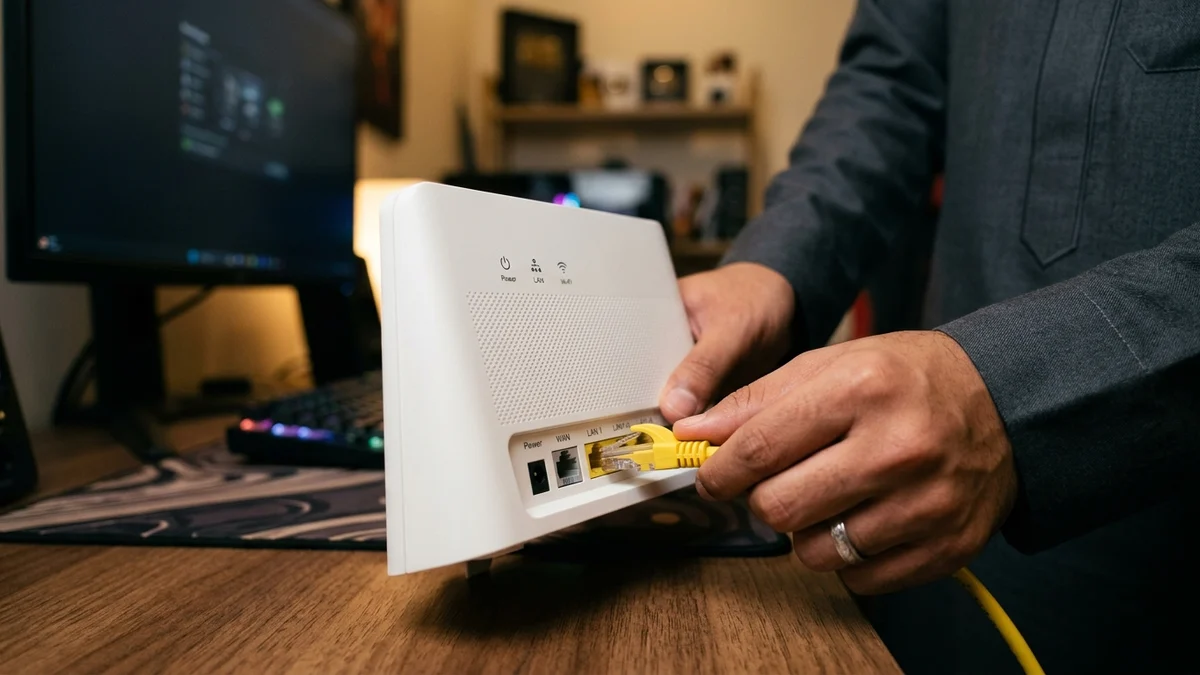
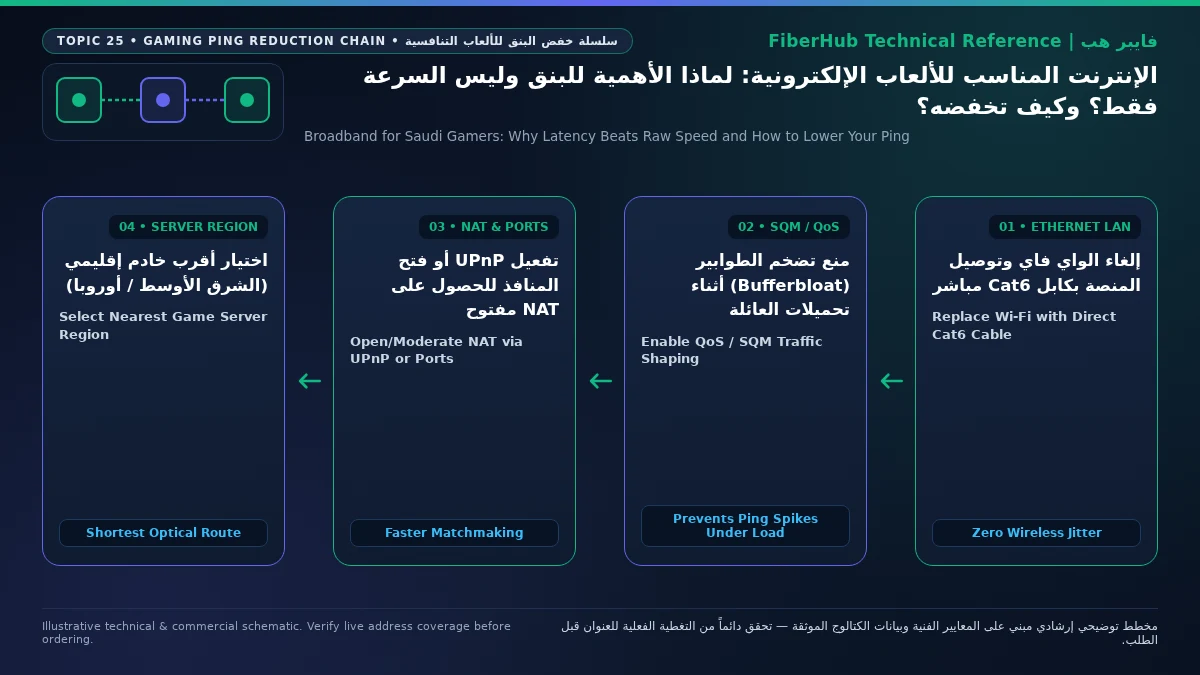
Replacing Wi-Fi with a direct Cat6 or Cat6a twisted-pair Ethernet cable (operating under IEEE 802.3ab Gigabit Ethernet) transitions your gaming rig to full-duplex communication. Dedicated copper pairs handle transmit (TX) and receive (RX) traffic simultaneously in complete isolation from household radio noise. Local link latency between your console and the fiber Optical Network Terminal (ONT) drops to under 0.2 milliseconds, jitter falls to near zero, and indoor packet loss is completely eradicated. Always use pre-installed RJ45 wall jacks or route a flat Cat6 patch cable along skirting boards rather than relying on cheap Wi-Fi repeaters that halve airtime and double jitter.
Defeating Bufferbloat: How Household Traffic Spikes Your Ping and How to Tune QoS & SQM
Even on a hardwired Cat6 Ethernet connection, your ping can skyrocket from 12 ms to 180 ms the exact moment a family member streams 4K video or syncs cloud backups. This phenomenon is known in network engineering as bufferbloat, documented by the Internet Engineering Task Force (IETF) under RFC 8290.
Bufferbloat occurs because consumer routers allocate oversized First-In, First-Out (FIFO) memory buffers on their WAN interfaces to maximize throughput for bulk TCP downloads. When a device in your home saturates your download or upload pipe, that memory queue fills with hundreds of 1,500-byte TCP frames. When your tiny 100-byte gaming UDP packet arrives at the router, it gets trapped at the back of the queue behind megabytes of file chunks, adding 80 ms to 250 ms of queuing delay.
Follow this four-step workflow to eliminate bufferbloat permanently:
- Run a Loaded Latency Diagnostic: Measure RTT across three phases: Unloaded (idle), Download Active, and Upload Active. If your ping rises by more than 25 ms under load, your router queues are bloating.
- Cap Your QoS Bandwidth Shaper at 90% of Line Speed: In your router's Quality of Service (QoS) menu, set the maximum download and upload limits to 88%–92% of your verified speeds (e.g., 270 Mbps down and 90 Mbps up on a 300/100 Mbps fiber plan). Slightly under-provisioning the ceiling prevents queue buildup inside the ISP modem.
- Enable Smart Queue Management (FQ-CoDel or CAKE): On advanced gaming routers, enable SQM (
FQ-CoDelorCAKE), which isolates each network flow and lets sparse, time-sensitive UDP gaming and voice packets jump straight to the front of the transmission queue. - Assign Device & DSCP Priority: On standard ISP routers, assign a static local IP to your console or PC and place it in the Highest / Gaming Priority tier for Expedited Forwarding (
EF) treatment.
Separate indoor Wi-Fi bottlenecks from line capacity issues
If slow speeds or high ping persist over direct Ethernet, check whether fiber or a higher upload tier is available at your address.
Domestic vs. International Server Routing: Understanding Middle East and European Ping Benchmarks
Once your indoor network is wired and bufferbloat-free, your minimum achievable ping is governed by physical fiber mileage and how your ISP's Border Gateway Protocol (BGP) tables route packets across exchange points. Supported by cloud expansion and national peering initiatives overseen by the Communications, Space and Technology Commission (CST) through the Saudi Internet Exchange (SAIX), FTTH latency benchmarks fall into two geographical tiers:
- Middle East Regional Servers (Riyadh, Dammam, Bahrain
me-south-1, UAEme-central-1): Fiber subscribers in Riyadh and the Eastern Province typically record 4 ms to 16 ms, while players in Jeddah, Makkah, Madinah, and southern or northern regions experience 14 ms to 28 ms. - Western European Servers (Frankfurt DE-CIX, Amsterdam AMS-IX, London, Milan): Packets travel to Red Sea submarine cable landing stations in Jeddah or Yanbu, traverse undersea cables to Marseille, France, and continue overland to Frankfurt or Amsterdam. Covering 9,000 to 11,000 km of round-trip fiber, the physical floor on a clean route is 68 ms to 95 ms.
Occasionally, ping to a Bahrain or Dubai server jumps from 15 ms to 135 ms when a regional peering link experiences maintenance, causing BGP to detour Middle East traffic through Europe before looping back to the Gulf (trombone routing), which you can verify using tracert. Meanwhile, changing your DNS server (1.1.1.1 or 8.8.8.8) only resolves domain names before matchmaking starts and cannot lower in-match UDP ping, though a fast local DNS helps route patch downloads to nearby Saudi CDN nodes.
NAT Type Optimization, UPnP, Port Forwarding, and the Truth About Custom MTU Settings
Seamless squad voice chat and fast matchmaking depend on your router's Network Address Translation (NAT) classification:
- NAT Type 1 (Open Public): Direct public IP connection without a router firewall.
- NAT Type 2 (Moderate / Open Cone): The optimal, secure standard for home gaming behind a router firewall with open gaming ports.
- NAT Type 3 (Strict / Symmetric): Blocks party chat and slows matchmaking due to disabled UPnP, accidental Double NAT, or Carrier-Grade NAT (CGNAT) (
100.64.0.0/10per RFC 6598) common on 5G home wireless broadband plans, whereas residential FTTH fiber lines generally provide a dedicated dynamic public IPv4 address.
To secure NAT Type 2: avoid running two routers in NAT mode simultaneously (use Bridge Mode or Access Point mode), enable UPnP, or bind a Static DHCP Lease to your console and forward official UDP/TCP game ports rather than exposing a PC in the router's DMZ. Finally, leave your MTU at its standard automatic value (1500 for DHCP or 1492 for PPPoE); shrinking MTU to 1473 or 1400 has zero effect on tiny 150-byte gaming packets while slowing patch downloads through packet fragmentation.
Selecting the Best Saudi Broadband Plan for Low-Latency Gaming
Fiber-to-the-Home (FTTH) decisively outperforms 5G Fixed Wireless Access in competitive esports because laser transmission inside buried glass is immune to cell-sector congestion and wireless HARQ retransmissions. After verifying optical availability at your address via the FiberHub coverage checker, select your tier based on household concurrency:
- 200 Mbps to 300 Mbps Fiber Tiers (Optimal Value for Most Gamers): Provides 50 Mbps to 100 Mbps upload capacity—plenty for multiple gamers and 4K streams. Verified options include Mobily Fiber Postpaid 200 at 230 SAR/month, and STC Baity Fiber Basic (300 Mbps), Salam Fiber 300, and Zain Fiber 300 at 287.5 SAR/month (all including 15% VAT).
- 500 Mbps Fiber Tiers (For Live Streamers & Rapid Patch Downloads): Delivers 125 Mbps to 150 Mbps upload headroom for Twitch/YouTube broadcasting, including Salam Fiber 500 at 345 SAR/month, Mobily Fiber Gamers (500 Mbps down / 150 Mbps up) at 402.5 SAR/month, and STC Baity Fiber Stream (500 Mbps) at 402.5 SAR/month (including 15% VAT).
Compare upload speeds and router hardware on our broadband plan comparison page or browse all verified home internet plans in Saudi Arabia.
Frequently Asked Questions About Lowering Gaming Ping in Saudi Arabia
Will upgrading my fiber plan from 300 Mbps to 500 Mbps or 1 Gbps with the same ISP lower my ping?
No. Upgrading download speed on the same optical line and ISP network does not reduce baseline ping by even 1 ms if your connection is not saturated. Gaming packets are under 250 bytes and travel at the exact same speed of light through the fiber cable and ISP BGP routers. Higher bandwidth only prevents lag spikes if multiple family members download huge files simultaneously without QoS enabled.
Does your current plan support your device count and upload needs?
Compare download/upload ratios and Wi-Fi 6 or FTTR hardware options across plans available at your address.
Why do I experience lag and delayed hit registration even when my in-game ping reads 14 ms?
When average ping is low but gameplay feels sluggish or shots fail to register, the cause is jitter (rapid millisecond spikes) or packet loss (1% to 3% of UDP packets dropping) caused by playing over Wi-Fi across concrete walls. Switching to a direct Cat6 Ethernet cable and checking your game's Network Telemetry graph will confirm packet loss drops to 0%.
Do gaming VPNs or route optimizers (such as ExitLag) actually work in Saudi Arabia?
They only lower ping if your ISP's BGP routing table is sending traffic along a suboptimal detour—such as routing Bahrain or Dubai traffic through Europe first. If your ISP already uses the shortest physical fiber path to Riyadh, Manama, or Frankfurt, a third-party tunnel cannot beat the speed of light and usually adds 3 ms to 8 ms of relay overhead.
Does a Cat8 Ethernet cable give lower ping than a standard Cat6 cable for PS5 or PC gaming?
No. Over home cable runs under 50 meters at speeds up to 1 Gbps, a certified pure-copper Cat6 cable (23/24 AWG bare copper, not Copper-Clad Aluminum CCA) delivers the exact same sub-0.2 ms local latency and zero packet loss as an expensive Cat8 cable.
How can I tell if high ping is caused by my home router, my Saudi ISP, or the game server itself?
Plug a PC directly into your fiber ONT via Cat6 Ethernet and test three checkpoints: first, ping your router gateway (192.168.1.1), which should be < 1 ms; second, test a local server in your city via the CST Meqyas platform (2 ms to 8 ms on FTTH); third, compare against your in-game server list. If local ISP latency is 4 ms and other games perform normally, the specific game publisher's server cluster is overloaded.
Completed tuning and ready for a more stable fiber line?
Check fiber availability at your address and compare low-latency plans for gaming, telework, and multi-floor homes.
Editorial Transparency & Neutrality Notice:
This guide is provided for comparison and decision support. It does not constitute final address coverage confirmation, binding operator pricing, or regulatory accreditation. Always verify final plan terms and box readiness before completing your subscription request.