
- Real-World Transfer Math: Uploading 50 GB 4K ProRes and RAW Projects Across Saudi Fiber Tiers
- Optical Physics vs Cellular Airtime: Why FTTH Outperforms 5G FWA for Heavy Uploads and Live Broadcasts
- Studio Local Area Network Architecture: 2.5GbE Workstations, Cat6A Cabling, and NAS Cloud Sync
- Live Streaming Engineering: CBR Bitrate Headroom, RTMP/SRT/WHIP Protocols, and Multi-Streaming
- Selecting the Right Saudi Fiber Tier by Production Volume and National Address Infrastructure
- Frequently Asked Questions for Content Creators and Heavy Upload Workflows
- Does a 500 Mbps fiber plan in Saudi Arabia automatically give me 500 Mbps upload speed?
- Why do my YouTube or Google Drive uploads run slower than my speed test result?
- How can I upload a 60 GB video file without lagging video calls or gaming for the rest of the household?
- Do I need to upgrade my router or Ethernet cables to get faster cloud uploads in my home studio?
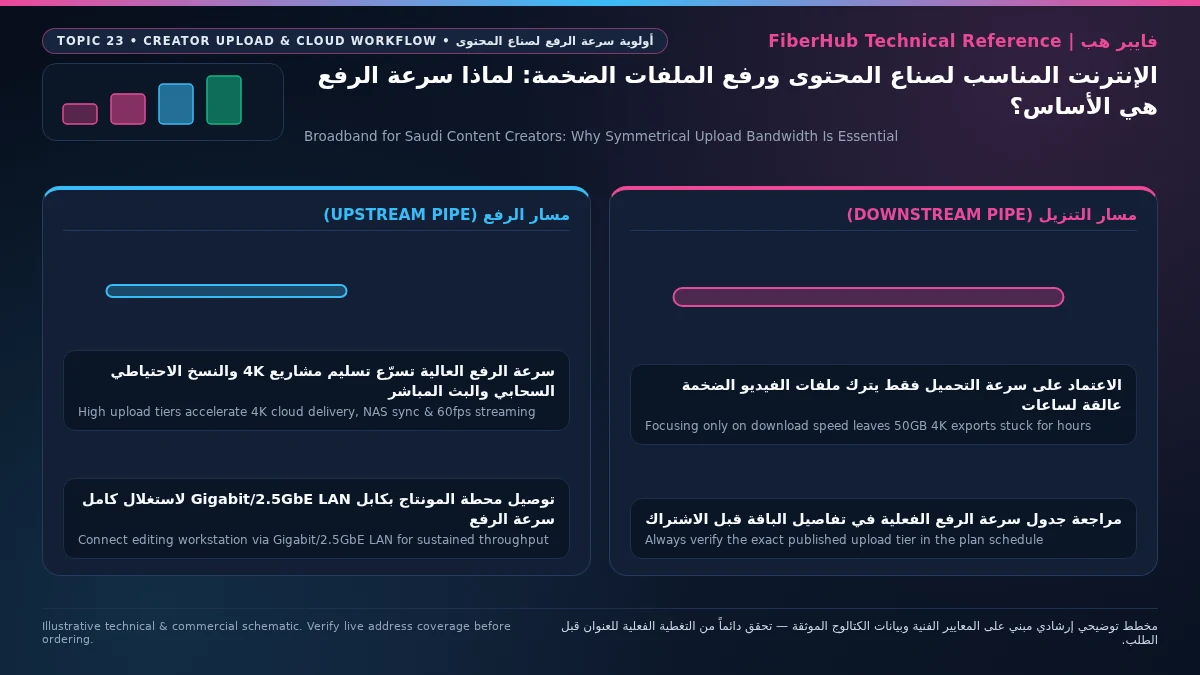
If you upload massive video timelines, multi-gigabyte camera originals, or cloud production backups every day, the right broadband plan in Saudi Arabia is defined by its sustained upload throughput (Upload Speed) rather than its headline download figure: target an FTTH optical fiber tier delivering at least 100 Mbps to 250 Mbps+ of dedicated upstream capacity. While an entry-level residential fiber package offering 100 Mbps download and 25 Mbps upload handles 4K streaming effortlessly, pushing a 50 GB Apple ProRes 422 HQ commercial master or RAW cinema archive over a 25 Mbps uplink locks your workstation into a five-hour transfer window and saturates the line for everyone at home. Stepping up to mid-to-upper Saudi fiber tiers—the 300 Mbps, 500 Mbps, or 1 Gbps fiber plans that provision 100 Mbps, 125 Mbps, 250 Mbps, or higher upstream rates depending on your operator and local open-access network—compresses that 50 GB cloud delivery down to 15 to 58 minutes while keeping live broadcasts and collaborative review sessions fluid.
Across Riyadh, Jeddah, Dammam, and creative studios throughout the Kingdom, YouTubers, commercial video editors, colorists, 3D motion designers, and live streamers encounter a gap between promotional download banners and daily production reality. Consumer broadband was historically engineered around asymmetric traffic profiles—assuming households pull down far more bytes than they push out. Modern digital production flips that model. Whether syncing DaVinci Resolve proxy bins to Blackmagic Cloud, uploading client cuts to Frame.io, backing up local NAS arrays, or broadcasting high-bitrate RTMP/SRT streams to YouTube Live and Twitch, your studio operates as an outbound media data center.
Because upstream provisioning ratios vary by fiber cabinet and retail ISP profile across Saudi Arabia, choosing the right creator connection starts with verifying the optical network serving your building via National Address fiber coverage lookup, then auditing plan fact sheets for their committed upload rate. In this guide, we break down 4K/8K transfer math including protocol overhead, explain why GPON/XGS-PON optical uplinks outperform 5G Fixed Wireless Access under multi-hour loads, and detail how to wire a 2.5GbE studio Local Area Network with egress queue management.
Real-World Transfer Math: Uploading 50 GB 4K ProRes and RAW Projects Across Saudi Fiber Tiers
When an editor completes a master render in DaVinci Resolve, Adobe Premiere Pro, or Final Cut Pro, deadline pressure shifts from GPU encoding to network upstream throughput. A common mistake is confusing Gigabytes (GB) displayed by macOS Finder or Windows Explorer with Megabits per second (Mbps) used by Saudi operators such as STC, Mobily, Salam, and Zain. Because every byte consists of 8 bits, a 50 GB video file represents 400,000 megabits of raw payload—and dividing megabits by nominal line rate still underestimates real completion times.
During transfers over the internet to cloud platforms such as YouTube Studio, Frame.io, Google Workspace Drive, Dropbox Replay, Backblaze B2, or Amazon S3, raw media bytes are encapsulated inside networking and security layers. Standard 1500-byte Ethernet MTU frames carry IPv4/IPv6 headers, TCP or QUIC headers, and TLS 1.3 encryption framing. Cloud storage engines also split large files into discrete segments (Multipart Chunked Uploads typically 8 MB to 64 MB per part), computing cryptographic hashes (SHA-256 or MD5) and waiting for HTTP acknowledgments before committing each chunk. Combined with TCP acknowledgment (ACK) pacing, protocol overhead consumes 6% to 10% of nominal upstream capacity, leaving a net payload efficiency of 90% to 92% on wired Ethernet.
| Provisioned Plan Upload Rate | Net Effective Payload Throughput (MB/s) | 15 GB YouTube 4K60 Master (H.264/HEVC) | 50 GB Commercial Master (ProRes 422 HQ) | 200 GB Multi-Cam RAW Shoot Archive |
|---|---|---|---|---|
| 25 Mbps (Entry Tier) | ~2.85 MB/s | 1 hr 28 min | 4 hr 52 min | 19 hr 30 min |
| 50 Mbps (Basic Tier) | ~5.70 MB/s | 44 min | 2 hr 26 min | 9 hr 45 min |
| 100 Mbps (Creator Baseline) | ~11.40 MB/s | 22 min | 1 hr 13 min | 4 hr 52 min |
| 125 Mbps (Typical 500M Asymmetric) | ~14.25 MB/s | 17.5 min | 58 min | 3 hr 54 min |
| 250 Mbps (High-Upload Fiber Tier) | ~28.50 MB/s | 8.8 min | 29 min | 1 hr 57 min |
| 500 Mbps (Pro / High-Symmetry Tier) | ~57.00 MB/s | 4.4 min | 14.5 min | 58 min |
The operational reality in this table dictates how fast a studio iterates. On a 25 Mbps or 50 Mbps uplink, discovering a single typo on a lower-third graphic or a minor audio mix issue after uploading a 50 GB deliverable means waiting another two-and-a-half to five hours to push the corrected master. On a 250 Mbps or 500 Mbps optical uplink, that re-upload finishes in 15 to 30 minutes.
Another network factor affecting creators in Saudi Arabia is the Bandwidth-Delay Product (BDP) when uploading to international cloud buckets. While major platforms maintain edge nodes in Riyadh, Jeddah, and Dammam, specialized post-production clouds or client AWS S3 buckets are often hosted in European data centers (Frankfurt, Amsterdam, or London) where round-trip latency (RTT) sits between 70 ms and 95 ms. Over higher-latency paths, a single-stream browser upload can plateau below your plan's maximum upload rate because the TCP congestion window waits for distant acknowledgments. Using dedicated desktop transfer clients—such as Frame.io Transfer, Google Drive for Desktop, Cyberduck, or rclone configured with 4 to 8 parallel multipart threads—fills the optical pipe completely. Inspect upstream specifications in our verified FTTH fiber plans catalog to align your line rate with your daily project volumes.

Optical Physics vs Cellular Airtime: Why FTTH Outperforms 5G FWA for Heavy Uploads and Live Broadcasts
Creators moving into a new apartment or setting up an editing room frequently ask: "If a 5G home router hits high download numbers on a quick speed test, can I rely on 5G instead of installing fixed fiber for my YouTube channel or editing business?" Under sustained multi-hour outbound workloads, the physical layer differences between Passive Optical Networks (ITU-T G.984 GPON and ITU-T G.9807 XGS-PON) and cellular 5G Fixed Wireless Access (FWA) become unmistakable.
In a Fiber-to-the-Home (FTTH) deployment, upstream traffic travels as pulses of laser light inside a dedicated glass strand on its own isolated wavelength—1310 nm in GPON or 1270 nm in XGS-PON. Through Wavelength Division Multiplexing (WDM), upstream light never collides with downstream light (1490 nm or 1577 nm). At the central exchange, the Optical Line Terminal (OLT) coordinates upstream bursts using deterministic Dynamic Bandwidth Allocation (DBA) with microsecond precision. You can push a 250 GB project upload for three consecutive hours at 100% of your provisioned upload rate without weather degradation or radio congestion.
Conversely, commercial 5G networks in Saudi urban areas operate on mid-band Time Division Duplex (TDD) spectrum—most notably band n78 at 3.5 GHz. In a TDD radio carrier, download and upload share the exact same frequency channel by alternating millisecond time slots. Because consumer mobile traffic is download-centric, cellular base stations configure TDD slot ratios (such as DDDSU frames) to allocate roughly 75% to 80% of airtime to downloading and only 15% to 20% to uploading. While the outdoor macro tower transmits with high-power Massive MIMO arrays, the indoor 5G CPE router on your desk is constrained by user-equipment transmit power limits (23 dBm to 26 dBm).
When a video editor or streamer subjects a 5G FWA router to continuous 60 GB uploads or multi-hour 4K broadcasts, four physical bottlenecks disrupt production:
- Modem Thermal Throttling: Transmitting continuously at maximum radio power heats the internal 5G modem and RF amplifiers inside the CPE enclosure. After 30 to 45 minutes of sustained uploading, thermal protection circuits step down transmit power, degrading signal quality at the tower.
- Dynamic Uplink Modulation Fallback: Whenever outdoor interference or evening sector load rises, the base station commands the 5G router to drop its uplink modulation order from 256-QAM or 64-QAM down to 16-QAM or QPSK. An upload running at 65 Mbps can abruptly drop to 8 Mbps mid-delivery.
- Radio-Layer Retransmissions (HARQ) and Jitter Spikes: Wireless air interfaces experience micro-interferences requiring Hybrid Automatic Repeat Request (HARQ) packet retransmissions. These 50 ms to 180 ms jitter spikes stall real-time RTMP video streams and desynchronize live broadcasts.
- CGNAT State Timeouts on Long Multipart Sessions: Mobile networks place residential 5G subscribers behind Carrier-Grade NAT (CGNAT). Multi-hour SFTP or multipart cloud uploads are vulnerable to NAT translation table resets during radio handovers.
Consequently, FTTH optical broadband serves as the mandatory primary studio trunk for content professionals, while a 5G router is best deployed as a secondary Dual-WAN failover backup.
Studio Local Area Network Architecture: 2.5GbE Workstations, Cat6A Cabling, and NAS Cloud Sync
Bringing a high-upload fiber circuit into your home studio solves the Wide Area Network (WAN) equation, but many creators bottleneck their workflow inside the room by connecting workstations over Wi-Fi. Even Wi-Fi 6 and Wi-Fi 6E operate as half-duplex shared radio mediums governed by CSMA/CA. Only one device can transmit on a channel at a given instant, meaning your workstation's outbound stream of 1500-byte video packets must pause for smartphones, tablets, and adjacent networks.
To convert every megabit of your fiber subscription into reliable studio throughput, your internal network should follow a full-duplex wired Ethernet architecture:
- Deploy 2.5GbE or 10GbE Switching with Cat6/Cat6A Cabling: Modern Apple Mac Studio desktops, Mac mini Pro systems, workstation PC motherboards, and Thunderbolt docks include native 2.5GBASE-T (IEEE 802.3bz) or 10GBASE-T Ethernet ports. Wiring your editing desk and storage equipment through a 2.5GbE or 10GbE switch using certified Cat6 or Cat6A patch cables (TIA-568) separates internal media transfers from internet traffic. Your Non-Linear Editor (NLE) can scrub timelines directly against a local Network Attached Storage (NAS) array at 280 MB/s to 1,000 MB/s without competing for the 1 Gbps port feeding your fiber router.
- Offload Multi-Hour Cloud Ingestion to a Local NAS Engine: Rather than keeping your primary editing workstation locked to a browser upload tab for hours after finishing a render, transfer the exported master file over your 2.5GbE/10GbE LAN to a Synology, QNAP, or TrueNAS server in seconds. Configure the NAS's background synchronization engine (Synology Cloud Sync or QNAP Hybrid Backup Sync) to replicate finished cuts and raw project folders automatically to Google Workspace, Dropbox, Frame.io, or Amazon S3. If an upstream server resets a connection, the NAS silently resumes the failed chunk while your workstation is shut down.
- Enforce the 85%–90% Egress QoS Rule to Eliminate Bufferbloat: When an unthrottled upload client saturates 100% of your fiber line's upstream bandwidth, outbound packets pile up inside the transmit buffers of your router or ONT. This queuing delay—known as bufferbloat—causes round-trip latency to skyrocket from 5 ms to over 450 ms, freezing Zoom client review sessions and stalling DaVinci Resolve Cloud locks. By enabling Smart Queue Management (SQM using Cake or FQ-CoDel per IETF RFC 8290) on your router, or setting a bandwidth cap inside your NAS cloud sync scheduler at 85% to 90% of your verified fiber upload speed, you achieve near-maximum delivery speeds while reserving 10% to 15% of upstream headroom so interactive voice and video packets pass with zero added latency.
Separate indoor Wi-Fi bottlenecks from line capacity issues
If slow speeds or high ping persist over direct Ethernet, check whether fiber or a higher upload tier is available at your address.
Live Streaming Engineering: CBR Bitrate Headroom, RTMP/SRT/WHIP Protocols, and Multi-Streaming
For live streamers, esports broadcasters, and interactive educators, upload quality is judged not by bulk file completion time, but by uninterrupted Constant Bitrate (CBR) packet delivery every single second. Unlike on-demand video—where a viewer's browser buffers 30 seconds ahead—a live encoder running OBS Studio, vMix, or a Blackmagic Web Presenter pushes frames in real time.
Whether you are broadcasting 1080p60 at 8,000 kbps (8 Mbps) to Twitch, streaming 1440p60 or 4K60 HEVC/AV1 video at 25,000 to 40,000 kbps (25–40 Mbps) to YouTube Live, or running multi-RTMP restreaming across YouTube, Twitch, Kick, and TikTok Live simultaneously, three engineering principles dictate broadcast stability:
- Maintain a Minimum 3x Upload Bandwidth Headroom: Never configure a live broadcast whose total outbound bitrate exceeds one-third of your plan's sustained upload speed. Even when your encoder (NVIDIA NVENC or Apple VideoToolbox) is locked to Constant Bitrate (CBR), rapid scene cuts and periodic keyframe insertions (I-frames transmitted every 2 seconds) generate instantaneous bitrate micro-bursts exceeding the average by 30% to 50%. Meanwhile, multiplayer game telemetry and Discord co-host feeds need uncontended upstream slots. For a 25–30 Mbps 4K broadcast or simulcast, a fiber plan delivering at least 100 Mbps upload provides the essential safety margin.
- Understand TCP Head-of-Line Blocking in RTMP vs SRT and WHIP: Traditional RTMP ingestion runs over TCP. Under TCP congestion control, even a 0.3% packet loss rate causes TCP to halt delivery of subsequent frames and slash its congestion window (cwnd) while waiting for retransmission. Effective throughput to the ingest server can drop below your stream bitrate, filling OBS Studio's outbound buffer and triggering dropped-frame alerts. Even when using UDP-based protocols like SRT or WebRTC/WHIP, a wired FTTH line remains the gold standard because it maintains 0.00% baseline packet loss and sub-2 ms jitter.
- Verify Regional Ingest Routing and CST Benchmarks: Reliable live ingestion also depends on clean routing between your ISP and regional media points of presence in Riyadh, Jeddah, Dammam, and Europe. Creators can review national fixed-network quality metrics through the official Meqyas platform published by the Communications, Space and Technology Commission (CST).
Selecting the Right Saudi Fiber Tier by Production Volume and National Address Infrastructure
Translating these engineering principles into a practical subscription decision requires auditing the upstream profile available at your studio address:
- Stage 1: Match Your Daily Production Volume to an Upload Tier:
- Solo YouTuber, Podcaster, or 1080p/4K Creator (5 GB – 20 GB daily uploads): For publishing compressed H.264/HEVC videos, vertical shorts, and single-channel streams, a mid-tier FTTH package (300 Mbps to 500 Mbps download paired with 100 Mbps to 125 Mbps upload) delivers reliable performance.
- Commercial Video Editor, Colorist, or Heavy 4K/RAW Producer (30 GB – 100 GB daily uploads): If you exchange Apple ProRes, RED RAW, or Sony XAVC-I originals with agencies, manage Frame.io review rounds, or simulcast in 4K, select upper residential fiber tiers offering 200 Mbps to 250 Mbps+ upload (500 Mbps Plus or 1 Gbps fiber packages).
- Multi-Editor Boutique Studio or Archive House (150 GB+ daily uploads): When multiple editors push timelines simultaneously while a local NAS mirrors terabytes to cloud storage, investing in flagship gigabit fiber or symmetrical business fiber pays for itself in recovered hours.
- Stage 2: Check Address-Specific Optical Eligibility: Check your location in our Saudi fiber plans directory to view supported providers and speed profiles at your National Address.
- Stage 3: Compare Upload Specifications Side by Side: Two fiber plans advertising the same 500 Mbps download rate may provision different upstream speeds (125 Mbps versus 250 Mbps). Use our side-by-side fiber plan comparison tool to inspect explicit upload fields before ordering.
- Stage 4: Perform a Post-Installation Studio Acceptance Test: Once the technician verifies healthy optical receive power at the ONT (-8 dBm to -24 dBm), connect your workstation via Cat6 Ethernet and execute a 5 GB test upload to Frame.io or Google Drive while monitoring ping stability.
Frequently Asked Questions for Content Creators and Heavy Upload Workflows
Does a 500 Mbps fiber plan in Saudi Arabia automatically give me 500 Mbps upload speed?
Not necessarily. Most residential FTTH packages in Saudi Arabia are provisioned with asymmetric speed profiles—meaning the download speed is higher than the upload speed (for example, a 500 Mbps download tier might be paired with 100 Mbps, 125 Mbps, or 250 Mbps upload depending on the provider and optical network). Always inspect the explicit upload speed figure on the plan specification sheet before subscribing.
Does your current plan support your device count and upload needs?
Compare download/upload ratios and Wi-Fi 6 or FTTR hardware options across plans available at your address.
Why do my YouTube or Google Drive uploads run slower than my speed test result?
Standard browser speed tests open 8 to 16 parallel TCP streams to a test server inside your ISP's local city core for 10 seconds. Dragging a single video file into a browser tab often uses only one or two TCP streams to a regional or European cloud server, and includes TLS encryption and checksum pauses. Eliminate this gap by connecting via wired Ethernet and using desktop sync tools that support multi-threaded parallel chunk uploads.
How can I upload a 60 GB video file without lagging video calls or gaming for the rest of the household?
Household lag during heavy uploads is caused by bufferbloat—when outbound video packets fill the transmit buffer inside your router or ONT, forcing small latency-sensitive packets (like Zoom audio or gaming packets) to wait in queue. Enable Smart Queue Management (SQM/QoS) on your router or configure an upload bandwidth limit inside your cloud sync client or NAS scheduler set to 85%–90% of your plan's verified upload speed.
Do I need to upgrade my router or Ethernet cables to get faster cloud uploads in my home studio?
If you upload large projects over Wi-Fi, switching to a wired Cat6 Ethernet cable connected directly to your router is the highest-impact upgrade you can make, eliminating wireless airtime contention. If your studio uses a local NAS to edit 4K/8K footage across multiple machines while syncing backups to the cloud, adding a 2.5GbE or 10GbE network switch with Cat6A cabling prevents local storage traffic from bottlenecking your internet gateway.
Completed tuning and ready for a more stable fiber line?
Check fiber availability at your address and compare low-latency plans for gaming, telework, and multi-floor homes.
Editorial Transparency & Neutrality Notice:
This guide is provided for comparison and decision support. It does not constitute final address coverage confirmation, binding operator pricing, or regulatory accreditation. Always verify final plan terms and box readiness before completing your subscription request.