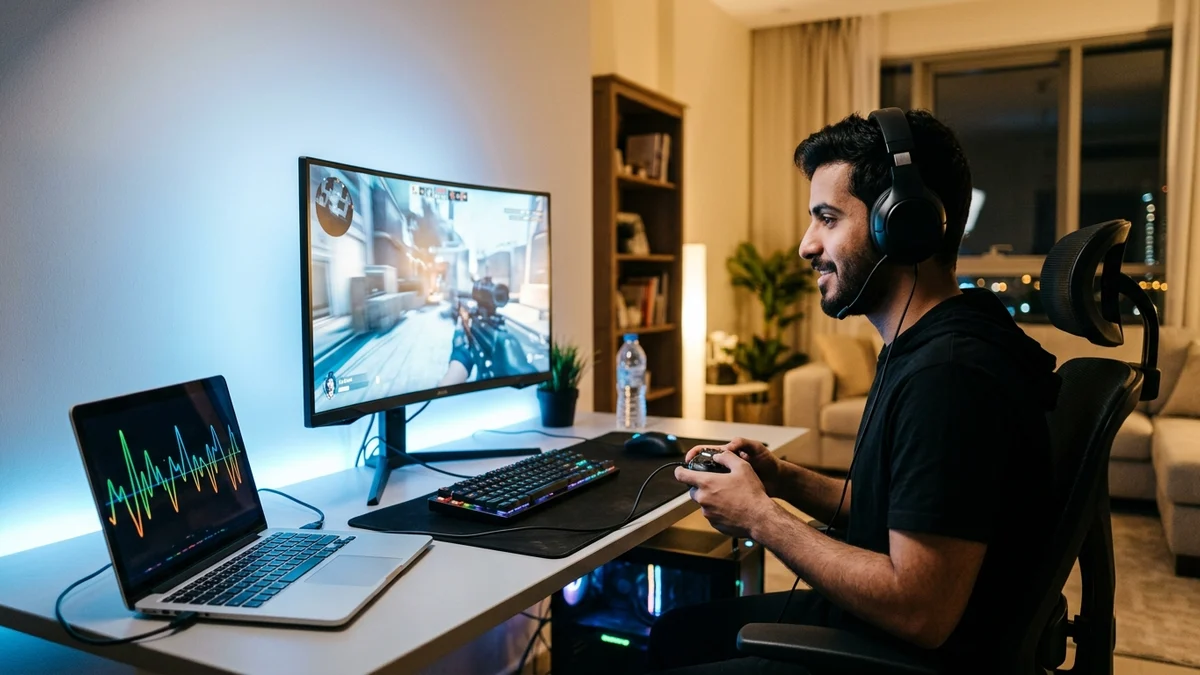
- Latency, Ping, Jitter, and Packet Loss: Precise Engineering Definitions
- The Physics of Light in Silica Glass and Submarine Cable Routing from Saudi Arabia
- Why FTTH Fiber Beats 5G Wireless and Wi-Fi on Jitter and Packet Loss
- Understanding Bufferbloat: Why Your Ping Spikes When Someone Else Downloads
- Step-by-Step Diagnostic Walkthrough: Isolating Lag with Ping, Tracert, and MTR
- Frequently Asked Questions About Broadband Ping, Latency, and Jitter
- Does upgrading my fiber plan from 300 Mbps to 1,000 Mbps lower my ping in online games?
- What is considered a good ping and jitter level for competitive gaming in Saudi Arabia?
- Why do I get lag spikes on Wi-Fi even when sitting in the same room as the fiber router?
- Can third-party "Ping Reducer" or Gaming VPN apps actually lower my fiber latency?
Your online games lag even on a high-speed internet plan because real-time responsiveness is governed by packet travel time in milliseconds (ms) rather than bandwidth volume in megabits per second (Mbps): if your connection suffers from high round-trip latency (Ping) due to distant international server routing, elevated packet delay variation (Jitter) caused by congested Wi-Fi or shared 5G cellular towers, or packet loss inside overflowing router memory queues, you will experience rubber-banding and delayed hit registration even on a 1,000 Mbps line. In networking physics, bandwidth (Mbps) represents the width of the highway, whereas latency (ms) represents the actual speed at which a single sports car travels from your home to the game server and back.
Because consumer broadband marketing focuses heavily on raw download speeds, many households in Saudi Arabia upgrade from 300 Mbps to 500 Mbps or 1 Gbps expecting their in-game ping or video-call stutter to vanish—only to discover the exact same lag the next evening. Solving real-time responsiveness requires separating four distinct engineering metrics—Latency, Ping (RTT), Jitter, and Packet Loss—and understanding how physical medium choice (FTTH optical fiber versus 5G wireless), local Wi-Fi contention, router queue management, and submarine cable routing shape your daily experience.

Latency, Ping, Jitter, and Packet Loss: Precise Engineering Definitions
Although gamers and remote workers often use these four terms interchangeably, network engineering standards published by the Internet Engineering Task Force (IETF) define each metric as a separate physical or queuing phenomenon:
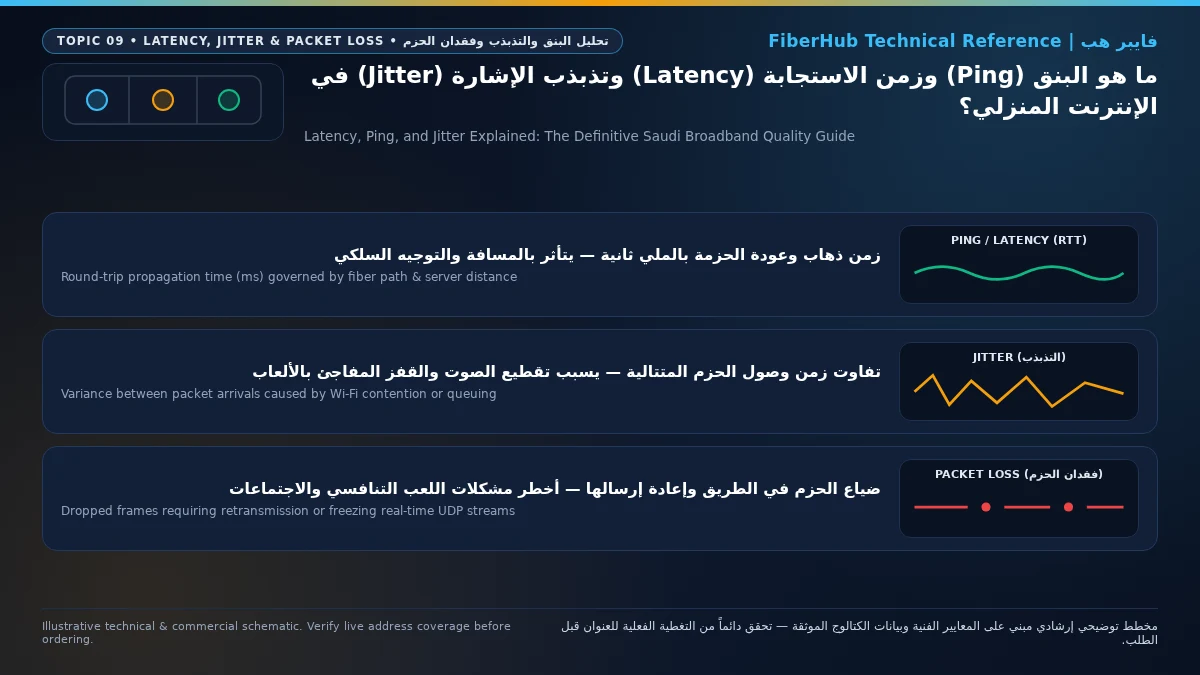
- One-Way Latency: The total time required for a data packet to travel from the source device to the destination server. Total latency is the sum of four components: Propagation Delay (the physical speed of light through glass fiber or radio waves through air over distance), Serialization Delay (the microseconds needed to place bits onto the wire), Switching/Routing Delay (processing inside ISP core routers and IXPs), and Queuing Delay (time spent waiting inside router memory buffers when the link is busy).
- Ping (Round-Trip Time / RTT): The diagnostic measurement of two-way latency—specifically, the time in milliseconds (ms, one-thousandth of a second) it takes for an ICMP Echo Request packet (or UDP game probe) to travel from your PC or console to the target server plus the time for the Echo Reply to return. A 6 ms ping to a Riyadh server means your packet completed the entire round trip in six-thousandths of a second.
- Jitter (Packet Delay Variation): Standardized under IETF RFC 3393, jitter measures the statistical variance in latency between consecutive packets over time. If five consecutive packets arrive in 12 ms, 12 ms, 13 ms, 12 ms, and 12 ms, your jitter is under 1 ms—providing a rock-solid clock for real-time applications. Conversely, if packets arrive at 15 ms, 85 ms, 18 ms, 130 ms, and 22 ms, your connection has severe jitter. Because competitive games (running at 60 Hz to 128 Hz tick rates) and VoIP calls rely on predictable UDP streams without buffering delays, high jitter forces the game engine to mispredict player coordinates, causing erratic character teleportation (rubber-banding) and choppy voice audio.
- Packet Loss: The percentage of transmitted packets that fail to reach their destination due to wireless radio interference, degraded optical splices, or congested router buffers dropping tail packets. When browsing a website over TCP, lost packets are silently retransmitted in the background. In live gaming or Microsoft Teams/Zoom calls running over real-time UDP, a lost packet is gone forever—translating directly into unregistered weapon shots, frozen video frames, or dropped voice syllables.
| Network Quality Metric | Unit | Ideal Benchmark (Saudi FTTH Local) | Good Benchmark (Europe Servers) | Problematic Threshold Causing Lag |
|---|---|---|---|---|
| Local / GCC Ping (Riyadh, Jeddah, Dammam, Bahrain, Dubai) | Milliseconds (ms) | 2 to 12 ms | 13 to 24 ms | Above 35 ms to domestic servers |
| European Server Ping (Frankfurt, Amsterdam, London, Milan) | Milliseconds (ms) | 60 to 78 ms | 79 to 98 ms | Above 115 ms from KSA to Western Europe |
| Jitter (Packet Delay Variation) | Milliseconds (ms) | Under 2 ms | 2 to 8 ms | Above 15 ms (causes rubber-banding) |
| Packet Loss | Percentage (%) | 0.0% | 0.0% | 0.5% or higher (breaks hit registration) |
| Loaded Latency (Bufferbloat Under Heavy Download/Upload) | Delta ms (+ms) | Under +5 ms over idle ping | +6 to +20 ms | Above +50 ms when family streams/downloads |
The Physics of Light in Silica Glass and Submarine Cable Routing from Saudi Arabia
A common question among Saudi gamers is: "Why is my ping 5 ms on Riyadh or Bahrain servers, yet 70 ms on Frankfurt or London servers even on a 1 Gbps fiber line?" The answer lies in the immutable laws of physics. While light in a vacuum travels at roughly 300,000 km/s, laser light traveling inside the silica glass core of a single-mode optical fiber (which has a refractive index of approximately 1.47) slows down to roughly 200,000 kilometers per second. That equates to a physical propagation delay of 5 microseconds per kilometer one-way, or 1 millisecond for every 100 kilometers of round-trip fiber distance under ideal straight-line conditions.
Because terrestrial fiber ducts and undersea submarine cables follow geographic coastlines, Red Sea shipping lanes, and international peering exchange points rather than geometric straight lines, packets leaving your home in Riyadh, Jeddah, or Dammam follow two distinct routing profiles:
- Domestic and Gulf Regional Routing (Riyadh, Jeddah, Dammam, Bahrain, UAE): Traffic destined for local cloud regions or Middle East game servers stays on the Saudi national optical backbone and domestic Internet Exchange Points (such as SAIX in Riyadh and JEDIX in Jeddah, regulated under the framework of the Communications, Space and Technology Commission - CST). Because the physical fiber path is only 50 km to 1,200 km long and traverses minimal BGP hops, round-trip ping remains between 2 ms and 14 ms.
- European Submarine Cable Routing (Frankfurt, Marseille, Milan, Amsterdam, London): Packets headed to European game data centers travel across terrestrial fiber to Red Sea submarine cable landing stations in Jeddah or Yanbu, enter high-capacity undersea systems (such as SMW5, AAE-1, or 2Africa), transit north through the Red Sea and Suez corridor into the Mediterranean Sea, land at Marseille (France) or Palermo/Milan (Italy), and continue overland via European dark fiber to Frankfurt or Amsterdam. Spanning roughly 9,000 km to 11,000 km round-trip, pure speed-of-light physics plus optical amplifiers and core routers establish a hard physical floor of 60 ms to 80 ms between Saudi Arabia and Western Europe.
Where your choice of ISP and plan on our broadband plan comparison tool makes a decisive difference is International BGP Peering and Routing Efficiency. An ISP with direct, uncongested Red Sea submarine capacity to Marseille and Frankfurt delivers a clean 65 ms to 75 ms European ping, whereas suboptimal transit routing that detours traffic through congested secondary hubs can inflate that same route to 110 ms. Operators in Saudi Arabia also offer dedicated gaming fiber packages—such as Mobily Fiber Gamers (500/150 Mbps at 402.5 SAR/month), Salam Fiber Gaming (500/200 Mbps at 399 SAR/month), and Zain Fiber Home Gaming (300/100 Mbps at 339 SAR/month), all inclusive of 15% VAT—engineered with optimized gaming traffic prioritization and elevated upload ratios.
Why FTTH Fiber Beats 5G Wireless and Wi-Fi on Jitter and Packet Loss
Even when a 5G Home Fixed Wireless router achieves a 350 Mbps speed test that looks identical to a 300 Mbps fiber line on paper, its real-time latency stability behaves very differently under gaming or video-conferencing loads. Over an FTTH GPON connection, your data travels as dedicated 1490 nm and 1310 nm laser pulses inside a sealed glass waveguide completely immune to electromagnetic noise, weather, and cellular tower contention, reaching the central office OLT in 1 to 2 milliseconds with near-zero jitter.
By contrast, wireless hops—both outdoor 5G cellular links and indoor Wi-Fi links—introduce three structural sources of latency jitter:
- 5G TDD Frame Scheduling Latency: Because 5G Home networks in Saudi Arabia primarily operate on Time Division Duplex (TDD) spectrum (Band n78 at 3.5 GHz), the tower and your router cannot transmit and receive on the same frequency at the exact same microsecond. Outgoing game packets must wait for the next scheduled uplink time slot, adding baseline latency variance.
- HARQ Physical-Layer Retransmissions: When outdoor radio signals encounter reinforced concrete walls, Low-E thermal window tinting, or evening sector congestion from neighboring smartphones, radio bit errors occur. The 5G modem uses Hybrid Automatic Repeat Request (HARQ) to rapidly re-send corrupted blocks over the air. While HARQ prevents total disconnection, each retransmission suddenly delays that packet by 15 ms to 50 ms—creating the notorious 5G jitter spikes gamers feel during evening peak hours.
- Wi-Fi Half-Duplex Airtime Contention (CSMA/CA): Standard Wi-Fi is a half-duplex shared radio medium where only one device on a channel can transmit at a time using Carrier Sense Multiple Access with Collision Avoidance. When your console or PC is connected over Wi-Fi and three family members are scrolling video feeds on the same wireless channel, your game packet must wait in line for the radio airwaves to clear—injecting 5 ms to 60 ms of purely local indoor jitter before the packet even reaches your router!
Separate indoor Wi-Fi bottlenecks from line capacity issues
If slow speeds or high ping persist over direct Ethernet, check whether fiber or a higher upload tier is available at your address.
Understanding Bufferbloat: Why Your Ping Spikes When Someone Else Downloads
Have you ever noticed that your ping sits at a rock-solid 7 ms when you are home alone, but immediately jumps to 160 ms the moment a family member starts downloading a PlayStation update or streaming a 4K movie? That phenomenon is called Bufferbloat (Latency Under Load), and it is the single most common cause of evening lag across households subscribed to Saudi home internet plans.
Bufferbloat happens because standard consumer routers manage outgoing and incoming traffic using a simple First-In, First-Out (FIFO) memory queue. When a device starts a massive file download or cloud upload, the transfer saturates 100% of the link capacity and fills the router's memory buffer with thousands of large 1,500-byte data packets. When your game console or Zoom call sends a tiny, time-critical 64-byte UDP packet, that packet gets stuck at the very back of the queue behind hundreds of megabytes of video or update data, waiting 100 ms to 300 ms just to exit your router.
Eliminating bufferbloat does not require switching ISPs; it requires three targeted optimizations inside your home network:
- Enable Smart Queue Management (SQM / FQ_CoDel / Cake) or Device QoS: Modern routers equipped with Active Queue Management (AQM) or gaming QoS automatically separate small interactive UDP packets (gaming and VoIP) into a high-priority fast lane that bypasses bulk TCP file downloads, keeping loaded ping within 2 to 5 ms of your idle ping even when the line is 95% utilized.
- Cap Bulk Downloaders at 80% of Line Speed: In Steam, Battle.net, PlayStation, and Xbox network settings, set a manual download speed limit equal to roughly 75% to 80% of your fiber plan's speed (for example, 240 Mbps on a 300 Mbps plan). Leaving 20% of your bandwidth permanently unallocated prevents the ONT buffer from ever filling up.
- Switch Gaming Consoles and PCs to Wired Cat6 Gigabit Ethernet: Unlike Wi-Fi, a wired Gigabit Ethernet connection operates in Full-Duplex mode—providing a dedicated 1,000 Mbps transmit pair and a separate 1,000 Mbps receive pair simultaneously with zero wireless collisions and sub-millisecond local latency.
Step-by-Step Diagnostic Walkthrough: Isolating Lag with Ping, Tracert, and MTR
Before logging a support ticket with your telecom provider, spend three minutes running a systematic three-hop test from Windows Command Prompt or macOS Terminal to pinpoint whether the lag originates inside your room, at the neighborhood cabinet, or on an international route:
- Step 1 — Test Hop 1 (Your Home Router via
ping 192.168.1.1): Open Command Prompt and runping 192.168.1.1 -n 30(or192.168.100.1depending on your ONT gateway IP). Over a wired Ethernet cable, every single reply must return in<1 mswith0% packet loss. If you see replies jumping to 10 ms, 35 ms, or 80 ms on Hop 1, your lag is 100% caused by local indoor Wi-Fi interference or a faulty LAN cable—not your ISP. - Step 2 — Test Hop 2 & 3 (Local ISP Gateway via CST Meqyas): Run a wired benchmark on the official CST Meqyas platform targeting a server in your city. On a healthy FTTH line, local ping should read 2 ms to 10 ms with jitter under 2 ms. If your wired Hop 1 is
<1 msbut Hop 2 (your ISP's first BNG gateway) shows 35 ms jitter or packet loss, check your ONT's optical receive power (Optical Info) to ensure a pinched fiber cable hasn't degraded the laser signal below -25 dBm. - Step 3 — Trace the Full Path (
tracert/WinMTR): Runtracert 8.8.8.8or trace your specific game server IP usingWinMTR. Examine the latency progression hop by hop: Hops 1–2 represent your home and local exchange; Hops 3–5 represent the Saudi national backbone; Hops 6+ represent international submarine cable links and foreign data centers. If latency stays below 12 ms all the way through Hop 5 inside Saudi Arabia and only jumps at Hop 8 in Europe, your domestic fiber line is performing flawlessly and the delay lies in international peering or the game publisher's regional server allocation.
Frequently Asked Questions About Broadband Ping, Latency, and Jitter
Does upgrading my fiber plan from 300 Mbps to 1,000 Mbps lower my ping in online games?
When no other devices are saturating your connection, laser light travels at the exact same physical speed (~200,000 km/s) on a 300 Mbps plan as it does on a 1,000 Mbps plan—meaning your idle ping will remain virtually identical (for example, 5 ms to Riyadh and 68 ms to Frankfurt). However, upgrading to a higher speed tier significantly improves loaded ping (latency under load) in busy family homes, because simultaneous 4K streams and background downloads are far less likely to saturate a 500 Mbps or 1,000 Mbps pipe and trigger bufferbloat.
Does your current plan support your device count and upload needs?
Compare download/upload ratios and Wi-Fi 6 or FTTR hardware options across plans available at your address.
What is considered a good ping and jitter level for competitive gaming in Saudi Arabia?
When connecting to domestic or Gulf servers (Riyadh, Jeddah, Dammam, Bahrain, or Dubai), an ideal fiber ping ranges between 2 ms and 18 ms. When connecting to Western European servers (Frankfurt, Amsterdam, London), 60 ms to 85 ms is excellent given the submarine cable distance. Above all, jitter must remain below 5 ms and packet loss must be 0.0%, as a steady 70 ms ping feels vastly smoother than an unstable ping oscillating between 35 ms and 120 ms.
Why do I get lag spikes on Wi-Fi even when sitting in the same room as the fiber router?
Because Wi-Fi is a half-duplex shared radio medium, only one device on the channel can transmit at any given millisecond. Whenever another smartphone, tablet, or smart TV in your home or a neighboring apartment transmits a burst of data on the same radio channel, your gaming device's wireless card must pause and wait for the airwaves to clear—introducing sudden 15 ms to 50 ms jitter spikes. Plugging in a 20-riyal Cat6 Ethernet cable switches your connection to full-duplex wired transmission and eliminates wireless jitter immediately.
Can third-party "Ping Reducer" or Gaming VPN apps actually lower my fiber latency?
No software can exceed the speed of light in glass fiber; if your ISP already routes your traffic along the shortest direct Red Sea submarine path to Europe (e.g., 65 ms to 75 ms), a gaming VPN cannot make it faster and often adds extra encryption overhead. Gaming VPNs only help in specific edge cases where an ISP's default BGP routing table sends traffic for a particular game server along a circuitous detour, allowing the VPN tunnel to steer packets onto a more direct peering exchange.
Completed tuning and ready for a more stable fiber line?
Check fiber availability at your address and compare low-latency plans for gaming, telework, and multi-floor homes.
Editorial Transparency & Neutrality Notice:
This guide is provided for comparison and decision support. It does not constitute final address coverage confirmation, binding operator pricing, or regulatory accreditation. Always verify final plan terms and box readiness before completing your subscription request.