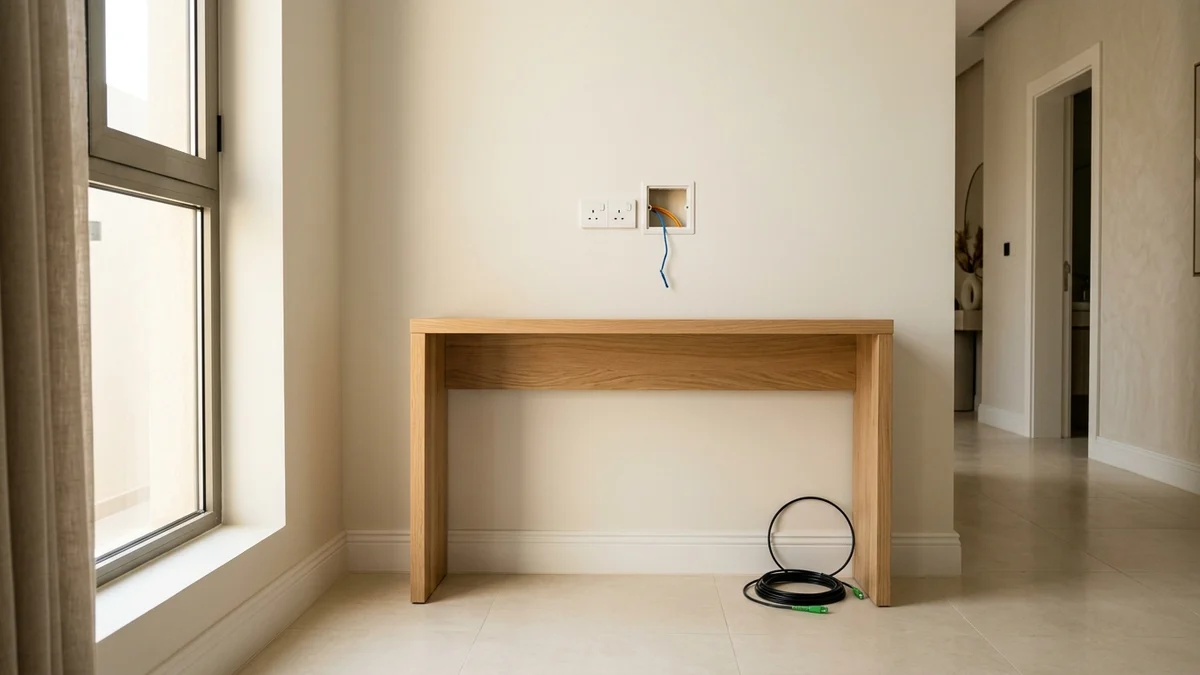
- Tracing the Physical Pathway from the Exterior Box to Your Living Room
- Optical Bend Radius Physics (ITU-T G.657.A2) and Signal Loss Prevention
- Power Readiness, Thermal Ventilation, and Mini-UPS Protection
- Apartment Buildings and Compounds: Coordinating Access and Permissions
- Integrating Internal Ethernet Wiring and Final Acceptance Checks
- Frequently Asked Questions About Home Fiber Preparation
- Will the telecom technician unblock clogged wall conduits or drill through courtyard tiles?
- How many meters of fiber cable are included in a standard residential installation?
- Can I unplug and move the fiber ONT router to another room by myself later?
- What is the cleanest solution if my apartment conduits are completely blocked?
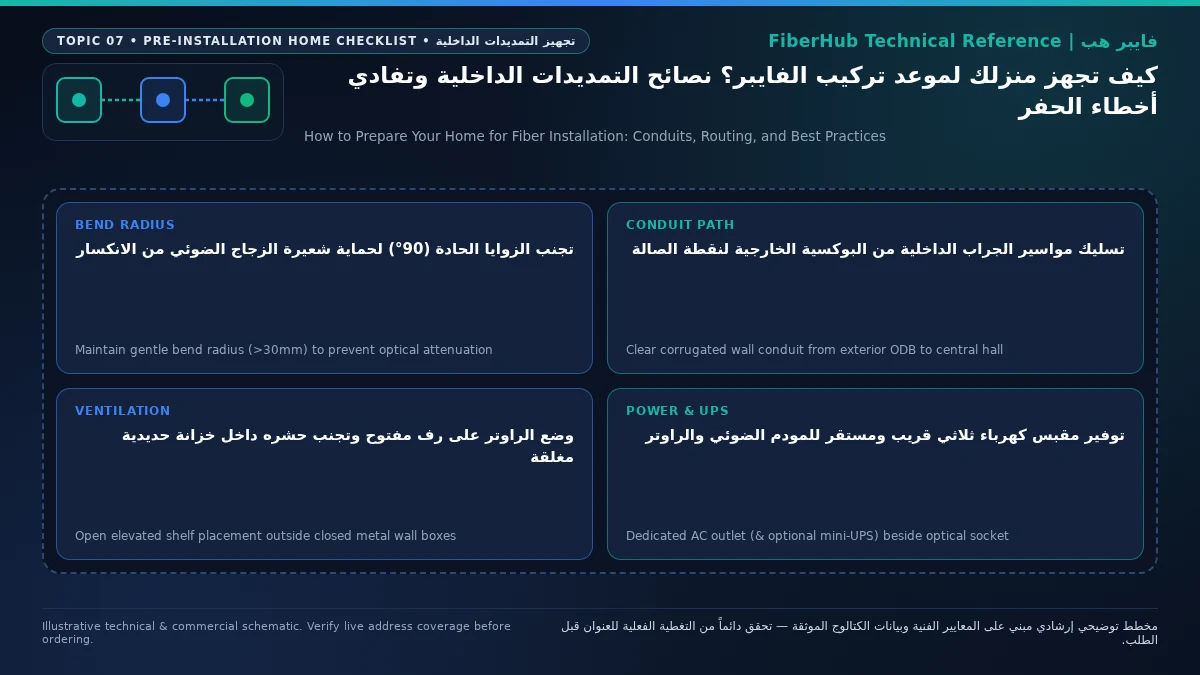
To prevent installation delays or unsightly surface drilling on your walls, you should prepare your property at least twenty-four hours before the fiber technician arrives by verifying that the underground corrugated PVC conduit connecting your exterior boundary wall box to your interior junction box is completely clear of construction debris, leaving a nylon pull cord inside the duct, freeing up a dual 230V AC power outlet near a central living area for the Optical Network Terminal (ONT), and securing building management access to basement or rooftop telecom rooms if you live in an apartment complex. A smooth first-visit installation depends heavily on interior readiness: field engineers are equipped to pull optical drop cables, fusion-splice pigtails, and provision your gateway, but they do not perform masonry trenching or clear cement-blocked pipes.
Once you verify your address on the Saudi fiber coverage map and schedule an appointment, the wholesale infrastructure operator dispatches a field crew carrying ruggedized drop fiber, an interior Optical Termination Box (OTB, often called a wall rosette), and a Wi-Fi 6 ONT router. When interior pathways are obstructed or building guards are unreachable, installation tickets get placed on hold for civil remediation. Taking a proactive engineering approach before the van pulls up protects your interior décor and guarantees that your primary wireless router sits at the heart of your home rather than being stranded behind the front entrance door.
Furthermore, preparation requirements vary significantly depending on whether you live in a newly constructed villa designed under modern Saudi Building Code low-voltage rules, an older residence built during the copper telephone era, or a multi-story apartment unit with shared vertical risers. In this comprehensive technical and practical guide, we walk through every step of preparing your home prior to the installer's arrival—from testing underground conduits with a fish tape and respecting ITU-T G.657.A2 optical bend radii, to setting up uninterrupted DC battery backup and verifying optical decibel readings before signing off on the work order.

Tracing the Physical Pathway from the Exterior Box to Your Living Room
Understanding what the technician needs to accomplish begins with tracing the physical route of the glass fiber from the street boundary into your living space. Every Fiber-to-the-Home (FTTH) connection in Saudi Arabia originates at an Optical Distribution Box (ODB or FDB) mounted either on the exterior boundary wall of a villa or inside the utility room of a multi-dwelling apartment building. The technician connects a reinforced single-mode drop cable to an assigned splitter port inside the exterior box and feeds the cable into a buried plastic conduit leading inside the residence.
In modern Saudi villas built under updated municipal building codes, a dedicated 20 mm to 25 mm telecommunications conduit runs from the exterior boundary box under the courtyard tiles into a main ground-floor pull box or a structured media enclosure. In older villas constructed during the copper DSL era, the only available underground pathway is often the legacy RJ11 telephone conduit or an unused coaxial satellite duct. Inspecting this path ahead of time is the single most effective step a homeowner can take:
- Testing Conduit Continuity Using Existing Copper Wire: Open the exterior pull box near the street boundary wall and the interior telephone wall plate in your main hall. Gently tug one end of the old copper telephone cable while a family member watches the other end. If the old copper wire slides freely inside the pipe, do not pull it out! Leave it in place so the fiber technician can securely tape the new optical drop cable to the end of the copper wire and use it as a ready-made pull string to glide through underground bends in minutes.
- Clearing Blocked Ducts with a Steel Fish Tape: In newly finished or recently renovated villas, wet plaster, tile grout, mortar, or crushed corrugated piping frequently blocks the underground 90-degree elbow where the courtyard meets the foundation wall. If the technician pushes their draw tape into the pipe and hits solid concrete three meters in, they cannot complete a concealed installation. Hiring a local electrical technician a day or two before your appointment to push a rigid steel or fiberglass fish tape through the duct, break up minor plaster plugs, apply cable pulling lubricant, and leave a strong nylon draw cord tied at both ends virtually guarantees a clean, zero-drilling installation.
- Uncovering Intermediate Courtyard Inspection Boxes: When the distance between your street boundary wall and the main villa entrance exceeds 15 meters—or winds around a swimming pool, garden bed, or annex (Mulhaq)—builders usually install one or more intermediate floor or wall pull boxes along the courtyard wall. Make sure these pull box covers have not been tiled over with porcelain, buried under heavy planters, or sealed under glued artificial turf, as the installer will need to open them to relieve angular pulling tension.
- Protecting Mandatory Exterior Surface Runs: If an underground conduit has completely collapsed under heavy vehicle loads in the driveway and you prefer not to excavate courtyard tiles, the technician will have to route the cable externally along the boundary wall and enter the building through a window frame edge or split-AC piping sleeve. In that scenario, insist on using black UV-stabilized figure-8 outdoor drop cable reinforced with steel or FRP strength members, enclosed inside heat-resistant UV conduit tubing so the fierce 50°C Saudi summer sun and sandstorms do not brittle the outer jacket over time.
Optical Bend Radius Physics (ITU-T G.657.A2) and Signal Loss Prevention
Unlike copper Ethernet cables or electrical wiring, an optical fiber cable transmits data using high-frequency laser light pulses—typically operating at wavelengths of 1490 nm for downstream traffic and 1310 nm for upstream traffic on GPON networks (or 1577 nm downstream and 1270 nm upstream on next-generation XGS-PON lines)—traveling through a microscopic silica glass core measuring just 9 micrometers in diameter. Those light pulses stay trapped inside the core through the physical principle of total internal reflection, which relies on maintaining a smooth geometric curve whenever the cable changes direction.
According to international telecommunications standards published by the ITU Telecommunication Standardization Sector (ITU-T), specifically recommendation ITU-T G.657.A2, modern bend-insensitive single-mode fibers used for residential indoor installations in Saudi Arabia are engineered to tolerate a minimum permanent bend radius of 7.5 millimeters once installed (and 15 millimeters while under pulling tension), compared to a minimum radius of 30 millimeters in legacy G.652.D outside-plant fibers. Despite this impressive engineering resilience, folding a fiber cable into a sharp 90-degree crease around a wooden door frame, cramming excess loops tightly inside a shallow wall box, or crushing the jacket under a heavy metal staple induces macro-bending attenuation alongside mechanical micro-bending loss.
| Fiber Cable Segment | Applicable ITU Standard | Minimum Radius Under Tension | Minimum Permanent Bend Radius | Consequence of Violating Bend Limits |
|---|---|---|---|---|
| Outside Plant Feeder Fiber | ITU-T G.652.D | 60 mm | 30 mm | Severe light leakage and complete link loss at tight corners |
| Standard Indoor Drop Cable | ITU-T G.657.A1 | 20 mm | 10 mm | Elevated optical attenuation around sharp door frames |
| Advanced Bend-Insensitive Drop | ITU-T G.657.A2 | 15 mm | 7.5 mm | High resilience unless pinched flat or stapled tightly |
| Transparent Room Fiber (FTTR) | ITU-T G.657.B3 | 10 mm | 5 mm | Engineered for tight ceiling cornice and baseboard turns |
| Yellow/White SC/APC Patch Cord | Indoor Simplex Jumper | 30 mm | 15 mm | Unstable optical power readings and outer jacket cracking |
When a fiber is pinched tighter than its minimum bend radius, the angle at which photons strike the boundary between the core and the outer cladding exceeds the critical angle required for reflection. Light literally leaks out of the core into the cladding, causing received optical power at the ONT to plummet. A healthy residential GPON connection in Saudi Arabia should register an optical receive power between -15 dBm and -22 dBm. A single sharp kink behind a heavy media console or a crushed staple along a skirting board can degrade that signal to -27 dBm or -29 dBm, pushing the optical transceiver past its sensitivity threshold.
At that critical attenuation level, the router's green PON indicator begins blinking or the red LOS (Loss of Signal) light illuminates, and your household experiences mysterious packet drops during video calls and online gaming alongside rising Forward Error Correction (FEC) counters—even though the cable is not physically snapped in two. As you supervise the indoor routing path, verify that every corner follows a gentle, sweeping curve at least the width of a two-riyal coin, use rounded cable clips or radius-protected PVC raceways, never allow a fiber jumper to pass through a closing door jamb, and keep the protective dust cap on the green angled SC/APC connector until the exact moment it clicks into the ONT port.
Power Readiness, Thermal Ventilation, and Mini-UPS Protection
Where you terminate the fiber cable inside your home directly dictates your wireless performance across every floor. If you allow the technician to mount the Optical Termination Box (OTB) at the very first entry point behind the main entrance door, inside a concrete stairwell closet, or in an isolated front majlis simply because it is the shortest pull from the street, over half of your Wi-Fi 6 radio energy will be absorbed by reinforced concrete shear walls and steel doors before reaching your family lounge or upstairs bedrooms. To maximize the value of home fiber broadband packages, select a central interior termination point beforehand and prepare the physical and electrical environment:
- Dedicated 230V AC Type-G Dual Power Outlet: The ONT gateway requires continuous 230V / 60Hz electrical power via its DC power adapter (typically rated at 12V DC, 1.5A to 2A), and you will frequently need a second adjacent socket for a cordless DECT telephone base, a Gigabit Ethernet switch, or a primary Mesh Wi-Fi controller. Ensure a SASO-compliant BS 1363 three-pin grounded wall outlet is available within one meter of the chosen mounting spot, and avoid loose multi-plug adapters that cause micro-arcing and spontaneous router reboots.
- Open-Air Placement and Active Thermal Dissipation: Modern multi-gigabit Wi-Fi 6 ONT gateways combine multi-core network processors, hardware NAT engines, dual-band radio amplifiers, and bidirectional optical sub-assemblies (BOSA laser transceivers) that generate continuous heat. Stuffing the ONT inside a sealed 30×30 cm metal wall enclosure or locking it inside an unventilated wooden television cabinet traps hot air and pushes internal silicon temperatures past 75°C, triggering thermal throttling and wireless disconnects. Place the ONT on an open shelf or wall mount 1 to 1.5 meters above the floor with at least 15 cm of unobstructed airflow on all sides.
- Installing an Inline 12V DC Mini-UPS Battery Backup: Unlike legacy copper telephone lines that drew 48V DC phantom power directly from the central exchange battery bank during neighborhood blackouts, optical glass conducts zero electricity. The instant a home circuit breaker trips or grid power flickers, your ONT shuts off, severing both your Wi-Fi internet and your home VoIP landline. Adding a compact 12V DC lithium Mini-UPS (8,800 mAh to 10,400 mAh) inline between the wall adapter and the ONT keeps your fiber internet and Wi-Fi running seamlessly for 4 to 6 hours without a single millisecond of downtime or session loss.
- Checking Wall Drilling Zones for Hidden Pipes and Cables: Before the technician drills two mounting holes to secure the wall rosette (OTB), inspect the vertical and horizontal lines above and below electrical sockets, light switches, and water taps on both sides of the wall to avoid concealed PPR water pipes and live 230V electrical conduits.
Verify fiber box readiness at your address first
Fiber availability depends on your building ODB plate and port status. Check your address to see eligible operators.
Apartment Buildings and Compounds: Coordinating Access and Permissions
Preparing an apartment or compound townhouse for fiber installation involves shared building infrastructure that standalone villa owners rarely encounter. In multi-dwelling units (MDUs), the main Fiber Distribution Box (FDB) is typically locked inside a ground-floor telecom closet, basement utility vault, or vertical service shaft managed by the building guard (Haris) or homeowners association (Ittihad Al-Mullak).
Appointments across Riyadh, Jeddah, and Dammam are frequently rescheduled because the technician arrives during shift changes when the telecom room key is unavailable, or because floor pull boxes are blocked by hallway furniture. Eliminate these bottlenecks twenty-four hours ahead of your appointment:
- Coordinate with the Building Guard: Notify the supervisor of your four-hour appointment window and verify in person that they hold the keys to the basement/ground-floor telecom room and floor riser closets.
- Clear Hallway Floor Riser Pull Boxes: In buildings taller than three stories, vertical conduits pass through recessed pull boxes on every floor. Walk your floor and the floor below to make sure no shoe cabinets or decorative panels block the access covers.
- Verify Splitter Port Availability: Multi-tenant distribution boxes house optical splitters with 8, 16, or 32 ports. Having the telecom closet open immediately allows the technician to inspect active ports or reclaim disconnected lines from vacated apartments.
- Secure Landlord Approval for Surface Micro-Trunking: If your apartment's internal conduit is blocked, the cleanest workaround is routing an ivory fiber cable inside slim adhesive PVC micro-trunking along the ceiling cornice. Obtain written confirmation from your landlord beforehand in accordance with Communications, Space and Technology Commission (CST) installation guidelines.
Integrating Internal Ethernet Wiring and Final Acceptance Checks
Getting the optical signal into your living room is only half the equation in spacious Saudi homes. Because reinforced concrete slabs and 20 cm cement block walls attenuate 5 GHz Wi-Fi signals by 12 to 20 dB per obstacle, a single ONT router—capped at 20 to 23 dBm transmit power—cannot cover an upstairs wing or rooftop annex alone. Align your fiber termination with your internal network and perform a handover check:
- Direct Patch Panel Termination or Reverse Ethernet Backhaul: If your Cat6 distribution panel sits in a ventilated ground-floor hallway, install the OTB and ONT beside it to patch the ONT's four Gigabit LAN ports directly into room runs. If the patch panel sits inside a hot garage, pull the fiber into your central living room for prime Wi-Fi coverage, then connect a Cat6 cable from LAN Port 1 on the ONT into the living room's RJ45 wall jack to feed internet back to a Gigabit switch at the central panel.
- Fiber-to-the-Room (FTTR) for Homes Without Ethernet Conduits: If your property lacks internal Cat6 cabling and you want 500+ Mbps throughput in every room, evaluate FTTR packages on our broadband plan comparison tool. Verified FTTR plans—such as Salam Home FTTR 300 at 345 SAR/month, Salam Home FTTR 500 at 402.5 SAR/month, Mobily Home FTTR 500 at 460 SAR/month, and STC Baity Fiber Plus FTTR 500 at 488.75 SAR/month (all inclusive of 15% VAT)—extend transparent 2 mm optical fibers along baseboards to secondary Wi-Fi 6 access points without drilling.
- Handover Verification Before Signing the Work Order: Before the engineer closes the ticket, verify that the live optical power reading on their handheld meter sits between -15 dBm and -22 dBm (never accept -26 dBm or worse). Confirm the wall rosette is screwed firmly into the wall, photograph the ONT label and Subscriber Line ID (SLID) for managing Saudi home internet plans, and run an immediate CST Meqyas speed test.
Frequently Asked Questions About Home Fiber Preparation
Will the telecom technician unblock clogged wall conduits or drill through courtyard tiles?
No. Telecom field technicians are authorized and equipped to pull fiber cables through existing unobstructed conduits, perform precision optical fusion splicing, and provision the ONT gateway. If an underground PVC pipe is crushed or plugged by hardened cement, you must hire a private electrical contractor to clear the conduit with a steel draw tape and leave a pull string inside prior to the technician's scheduled visit.
Match fiber speed and upload tiers to your household
Review published FTTH plans and compare download/upload speeds, commitment terms, and hardware conditions.
How many meters of fiber cable are included in a standard residential installation?
Standard FTTH installation work orders across Saudi telecom providers include up to 40 to 50 meters of ruggedized indoor/outdoor optical drop cable from the exterior boundary distribution box (ODB) to your interior termination point free of charge, which easily covers standard villa courtyards and vertical runs up to the main family living area.
Can I unplug and move the fiber ONT router to another room by myself later?
No, you should never attempt to unscrew the wall splice box (OTB) or pull the optical cable yourself after installation. The fiber inside is a 9-micrometer silica glass strand joined by a delicate fusion splice that will snap if pulled or bent sharply, immediately triggering a red LOS fault light. To expand coverage to another room, run a Cat6 Ethernet cable from one of the ONT's yellow LAN ports to a secondary Wi-Fi access point, or book an official technician relocation visit.
What is the cleanest solution if my apartment conduits are completely blocked?
If concealed wall conduits in an older apartment cannot be cleared, instruct the technician or your electrician to route a bend-insensitive (ITU-T G.657.A2) ivory indoor fiber cable inside slim adhesive PVC micro-trunking along the top ceiling cornice or bottom skirting board, utilizing existing window frame seals or split-AC wall penetrations to avoid drilling through structural concrete walls.
Ready to verify coverage and request home fiber?
Submit your address or ODB plate details so we can confirm availability and walk you through eligible plans.
Editorial Transparency & Neutrality Notice:
This guide is provided for comparison and decision support. It does not constitute final address coverage confirmation, binding operator pricing, or regulatory accreditation. Always verify final plan terms and box readiness before completing your subscription request.